Action · New game
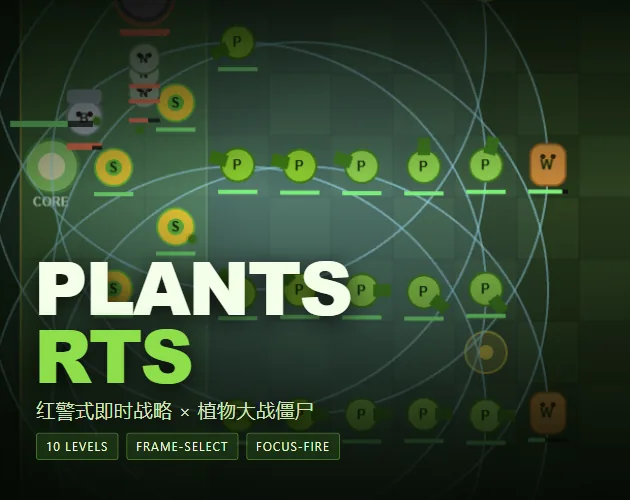
Plants RTS
A free browser real-time strategy game that mixes squad commands with lane defense, ten escalating levels, and a deliberately punishing final challenge.
#4 this weekAI-assisted: Code, Sound
The game runs in this tab. No install, no account.
The short answer
Plants RTS is a free HTML5 real-time strategy game where players command plant squads across five lanes, place units in locked zones, and use mouse-and-keyboard orders to hold off zombie waves. Ten levels introduce new pressure, browser saves keep progress, and the prototype uses geometric code-drawn art. It is ready to play now for players who want demanding lane-defense tactics.
What is Plants RTS?
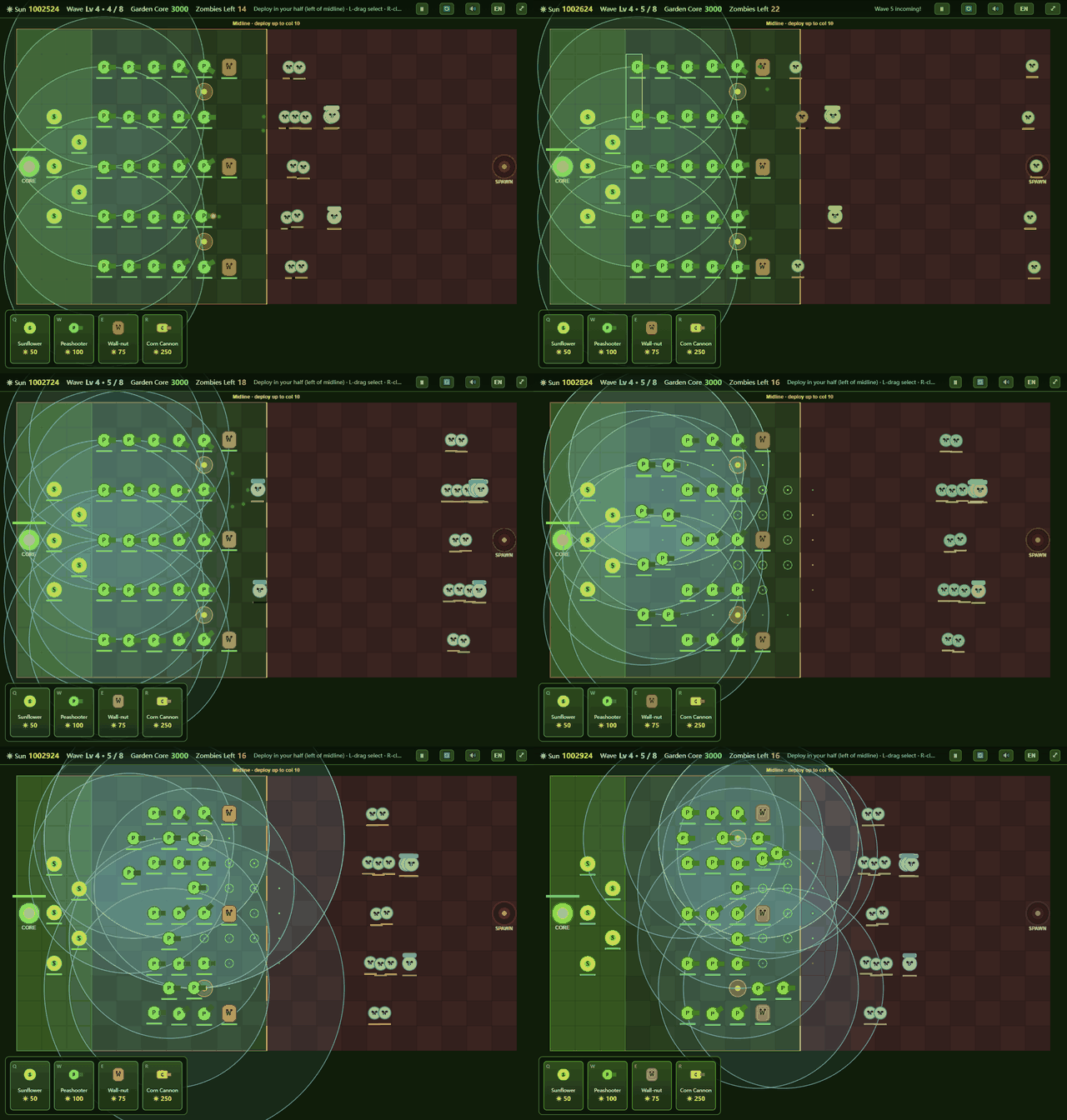
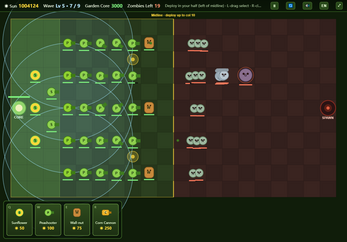
Plants RTS is a free HTML5 action game built around real-time strategy and lane-defense ideas. Players command plant units across five lanes instead of simply clicking cards and watching the battle unfold. Mouse dragging selects groups, right-click orders move units, and right-clicking an enemy directs focused fire. The map is split into two locked construction zones: the back rows accept sunflowers only, while the front rows hold shooters, walls, and cannons. Units cannot cross between those halves after placement, so each slot is a commitment. Sun spots are firing positions rather than income tiles, and a shooter placed on one gains a 50 percent range bonus. Ten levels unlock in sequence, and browser saves preserve progress. The visual style is entirely code-drawn geometric placeholder art, which fits the playable prototype status. The result is a tactical game about holding five lanes while managing placement, targeting, and control groups under increasing pressure.
How to play
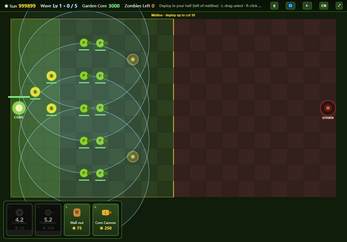
Each run begins with card-based plant selection and placement on a five-lane grid. The rear columns from zero through two are reserved for sunflowers. The forward columns from three through nine take shooters, walls, and cannons. A unit placed in one zone cannot be shifted to the other, so the opening layout matters. Sunflowers belong in the back, while offensive and blocking units occupy the front. Sun spots are not economy tiles; they are firing positions that give a shooter 50 percent more range.
During battle, drag a box to select units, right-click the ground to issue a pathfound move order, or right-click a zombie to concentrate fire. Shooters automatically favor the zombie nearest the core rather than the one nearest themselves. Control groups help reposition multiple squads without losing track of them. Enemy pressure changes by level: early waves are straightforward, bucket zombies appear at level two with 500 HP, giants arrive at level three, and all five lanes come under attack at level four. Before that, enemy AI probes the three weakest lanes. Later levels add concentrated heavies, denser spawning, health and speed modifiers, and surprise waves between regular waves. Clearing a level unlocks the next one. The objective is to survive every wave while keeping the core protected.
Controls
Plants RTS uses mouse and keyboard orders in a real-time strategy layout. Click a plant card or press Q, W, E, or R to select a plant. Left-click a grid cell to place it. Left-drag across the field to box-select units. Right-click the ground to send a move order handled by A* pathfinding. Right-click a zombie to focus fire on that target. Control groups use Ctrl plus 1 through 9 to bind a team, then 1 through 9 to recall it. Space pauses the battle. M handles mute, F handles fullscreen, and ESC cancels a placement or clears a selection.
These bindings matter because the game expects active command rather than passive card clicking. A player can reposition a squad, redirect fire, and return to a control group without moving through menus. The controls also explain why the two locked construction zones demand planning: placement happens with the mouse, but battlefield adjustments happen through selection and orders. New players should practice box-selecting and right-click focus fire before pushing into the harder levels.
| Input | Action |
|---|---|
| Left click plant card or Q/W/E/R | Select a plant |
| Left click grid | Place the selected plant |
| Left drag | Box-select units |
| Right click ground | Issue a move order with A* pathfinding |
| Right click zombie | Focus fire on that zombie |
| Ctrl plus 1-9 | Bind a control group |
| 1-9 | Recall a bound control group |
| Space | Pause |
| M | Mute |
| F | Toggle fullscreen |
| ESC | Cancel placement or selection |
Tips for your first run
Start by treating the back rows as a sunflower zone and the front rows as the fighting line. Because units cannot move between the two locked areas, every placement is permanent for that slot. Put sunflowers in columns zero through two, then use columns three through nine for shooters, walls, and cannons. Save sun spots for shooters that need the 50 percent range increase. Learn control groups early; binding squads with Ctrl plus a number and recalling them with the number key makes later lane switches much faster.
Watch enemy targeting patterns. From level four, all five lanes are pressured, and from level five heavies mass on one lane instead of splitting two-to-one. From level nine, surprise waves arrive between regular waves. The final level stacks every modifier, so expect losses there.
- Place sunflowers only in the rear columns and combat plants only in the forward columns.
- Use sun spots for shooters that benefit from the extra range, not as income.
- Bind squads to control groups before waves become dense.
- Right-click a zombie when a single target must die quickly.
- Expect level ten to be tuned for defeat even with strong play.
Content and replayability
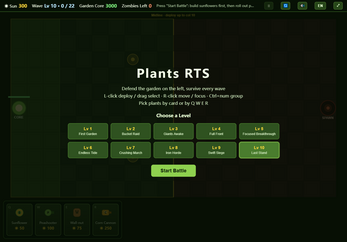
Plants RTS has ten sequential levels, each with a different pressure profile. Level one is the baseline with five waves. Level two adds bucket zombies at 500 HP and six waves. Level three brings giants and seven waves. Level four pressures all five lanes across eight waves. Level five sends nine waves and makes heavies concentrate on one lane. Level six has eleven waves with the densest spawning yet. Level seven has thirteen waves of sustained pressure. Level eight raises zombie health by 15 percent across fifteen waves. Level nine adds 15 percent speed and surprise waves between regular waves across eighteen waves. Level ten combines all modifiers across twenty-two waves and is tuned to be almost impossible.
A cleared level unlocks the next, and progress saves in the browser. Replay value comes from refining placement, control-group use, and focus-fire decisions against known pressure patterns. The locked zones and sun-spot range bonus create room for different front-line arrangements. Because the prototype includes code-drawn placeholder art, the appeal is tactical rather than visual collection. Players who enjoy shaving losses, testing lane priorities, and learning enemy timing have a clear reason to return. The final difficulty spike is deliberate, so repeated attempts are part of the design rather than a side effect.
Presentation and performance
Plants RTS is a playable prototype with its artwork generated in code from geometric placeholder shapes. No third-party or copyrighted assets are used. The game is built with TypeScript and PixiJS, and the total download is about 185 KB. That small footprint suits an HTML5 browser game and keeps the focus on unit shapes, lanes, and command feedback rather than elaborate animation.
The five-lane field, locked construction zones, and sun spots are the main visual anchors. Because the art is placeholder geometry, players should expect readable silhouettes and functional effects instead of a finished illustration set. The prototype label also means the presentation is part of what is being tested, not a final art pass. The HTML5 format, PixiJS and TypeScript build, and roughly 185 KB download are the concrete technical points. What matters at launch is whether the RTS layer is clear: selected squads, move orders, focus-fire targets, and lane pressure all need to read quickly during dense waves.
Who should play it
Plants RTS suits players who want lane defense with direct control rather than card-clicking alone. The game rewards box-selection, move orders, focus fire, and control-group use, so real-time strategy habits transfer well. Players who enjoy planning around fixed construction zones will find the sunflower-only rear rows and combat-only front rows create meaningful placement choices. The sun-spot range bonus adds another layer for shooter placement.
The ten-level structure gives a clear sequence of new pressures, from bucket zombies and giants to concentrated heavies and surprise waves. At the same time, the prototype status and geometric placeholder art mean the appeal is tactical, not visual polish. Players looking for a finished art showcase or a relaxed lane-defense game should adjust expectations. The final levels are intentionally brutal, with level ten tuned so that even a strong player will lose. This is best for someone who enjoys learning from defeat, refining control-group play, and replaying a compact browser strategy challenge.
Screenshots
How we tested it
The build was loaded from games.debutplay.com in a headless Chromium session on ; the canvas started and no request was blocked. The guide was last checked on .
From the developer
**A Red Alert-style real-time strategy game wearing a Plants vs. Zombies skin.** This is not a lane-defense clone. You actually command the battle: box-select squads, right-click to reposition with A* pathfinding, focus-fire a single zombie, and bind control groups — all while holding five lanes with a hard limit: **you can only build in your own half of the map.** ### What makes it different - **RTS controls, not card clicks** — drag-select units, `Ctrl+1~9` bind teams, right-click move orders, right-click a zombie to focus-fire it. - **Two locked zones** — back rows (col 0–2) grow **sunflowers only**; front rows (col 3–9) hold shooters, walls and cannons. You cannot move a unit between the two. - **Sun spots are firing positions**, not income — place a shooter on one for **+50% range**. - **Enemy AI that probes your defense** — zombies target your 3 weakest lanes (5 from Lv4). From Lv5 heavies stop splitting 2:1 and pile onto a…
Frequently asked questions
Is Plants RTS free?
Yes. Plants RTS is free to play in the browser.
What platform does Plants RTS use?
It is an HTML5 browser game.
How many levels are there?
There are ten levels. Clearing one unlocks the next, and progress saves in the browser.
Does Plants RTS have multiplayer?
Plants RTS is a singleplayer game.
What makes combat different from a typical lane-defense game?
Players command units directly with box selection, right-click move orders, focus fire, and control groups. Placement is split between locked rear and front zones, and sun spots boost shooter range by 50 percent.
How hard is level ten?
Level ten combines all modifiers across twenty-two waves and is tuned so that even a strong player will lose. It is meant to be almost impossible.
What games are similar to Plants RTS?
The closest matches on DebutPlay are Tweet Land: Route 140, TOP FLOOR, Last Stop. They share the same genre, so the controls and the pace carry over.
Something wrong or missing? Tell us. How we test games.