Sports · New game
Enfield: Chalkboard Basketball
A free prototype that turns a single high-school basketball possession into a turn-based coaching puzzle, played out on a low-poly court against Millbrook Tech.
#29 this weekAI-assisted: Code, Graphics, Sound, Text
The game runs in this tab. No install, no account.
The short answer
Enfield: Chalkboard Basketball is a free, playable prototype about coaching one possession at a time: pick a passer, set a screen, hunt the open shooter, then choose how the defense answers. Thinking is free while actions burn basketball time, so reading spacing matters more than speed. It runs in an HTML5 frame and as a macOS download.
What is Enfield: Chalkboard Basketball?
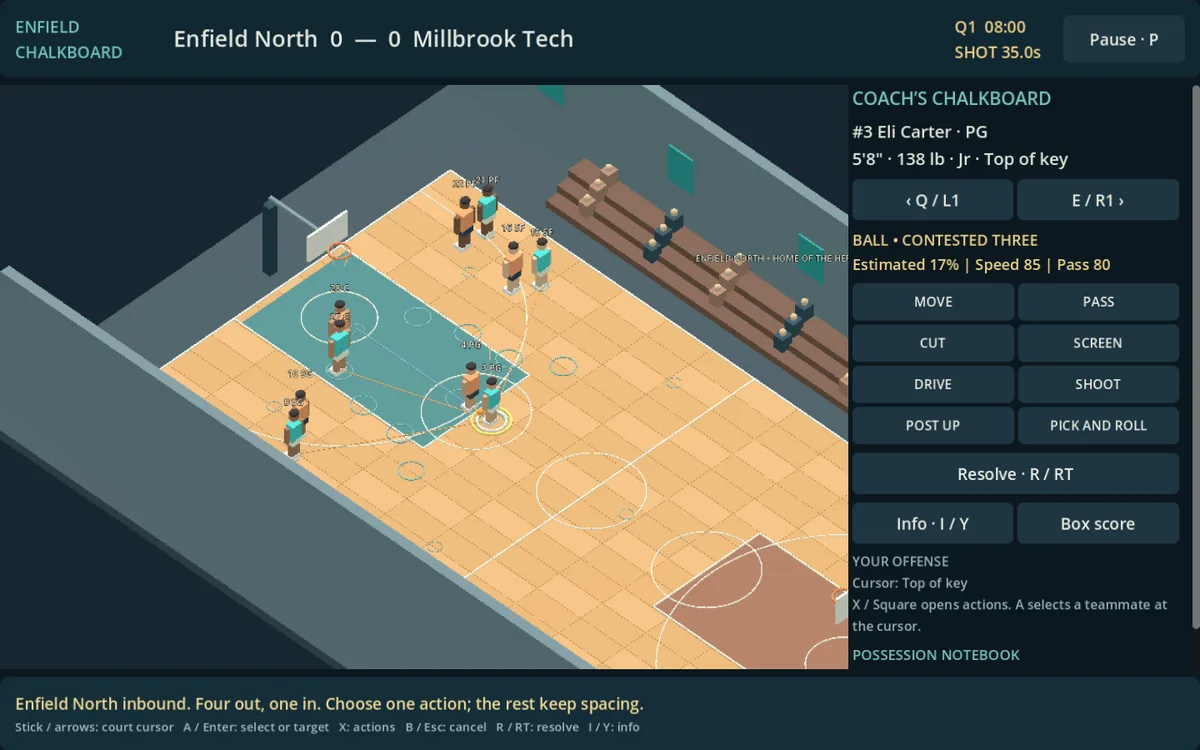
Enfield: Chalkboard Basketball is a tactical high-school basketball prototype from developer chanch, built around a coached possession rather than end-to-end arcade action. Enfield North meets Millbrook Tech inside a low-poly gym, and the matchup is framed as five-on-five basketball with a 4-out / 1-in offense against man-to-man defense.
The court is divided into twenty named basketball spaces — blocks, elbows, wings, corners, slots and the top of the key — so every action carries a location with it. Only one athlete is selected at a time while teammates hold their spacing, which keeps each decision readable instead of turning into a scramble.
Time behaves differently depending on what is happening. Thinking through a decision costs nothing, but every movement and every action spends basketball time, so a possession becomes a budget. The result reads like a coach's chalkboard turned into something playable, with the emphasis on reading a defense and answering it rather than on reflexes.
How to play
Each possession opens with a decision. The offense is a 4-out / 1-in set, and one athlete is controlled at a time while the rest hold their positions across those twenty court spaces. The coaching menu covers moving a player, passing, cutting, screening, driving, shooting, posting up and running a coordinated pick-and-roll. Every one of those actions costs basketball time, so a possession is a budget rather than a free-form scramble.
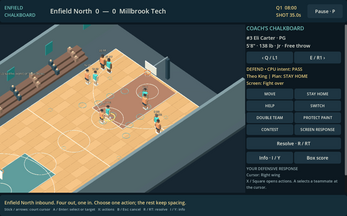
The sequence does not end with the shot attempt. Defense is coached the same way, with options to stay home, help, switch, double, protect the paint, contest a shot or slide a defender elsewhere. Screens get their own answers: fight over the top, go under, switch, hedge, drop or trap.
Outcomes lean on transparent probabilities that weigh passing lanes, size, skill, positioning, separation and fatigue. Missed shots become weighted rebound contests, and an offensive board keeps the possession alive.
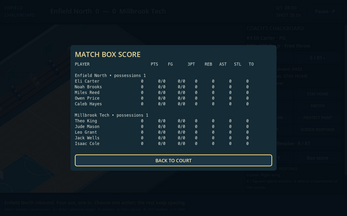
A match is four eight-minute quarters with score, shot clock, possession changes and a box score. Half-court inbounds and transitions are abstracted, and a tied exhibition ends tied.
Controls
Enfield: Chalkboard Basketball accepts keyboard, mouse and controller input. On the court, the arrow keys, left stick or D-pad move the cursor and navigate menus; Enter, A or Cross selects and confirms; X or Square opens actions; Escape, B or Circle cancels. Q and E, or the shoulder bumpers, cycle through players, and the same inputs pick teammate targets while a pass or screen is being configured. R, RT or R2 resolves the committed action, the ratings binding or Y or Triangle pulls up player ratings, and P or Options pauses.
Camera work sits on the right stick: pan with the stick, zoom in with LT or L2, and click the stick to zoom out. Gold outlines mark whichever menu item currently holds focus, which matters when the cursor is doing double duty between the court and the interface.
Browser gamepad detection needs a button press while the game is focused, so press a pad button after clicking in. Fullscreen is recommended. A confirm-action remap plus debug probability detail and overlay settings are saved locally. Touch is not a supported control scheme, and the game is designed for landscape desktop play.
| Input | Action |
|---|---|
| Arrows / left stick / D-pad | Move the court cursor and navigate menus |
| Enter / A / Cross | Select or confirm |
| X / Square | Open actions |
| Escape / B / Circle | Cancel |
| Q / E or bumpers | Cycle players, or teammate targets during passing and screening |
| R / RT / R2 | Resolve the committed action |
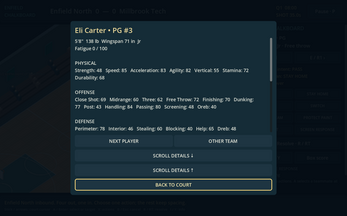
| Ratings binding / Y / Triangle | Open player ratings |
| P / Options | Pause |
| Right stick | Pan the camera |
| LT / L2 | Zoom in |
| Right-stick click | Zoom out |
Tips for your first run
Start by reading rather than clicking. Nothing is charged for thinking, so scan the twenty spots, note where the defense has loaded up, and check the shot clock before committing anyone to a cut or a screen.
Cycle through the roster early. Q and E or the bumpers move between players, and the ratings panel shows who should be shooting, posting up or setting the screen. Those same cycling inputs choose teammate targets while a pass or screen is being built, so the order of operations matters.
Do not treat a miss as the end of a possession. Rebounds are weighted contests and an offensive board keeps the sequence alive, which makes chasing the glass a real decision rather than an afterthought. Plan the defensive call while the offensive one is still unfolding, since the possession flips into a response choice.
- Spend the free thinking time before spending basketball time.
- Zoom in with LT or L2 to judge spacing before choosing a pass.
- Check ratings before asking a low-percentage player to shoot or post up.
- Pick a screen coverage deliberately: fighting over, dropping and trapping each change the next read.
- Remap confirm if the default feels wrong; the setting persists locally.
Content and replayability
This is a first milestone rather than a finished career sim. There are two fictional teams and one gym, and the release deliberately puts its effort into the court instead of empty management screens. The planned 200-school Enfield universe, careers, seasons, fouls, free throws, substitutions, zones, injuries and long-term history are not implemented, so the loop that exists is exhibition basketball between Enfield North and Millbrook Tech.
Replay value comes from the tactical layer: six screen coverages, a spread of defensive calls and an offense built on passes, cuts and screens give each possession a different shape. Because probabilities are transparent and still being balanced, experimenting with matchups is part of the point. Procedural models and automatic animation are intentionally simple, which keeps attention on decisions rather than on spectacle.
There are no purchases, accounts, ads, analytics or multiplayer, so nothing sits between launching the game and coaching a possession.
Presentation and performance
The look is low-poly and procedural: three-dimensional players, a simple gym and an interface built from basic tones, all original assets rather than licensed material. Code, procedural models, UI and simple interface audio were produced with AI assistance. The game runs on Godot Engine under the MIT licence, with a bundled Bungee font under the SIL Open Font License, though the current UI uses the engine default font.
Screenshots reflect actual game rendering rather than mockups. Testing has covered seeded full-match simulation, UI checks, joypad button and trigger event tests, and desktop-browser keyboard and mouse play. Those simulated pad tests do not establish that every physical Xbox or PlayStation controller behaves identically in every browser, so controller support is worth a quick check on your own hardware.
The macOS download is locally ad-hoc signed and unnotarized, which may prompt extra steps from the operating system. Fullscreen is recommended, and the whole thing is built for landscape desktop play rather than phones or tablets.
Who should play it
Players who enjoy chess-like basketball — reading a defense, calling a screen coverage, working out which of twenty spots is open — will find the most here. The pacing suits anyone who likes to think before acting, since deliberation is free and only actions consume clock.
It is a poor fit for anyone wanting a full basketball simulation right now. Fouls, free throws, substitutions, zones and injuries are absent, there is a single gym and two teams, and a match can end level with no overtime. Anyone hoping for a career mode should wait.
Curiosity about prototypes helps too. The probabilities and tactics are still being balanced, so numbers will move. Treat this as a first milestone from a solo developer and the scope makes sense: a free, ad-free build with no accounts, focused entirely on the possession-by-possession coaching idea.
Screenshots
How we tested it
The build was loaded from games.debutplay.com in a headless Chromium session on ; the canvas started and no request was blocked. The guide was last checked on .
From the developer
Coach the next possession. Enfield: Chalkboard Basketball is a playable tactical high-school basketball prototype. Coach Enfield North against Millbrook Tech in a low-poly gym. Choose the pass, set the screen, turn the corner, find the open shooter—and then coach the defensive response. Basketball as a tactical game Five-on-five, 4-out / 1-in offense and man-to-man defense. Twenty basketball spaces include blocks, elbows, wings, corners, slots and the top of the key. Select one athlete at a time; teammates maintain spacing. Thinking time is free, while movement and actions spend basketball time. Move, pass, cut, screen, drive, shoot, post up and run a coordinated pick-and-roll.Stay home, help, switch, double, protect the paint, contest or move a defender.Respond to screens by fighting over, going under, switching, hedging, dropping or trapping.Passing lanes, size, skill, positioning, separation and fatigue affect transparent…
Frequently asked questions
Is Enfield: Chalkboard Basketball free to play?
Yes. It is a free prototype with no purchases, accounts, ads, analytics or multiplayer, playable in an HTML5 frame in the browser and as a macOS download.
Can it be played on a phone or tablet?
No touch scheme is supported. The game is designed for landscape desktop play, and the HTML5 build and macOS download are the listed platforms.
Does it work with a controller?
Keyboard, mouse and controller are all supported. Browsers need a button press on a focused game before detection, and simulated pad tests do not guarantee every physical Xbox or PlayStation pad.
How long does one match last?
A game runs four eight-minute quarters with a shot clock, possession changes and a match box score; a tied exhibition simply ends tied.
Are there seasons, careers or fouls?
Not in this build. Fouls, free throws, substitutions, zones, injuries, careers, seasons and the planned 200-school universe are absent; there are two teams and one gym.
What decides whether a shot or pass succeeds?
Transparent probabilities weigh passing lanes, size, skill, positioning, separation and fatigue, and misses turn into weighted rebound contests where an offensive board extends the possession.
What games are similar to Enfield: Chalkboard Basketball?
The closest matches on DebutPlay are Accent Football Simulator, Padel Legacy, Box Ring Master. They share the same genre, so the controls and the pace carry over.
Something wrong or missing? Tell us. How we test games.