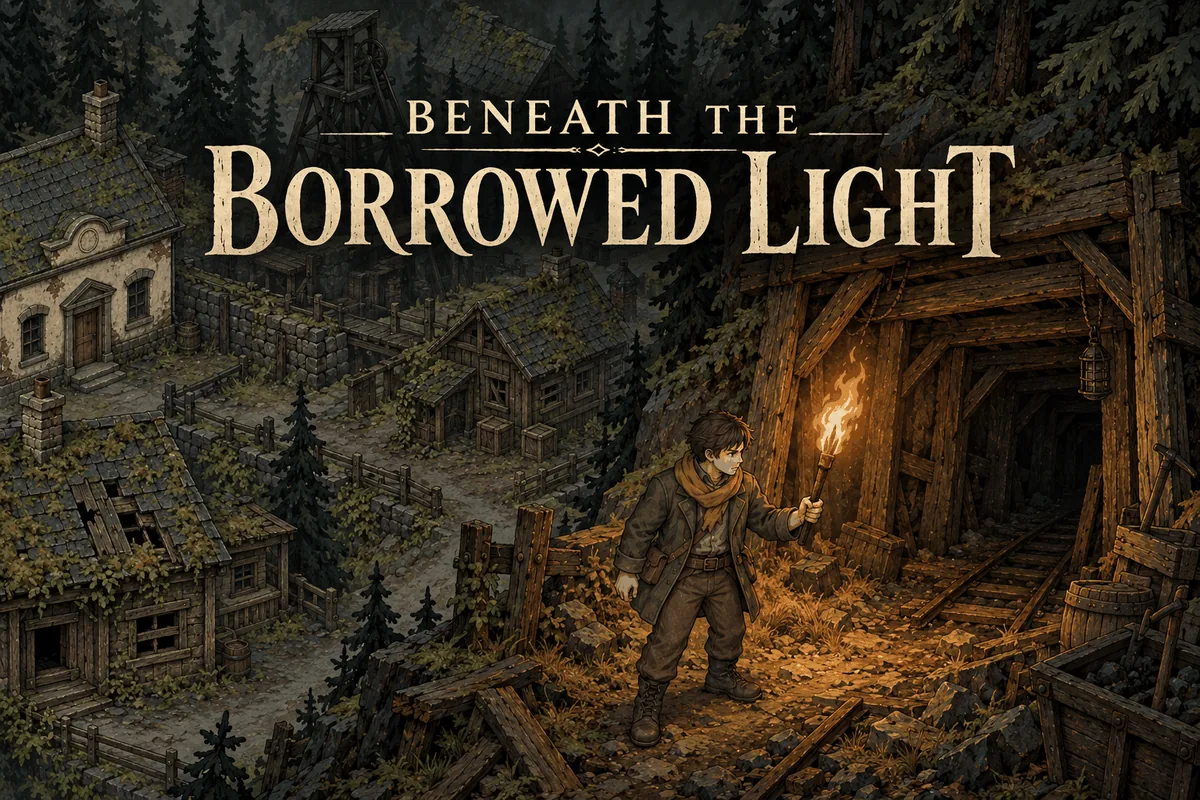
Survival · New game
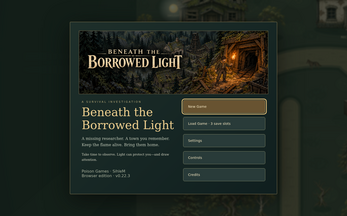
Beneath the Borrowed Light
A free browser survival mystery set in an abandoned mining town, where torch fuel, clues, and dangerous creatures shape a rescue with multiple endings.
#45 this weekAI-assisted: Code, Graphics, Sound, Text
The game runs in this tab. No install, no account.
The short answer
Beneath the Borrowed Light is a free HTML5 survival game from Poison Games. You arrive in an abandoned mining town to find a missing researcher, balancing torch strength against fuel while searching buildings and ventilation works. Play it now for a story-rich 2D mystery with deductions, hostile creatures, difficulty choices, and endings shaped by your decisions.
What is Beneath the Borrowed Light?
Beneath the Borrowed Light is a 2D survival game from Poison Games, built for HTML5 browsers and published on 29 October 2026. It is free to play and currently in development. The premise is a rescue mystery: a researcher has gone missing, and the player arrives in an abandoned mining town with a torch and a trail of unanswered questions.
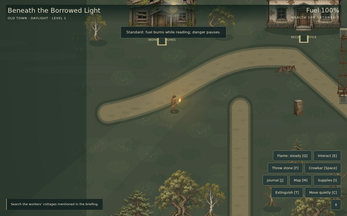
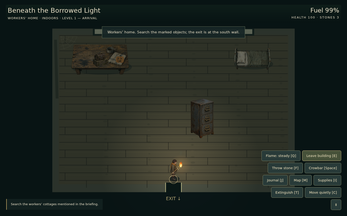
Searching the town means entering neglected buildings, studying documents and photographs, and following the researcher's last known movements. The clues are meant to be connected through deductions rather than simply collected. The town also includes mine ventilation works, and the search eventually points toward machinery and secrets beneath the surface.
Torchlight is the central pressure. A stronger flame can hold certain threats back, but it burns fuel and may attract attention. Health and limited supplies add to the tension, while the missing researcher must be protected and guided to safety. The outcome is not a single fixed rescue; multiple endings are shaped by the player's actions. Standard and Challenge difficulty options change how safely the world behaves while story panels are open.
How to play
Begin by exploring the abandoned mining town and its building interiors. The immediate goal is to find the missing researcher, but progress depends on reading the place carefully: collect documents and photographs, note the researcher's last known movements, and connect clues through deductions. The mine ventilation works are part of the search area, and the larger mystery involves machinery and secrets beneath the town.
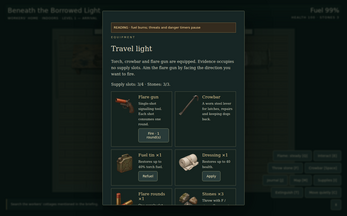
Survival management runs alongside the investigation. Torch strength is a trade-off: a stronger flame can help hold certain threats back, yet it consumes fuel and may draw attention. Fuel, health, and limited supplies all need attention. When danger appears, the available responses include quiet movement, stones, a crowbar, and flares. Decide when to advance and when to retreat.
Rescuing the researcher is not the final step. The researcher must be protected and guided to safety, and the ending changes based on actions taken. Standard difficulty pauses creatures and danger timers during story panels, though torch fuel keeps burning. Challenge keeps the world active while reading. System menus, including settings and save screens, pause both modes.
Controls
Desktop keyboard and mouse are the recommended way to play. A landscape touch control layout is also included. Before starting, open Settings and adjust text size, high contrast, readable font, reduced motion, tips, and audio. These options matter because the game includes darkness, torch flicker, hostile creatures, and unsettling themes. Reduced Motion is available for torch flicker. Use the settings pass to make torch flicker, text, and audio comfortable before the first search.
System menus, including settings and save screens, pause play in both Standard and Challenge. Save screens support three browser-local slots with manual saves and checkpoint autosaves. Saves stay with the current browser and device, and clearing site data or changing browser, device, or hosting address will not carry progress over.
The game page does not list its controls. Check the in-game tutorial or pause menu for the current scheme.
Tips for your first run
Start on Standard if the priority is learning the town without story panels turning into extra danger. Standard pauses creatures and danger timers while panels are open, but torch fuel still burns, so reading is not a full safety net. Keep an eye on fuel before opening documents or lingering over clues. A stronger flame may be useful against certain threats, but it can also consume supplies and attract attention.
- Use quiet movement to avoid creating unnecessary noise, and save stones, the crowbar, and flares for moments when danger is already close.
- Watch beyond the torch's reach; movement outside the light is a warning to slow down, retreat, or change approach.
- Treat documents and photographs as part of the route, not collectibles; connect clues through deductions to follow the researcher's last movements.
- Set text size, high contrast, readable font, reduced motion, tips, and audio before the first search so the interface does not compete with the atmosphere.
- Use manual saves alongside checkpoint autosaves, and remember that the three slots are tied to the current browser and device.
Content and replayability
Content is built around a rescue mystery rather than a simple fetch quest. The missing researcher must be protected and guided to safety, and the truth involves the town, the mine ventilation works, and machinery and secrets beneath the town. Documents, photographs, and other clues feed a deduction system, so the story is assembled from what the player notices and connects.
Replay value comes from multiple endings shaped by actions, along with Standard and Challenge difficulty options. Those choices give different reasons to revisit the town and the mine ventilation works. Three browser-local save slots support manual saves and checkpoint autosaves, so different decisions can be explored without relying on a single file. The rescue itself changes because the researcher must be protected and guided to safety.
The content notice flags darkness, hostile creatures, disappearance, peril, and unsettling themes. Torch flicker is present, and Reduced Motion is available in Settings. This is a Halloween-toned survival story with exploration and mystery at its center.
Presentation and performance
The visual pitch is a painted 2D town with building interiors and mine ventilation works. The tags point toward atmospheric exploration, Halloween horror, mystery, and story-rich singleplayer play. The torch is both a visual motif and a mechanical pressure: its flicker is part of the presentation, and Reduced Motion can be enabled for that effect. A stronger flame may hold threats back, but it also changes how the player is seen and how quickly fuel disappears.
Interface options include text size, high contrast, readable font, reduced motion, tips, and audio. Those settings are useful because the game includes darkness, hostile creatures, disappearance, peril, and unsettling themes. The browser build is HTML5. Saves are browser-local across three slots, with manual saves and checkpoint autosaves. Progress belongs to the current browser and device; clearing site data or switching browsers, devices, or hosting addresses will not transfer it.
The playable HTML5 frame is the practical starting point. System menus, including settings and save screens, pause play. Browser-local saves keep progress with the current browser and device.
Who should play it
Players who enjoy survival management with a mystery should find the setup appealing. The loop rewards careful exploration of a 2D town, attention to documents and photographs, and deductions that connect clues. Torch strength, fuel, health, and limited supplies create constant pressure. The need to protect and guide the missing researcher gives the search a clear human goal.
Fans of multiple endings and difficulty choices get Standard and Challenge modes. Players who value accessibility can adjust text size, high contrast, readable font, reduced motion, tips, and audio. The game is free and runs in an HTML5 browser. Desktop keyboard and mouse are recommended, and landscape touch controls are included.
It is not a gentle Halloween story. The content notice includes darkness, hostile creatures, disappearance, peril, and unsettling themes, along with torch flicker. Those who prefer a calm exploration game without threat should weigh that before starting. Those looking for a story-rich browser survival game with a rescue at its center are the intended audience.
Screenshots
How we tested it
The build was loaded from games.debutplay.com in a headless Chromium session on ; the canvas started and no request was blocked. The guide was last checked on .
From the developer
A missing researcher. A town you remember. A flame that will not last. Hired to find a missing investigator, you arrive at an abandoned mining town with a torch and a trail of unanswered questions. Search its neglected buildings, study the evidence left behind, and follow the researcher’s last known movements. As daylight fades, your light becomes a decision. A stronger flame can help hold certain threats back, but it consumes precious fuel—and may draw attention. Watch what moves beyond its reach, manage your supplies, and decide when to advance and when to retreat. Finding the researcher is only part of the journey. Piece together what happened, guide them to safety, and confront the machinery and secrets beneath the town. Keep the flame alive. Bring them home. Features Explore a painted 2D town, building interiors, and the mine ventilation works.Collect documents, photographs, and other evidence, then connect clues through…
Frequently asked questions
Is Beneath the Borrowed Light free?
Yes. It is free to play in an HTML5 browser and is currently in development.
What platforms and inputs are supported?
It runs as an HTML5 browser game. Desktop keyboard and mouse are recommended, and a landscape touch control layout is included.
How does the torch affect survival?
A stronger flame can help hold certain threats back, but it consumes fuel and may draw attention. Torch fuel continues to burn during story panels, even in Standard.
What changes between Standard and Challenge?
Standard pauses creatures and danger timers during story panels while torch fuel keeps burning. Challenge keeps the world active while reading. System menus pause both modes.
How do saves work?
Three browser-local slots support manual saves and checkpoint autosaves. Progress belongs to the current browser and device; clearing site data or changing browser, device, or hosting address will not transfer it.
Are there multiple endings?
Yes. Multiple endings are shaped by actions. The missing researcher must be protected and guided to safety, and the town's machinery and secrets must be confronted.
What games are similar to Beneath the Borrowed Light?
The closest matches on DebutPlay are Crawl Out, Voxelium: Block Crafting 3D, Wardlight Frontier. They share the same genre, so the controls and the pace carry over.
Something wrong or missing? Tell us. How we test games.