Simulation · New game
Voxelium: Block Crafting 3D
A browser-based voxel sandbox that pairs unlimited Creative building with a Survival loop of mining, crafting and nightfall defense across seven worlds.
#36 this weekAI-assisted: Code, Sound
The game runs in this tab. No install, no account.
The short answer
A cube-built sandbox where the same world supports calm construction and dangerous nights. Creative mode removes limits and adds flight; Survival asks for tools, food, shelter and a fight after dark. More than 350 blocks, seven reachable worlds, dragons to raise and two major bosses give a first session plenty to chase.
What is Voxelium: Block Crafting 3D?
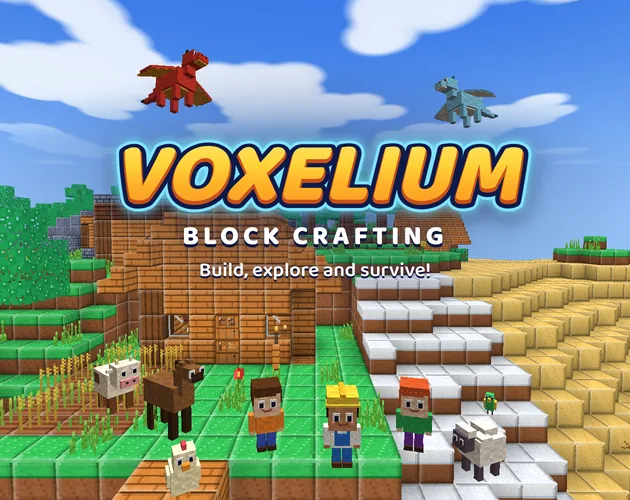
Voxelium: Block Crafting 3D is a cube-built sandbox that puts construction and survival in the same open world. Creative mode hands over unlimited blocks and flight, while Survival mode asks for gathered resources and a defensible base before darkness arrives. The parts list is deep: more than 350 block types and over 240 crafting recipes, covering stairs, slabs, fences, glass panels, carpets, furniture and lamps.
The map spreads across islands with forests, beaches, deserts and snowy mountains, with caves, abandoned mines, fortresses and temples underneath and inside. Oceans hold fish, dolphins, turtles, coral reefs and shipwrecks. More than thirty creature types roam the world, from cows and pigs to horses, wolves, cats, parrots and llamas, and flying dragons can be bred and ridden.
It runs in a browser window at no cost, so the first block goes down moments after the play frame loads.
How to play
A first run begins with wood. Chop trees, then mine coal, iron, gold and the rare violet crystals that open the way to better gear. Tools, weapons, armor, bows and gliding wings all come out of that crafting list, and the available recipes widen as new materials arrive.
Survival adds upkeep. Hunger has to be managed, so wheat, carrots and potatoes get planted and cooked alongside keeping bees. Nightfall brings zombies and other hostile creatures, which is why shelter matters before the light goes. Fights are not just swinging: charged attacks, dodges and shield blocks all play a part.
Five difficulty levels, from Peaceful through Easy, Normal and Hard up to Extreme, let a player set the pressure. Eighteen guided missions walk through the basics, while sixty-three achievements, medals and villager quests give the longer game a shape.
Controls
Movement sits on WASD or the arrow keys, the mouse turns the view, and a click breaks or places a block. That trio covers building, mining and most of the moment-to-moment play, whether the job is a quick shelter or a detailed facade.
Touch screens work, and game controllers are supported, so the same world can be played on a desktop setup or with a pad in hand. A REC button captures gameplay for anyone who wants to keep a build session or a fight.
Creative mode adds flight to the same set of inputs, which changes how tall structures get made. Above ground, the only limit worth worrying about is the block palette.
| Input | Action |
|---|---|
| WASD or arrow keys | Move the character |
| Mouse | Look around the world |
| Click | Break and place blocks |
| Touch screen | Play using touch input |
| Game controller | Play with a supported pad |
| REC button | Record gameplay |
Tips for your first run
The opening hours go more smoothly with a plan. Learning the crafting tree on a gentler setting, then raising the difficulty once walls and food are in place, avoids a lot of lost progress.
- Put a shelter up before the first night and keep cooked food in reserve for hunger.
- Plant wheat, carrots and potatoes early; farming and bee keeping both pay back over a long session.
- In Creative mode, copy, paste and fill large areas so a whole wall or floor moves in one action.
- Craft gliding wings and a bow before pushing into deep caves and abandoned mines.
- Run the eighteen guided missions to learn the systems; they double as a tutorial for the crafting list.
- Gear up before stepping through a travel portal, because each of the seven worlds has its own monsters and a boss in a lair.
Content and replayability
The mode list is unusually wide for a browser build. Alongside Survival and Creative sit Adventure, Spectator and Superflat, plus SkyBlock, which starts a world on a single floating island and grows from there. Lava Parkour and Zombie Night run as mini-games with online records, Village Wars turns base building into territory PvP, and The Hunt sends players after Umbrak, a shadow beast in the Shadowlands.
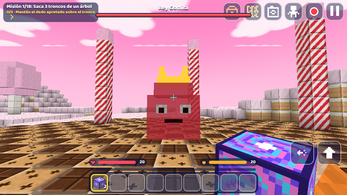
Progression runs through dimensions. The Abyss is a place of magma and crystals guarded by King Eyeball; beating it yields the materials for a Star Key, which opens the Far Isles and the Star Watcher, the final boss. A travel portal reaches seven worlds, among them Snow, Underwater, Floating Islands, Candy Land and the Moon, each with its own weather, monsters and a boss waiting in a lair. Dungeons add traps, levers and mini bosses.
Multiplayer covers private rooms for friends and public servers, and community maps plus mods can be shared. Custom skins and texture packs let a character and a world look distinct from everyone else's.
Presentation and performance
The look is pure voxel, with weather that shifts between rain, snow and thunderstorms rather than staying fixed. Biomes extend to cherry blossom forests, giant mushroom groves and savanna, and travel has its own flavour: boats for water, minecarts on laid railway tracks for land.
Because it is an HTML5 game, it loads in a browser without an install step, which makes short sessions practical. Six languages are supported: English, Spanish, Portuguese, Turkish, Indonesian and Arabic.
Capture is built in as well. Building timelapses can be recorded, screenshots of creations can be shared, and the REC button keeps a run of gameplay for later viewing.
Who should play it
Builders with a taste for detail will get the most out of it first. Stairs, slabs, fences, glass panels, carpets, furniture and lamps exist as separate pieces, and copy, paste and fill make large-scale work such as bridges, castles and cities less tedious than block-by-block placement.
Survival players who want a route to follow have one: mining for coal, iron, gold and violet crystals, farming, breeding animals, taming horses, and pushing toward King Eyeball and then the Star Watcher. The five difficulty levels mean the same progression can be relaxed or punishing.
Groups and competitive players have rooms, public servers, territory PvP and record-chasing mini-games. Anyone playing on a touch screen or with a controller is covered too, and the eighteen missions and sixty-three achievements give completionists a checklist that reaches beyond building.
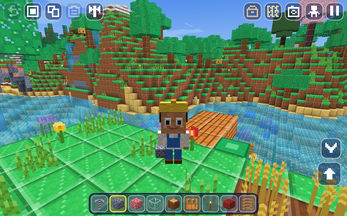
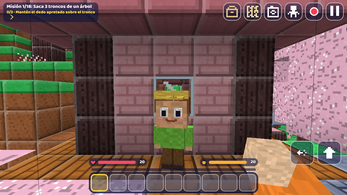
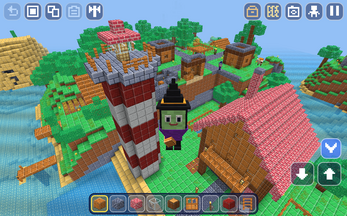
Screenshots
How we tested it
The build was loaded from games.debutplay.com in a headless Chromium session on ; the canvas started and no request was blocked. The guide was last checked on .
From the developer
Play free in your browser! Official site: voxelium.app. Discover Voxelium: Block Crafting 3D, a sandbox building and survival game where you can create amazing structures, explore mysterious islands, craft tools and survive in a huge world made of blocks. Build houses, castles and entire cities, explore deep caves, discover hidden treasures, raise animals, ride dragons and take on powerful bosses. Play your way in Creative Mode or test your skills in Survival Mode. Your imagination is the limit! Build Houses, Cities And Castles Create your own block world in this 3D building sandbox! Over 350 blocks and 240 crafting recipes.Creative Mode with unlimited blocks and flight.Build houses, castles, bridges, cities and detailed structures.Use stairs, slabs, fences, glass panels, carpets, furniture and lamps.Copy, paste and fill large areas to speed up your builds.Record building timelapses and share screenshots of your creations. Survival,…
Frequently asked questions
Is Voxelium: Block Crafting 3D free to play?
Yes. It carries no price and loads directly in a browser, so there is no purchase and no install step between opening the page and placing a first block.
What platforms does it run on?
It is an HTML5 game delivered in a browser window. Touch screens and game controllers both work, alongside the standard keyboard and mouse setup.
Can several players build together?
Yes. Players can open their own rooms for friends or join public servers and rooms, then build, explore and take on challenges as a group.
How hard does Survival mode get?
There are five difficulty levels: Peaceful, Easy, Normal, Hard and Extreme. Hunger, zombies and other hostile creatures are part of the Survival loop, and the setting chosen decides how much pressure they apply.
Does progress carry over between sessions?
Multiple worlds can be created and saved, and a build can be returned to later. A complete backup of a world can also be stored as a single file.
Which languages are available?
Six: English, Spanish, Portuguese, Turkish, Indonesian and Arabic.
What games are similar to Voxelium: Block Crafting 3D?
The closest matches on DebutPlay are Salim's Stall, Bloodline: Vampire Dynasty, Bald Peacock. They share the same genre, so the controls and the pace carry over.
Something wrong or missing? Tell us. How we test games.