Puzzle · New game
Calm Rubiks Cube
A free browser cube with five calm scenes, guided solving and a solver that can take over — here is how to settle in for a first solve.
#26 this weekAI-assisted: Code, Graphics, Sound
The game runs in this tab. No install, no account.
The short answer
Calm Rubiks Cube is a free single-player 3×3 cube in the browser, wrapped in five animated scenes with their own ambience and a soft music pad. A step-by-step solver explains and highlights every move, a copy tool reads a real scramble you paint in, and a timer with a move counter starts on your first turn after a scramble.
What is Calm Rubiks Cube?
Calm Rubiks Cube is a browser-based take on the 3×3 puzzle cube from developer fazalgk, released on 25 October 2026 and filed under puzzle and strategy. The framing is deliberately slow: one cube, a quiet setting and no advertising cutting into a session, played alone rather than against anyone.
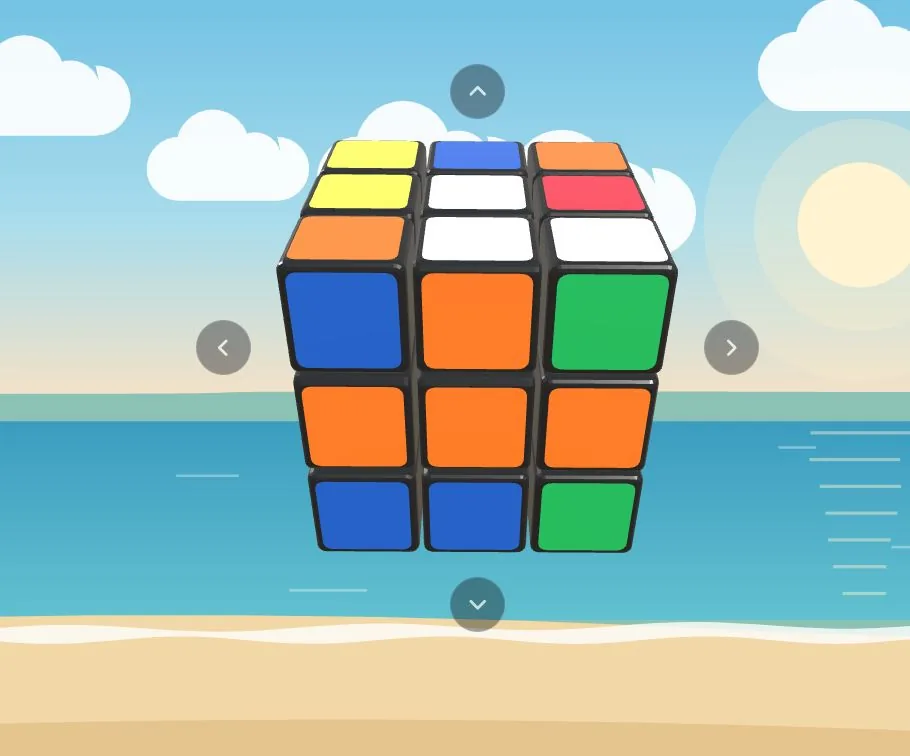
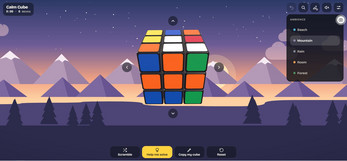
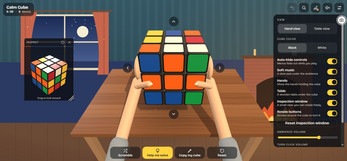
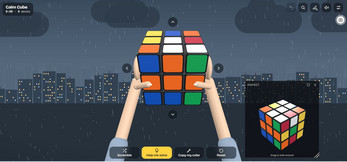
Two camera positions set the tone. Hand view puts the cube into a pair of rendered hands, while Table view rests it at a three-quarter angle on a wooden table. Around the puzzle sit five animated scenes — Beach, Mountain, Rain, Room and Forest — each with its own illustration and sound.
Underneath the calm sits a working 3×3 with a scramble, a reset, a timer, a move counter and undo that never runs out, plus a solver that can coach one move at a time or finish the whole cube by itself. Nothing in the package demands speed, which is the point of it.
How to play
A session starts with a scramble, and reset returns the cube to solved whenever a fresh start is wanted. Turning is direct: swipe across a sticker and the layer it sits on rotates. Arrow buttons arranged around the cube rotate the whole puzzle instead, which helps when a face you need is pointing away from you.
For anyone who cannot yet finish a cube, a guided-solve option plans the entire solve and narrates each step in plain language, naming the side to lift, while the layer to turn glows. Turn something different from what was suggested and a new route is worked out from the position you created. A separate option hands the remaining moves to the game and lets the solve finish itself.
A copy tool covers the physical case: paint the colours of a scrambled cube you own onto the on-screen cube and the solver returns a route for it. Every completed solve closes with a shimmer running across the stickers, confetti and a chime.
Controls
Swiping does the turning: a swipe across a sticker rotates that layer. Arrow buttons placed around the cube rotate the entire cube rather than a single layer, and the same rotation can be done by swiping empty space while the controls are hidden. Tap any empty space to bring the controls back after they fade.
On a computer, Ctrl+Z undoes a move, and Cmd+Z does the same on a Mac. If the arrow buttons are switched off, the arrow keys take over the job of rotating the whole cube. Undo is not rationed, so any number of moves can be taken back.
The interface fades while a solve is in progress so the cube fills the view, then returns on a tap. The game runs in a modern browser on phones, tablets and computers, and a connection is needed while it loads.
The game page does not list its controls. Check the in-game tutorial or pause menu for the current scheme.
Tips for your first run
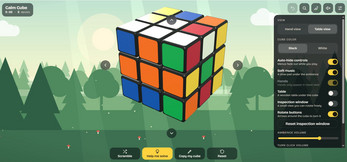
A first solve goes more smoothly with a little setup. The clock and the move counter only begin on the first turn taken after a scramble, so scrambling first is what puts those numbers to work. Before touching anything, look the whole cube over in the inspection window, a small view you can drag for an angle on the puzzle without changing it.
Nobody has to solve unaided. Ask for guidance at the start rather than after twenty moves, and watch which layer glows before turning it, so each instruction teaches something. A wrong turn is not a setback because the route is recalculated, and undo is unlimited if a move feels off.
- Scramble before solving so the timer and the move counter have something to measure.
- Keep the inspection window open and drag it around before committing to a first turn.
- Follow the glow rather than reading ahead; the highlighted layer is the one to move.
- Use the copy tool if a physical cube is sitting scrambled on a shelf nearby.
- Pick a scene and set ambience and turn-click volumes separately so the sound supports concentration.
- Let the game finish the solve when curiosity about the ending outweighs the wish to work it out.
Content and replayability
The five scenes change the scenery without changing the rules: Beach, Mountain, Rain, Room and Forest each pair an animated illustration with their own sounds and a soft music pad, all generated in the browser rather than streamed from a recording.
Most of the long-term value sits in the solver. It can carry a beginner through a full solve, recalculate when a different turn is made, or surrender the remaining moves on request, so the same scramble can be a lesson one day and a hands-off demonstration the next. The copy tool stretches that to any scramble entered by hand.
A timer and move counter give a rough sense of progress, unlimited undo removes the fear of a wasted turn, and an unfinished solve is remembered so closing the page costs nothing. Cosmetics — a black or white cube and four skin tones for the hands — round out the options.
Presentation and performance
The look is built around quietness. Animated illustrations sit behind the cube, the two views place it either in hands or on a wooden table, and the controls fade away mid-solve so nothing competes with the puzzle itself.
Sound does much of the work. Each scene supplies its own ambience and a soft music pad, both generated in the browser, with separate volume controls for background atmosphere and for the click of a turn. Finished solves are marked with a shimmer across the stickers, confetti and a chime.
It runs on phones, tablets and computers in any modern browser, and a connection is required while the game loads. Nothing in the presentation pushes for speed, and the fading controls keep the screen clear through long, unhurried turns.
Who should play it
The obvious audience is someone who has never solved a cube and would like to, without a clock shouting at them. Narrated moves, a glowing layer and unlimited undo make the 3×3 learnable in small pieces, and letting the game finish means no session ends stuck.
It also suits people with a real cube on the shelf. The copy tool takes a physical scramble, paints it on screen and returns a route, so plastic and pixels can be worked side by side. Lapsed solvers who remember part of a method can lean on the solver only where memory fails.
Finally, it fits anyone who wants a puzzle as background rather than competition. Five scenes, live ambience and a soft music pad make it something to leave open, while the timer and move counter are there for players who want a record of the attempt.
Screenshots
How we tested it
The build was loaded from games.debutplay.com in a headless Chromium session on ; the canvas started and no request was blocked. The guide was last checked on .
From the developer
Calm Rubiks Cube is a slow, soothing take on the classic 3×3 puzzle cube. There’s no pressure and no ads. It’s just you, a cube, and a quiet place to turn it. You hold the cube in your own hands, or set it down on a wooden table, while the world around you plays softly. Watch waves roll in on the beach, catch the last light over the mountains, listen to rain on a night city, warm up beside a crackling fireplace, or rest in a sunlit forest. Each scene has its own sounds and a soft music pad, all created live in your browser. New to the cube? Tap Help me solve and Calm Cube works out every move for you. It explains each one in plain words (“Turn the right side up”) and makes the layer to turn glow. Go at your own pace, or press Play the rest and watch it finish. Have a real cube that’s scrambled? Use Copy my cube to paint its colours on screen, and Calm Cube will show you how to solve it. Features Five scenes: Beach, Mountain, Rain,…
Frequently asked questions
Is Calm Rubiks Cube free?
Yes. It costs nothing to play in the browser and carries no advertising, so a session is not interrupted by promotions. It is a single-player game throughout.
What devices does it run on?
Phones, tablets and computers, in any modern browser. An internet connection is needed while the game loads.
Can the game solve the cube for me?
Yes. The guided option plans every move, describes each one in plain words and makes the layer to turn glow. Another option plays out the rest of the solve automatically.
Can it help with a real scrambled cube?
Yes. Paint the colours of your physical cube onto the on-screen cube and the solver returns a route that matches that scramble, including a recalculated one if you turn differently.
Does it remember an unfinished solve?
Yes. Close the page and the position is kept, so the next visit picks up where the last one stopped.
When do the timer and move counter start?
Both begin on the first turn made after a scramble. Undo is unlimited, and the cube can be reset to a solved state at any point.
What games are similar to Calm Rubiks Cube?
The closest matches on DebutPlay are BATHORY: BLOODLINE — The Ten Rites, Kortzale Solitaires, Before You Wake. They share the same genre, so the controls and the pace carry over.
Something wrong or missing? Tell us. How we test games.