Simulation · New game
Cinderglaze
A browser pottery studio where every pot is generated from its shape, clay, glaze and firing, then sold, displayed, or kept in a named collection.
#17 this weekAI-assisted: Code
The game runs in this tab. No install, no account.
The short answer
Cinderglaze is a free, single-player pottery simulation that runs in the browser. Throw a form on the wheel, dry it, mix a glaze from a recipe book built by combining materials, then fire the kiln and see the result. Pots can be sold, used for double-pay orders, or displayed for tips.
What is Cinderglaze?
Cinderglaze is a single-player pottery simulation built for HTML5, so a browser is the only thing needed to open the studio. The loop follows the craft closely: choose a form and throw it on the wheel, let it dry, pick a glaze from a recipe book, load the kiln, and see what comes out the other side.
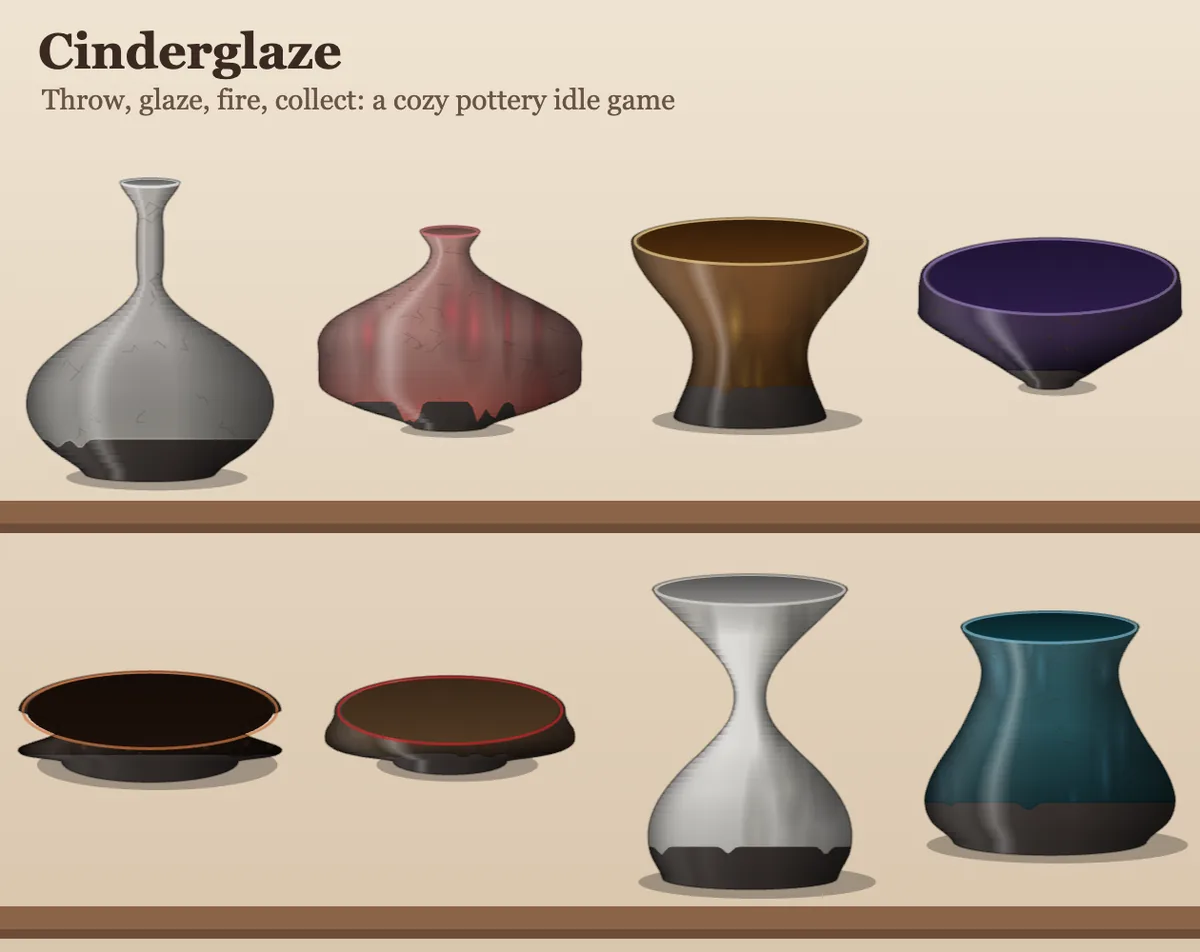
Every pot is drawn in code from its own shape, clay, glaze recipe, firing method and seed, which means each finished piece looks different from the last. Nothing is stamped from a folder of pre-drawn art; the vessel is generated as it is made. Finished work can be sold, used to fill customer orders, or placed on a display shelf to collect tips, and each pot can be kept in a named collection.
The studio is also designed to be left alone. Apprentices, a glazer, a kiln loader and a shop assistant keep production moving while the player is away, up to a cap so the workshop never runs away with itself. Progress saves in the browser, with export and import available for the save file or code.
How to play
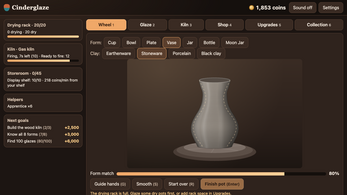
Play moves through the stations in order. The wheel begins with a form choice; dragging on the clay pulls the wall outward or presses it inward toward a dashed guide, and a Guide hands option reveals the shape being aimed for. The nearer the pot sits to that guide, the better the price it earns, and Finish pot locks the result in.
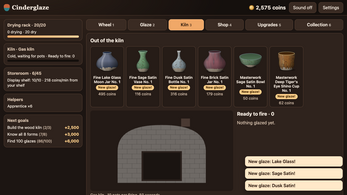
Drying follows. A dry pot takes a recipe from the recipe book, and the glaze lab pairs a base with up to two colorants. What the glaze actually looks like stays hidden until firing, so the kiln is where guesses get answered. Loading glazed pots and firing them is the whole of the kiln stage, and opening the kiln is the reveal.
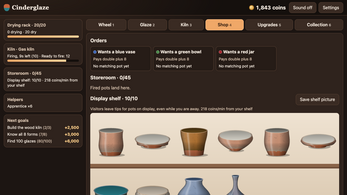
In the shop, finished work can be sold outright, used to fill customer orders that pay double, or set on the display shelf to earn tips. Upgrades spend the takings on new forms, new clays, better kilns, helpers and more space. The sidebar goals walk through the opening session step by step.
Controls
The studio is driven by a pointer or a touch drag on the clay, with buttons and tabs handling everything else. Six numbered tabs cover the main screens — Wheel, Glaze, Kiln, Shop, Upgrades and Collection — and the 1 to 6 keys jump between them.
On the wheel, dragging shapes the wall, and keyboard shaping works too: the Up and Down arrows change height while Left and Right adjust shape. G switches on guide hands, S smooths the clay, R starts the pot over, and Enter finishes it. M toggles sound on and off.
On a touchscreen the same drag gesture shapes the clay, and taps take care of the buttons and tabs. Nothing beyond those inputs is required to move through the full loop of throwing, glazing, firing and selling.
| Input | Action |
|---|---|
| Mouse | Drag on the clay to shape the wall, and click buttons and tabs |
| Touch | Drag on the clay to shape, and tap buttons and tabs |
| 1-6 | Switch tabs: Wheel, Glaze, Kiln, Shop, Upgrades, Collection |
| G | Toggle guide hands on the wheel |
| S | Smooth the clay on the wheel |
| R | Start the pot over |
| Enter | Finish the pot |
| Up/Down arrows | Adjust height when shaping with the keyboard |
| Left/Right arrows | Adjust shape when shaping with the keyboard |
| M | Turn sound on or off |
Tips for your first run
Start with the goals in the sidebar. They sequence the first session so the loop does not feel open-ended, and they push toward the next sensible upgrade rather than a random purchase. On the wheel, the dashed guide is the target, and switching on Guide hands teaches the shaping gesture faster than freeform dragging. Accuracy pays: a closer match to the guide means a better price, so a careful pull beats a rushed one.
Treat early firings as experiments. The glaze lab only allows a base plus up to two colorants, and the fired result stays hidden until the kiln opens, which makes small batches on cheap forms the cheapest way to learn what a combination does.
- Follow the sidebar goals through the opening session.
- Turn on Guide hands to see the shape being aimed for.
- Match the dashed guide closely, since accuracy raises the sale price.
- Dry pots first, because the glaze stage starts with dry work.
- Expect surprises: a glaze only shows itself after firing.
- Favour customer orders when they appear, since they pay double.
- Display the best pieces for tips instead of selling them outright.
- Hire helpers before stepping away; production continues up to a cap.
Content and replayability
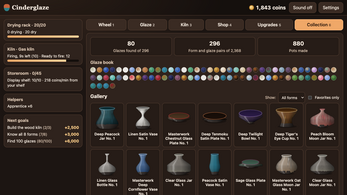
The recipe book holds 148 glazes, and each recipe has both an oxidation and a reduction result, which comes to 296 glazes to track down. Surface behaviour is not uniform across them: crackle, drips, speckle, carbon trap and pooling all appear in the set, and the kiln used changes what a glaze does.
Progression runs through the kilns, starting at a pit fire and moving up to brick, then gas for reduction firing and wood for ash glaze. Clay options span earthenware, stoneware, porcelain and black clay, and forms scale from cups to moon jars and urns.
Because every pot is generated from its shape, clay, glaze recipe, firing and seed, a collection fills with one-off pieces instead of repeats. That gives a reason to keep throwing long after the recipe book is well explored. Helpers — apprentices, a glazer, a kiln loader and a shop assistant — keep the studio ticking over, and the collection holds finished work as a permanent record.
Presentation and performance
Cinderglaze is written in plain JavaScript and drawn on canvas. Every pot, kiln, shelf and sound is generated in code, with no image or sound files and no AI-generated art. That keeps the visual language consistent, since the same system that shapes a cup also shades its glaze.
The game runs inside an HTML5 frame, with English and Spanish text and a Reduce Motion setting for players who want less movement on screen. There are no accounts, no ads and no tracking, and the save stays in the browser rather than on a server.
Sound can be switched off with a single key, and motion can be toned down, which helps on shared or low-distraction machines. Because the save can be exported as a code or a file and imported again, a studio can be backed up or carried between browsers without a login.
Who should play it
Players who like cozy, casual crafting will recognise the rhythm immediately: shape, glaze, fire, sell, repeat. Idle and incremental fans get the same loop with helpers running the studio during time away, capped so production never snowballs out of control.
Anyone drawn to procedural generation has a reason to keep throwing, since shape, clay, glaze and seed combine into pots that do not repeat, and collectors get a named archive to fill. Pottery enthusiasts get four clay bodies, a kiln ladder that climbs from pit fire to wood, and glaze chemistry reduced to a base plus two colorants.
The single-player, no-account setup suits short browser sessions as well as long ones, and the language options, Reduce Motion setting and save export make it easy to pick up on a shared or temporary machine. It is a simulation first, with no twitch reflexes required.
Screenshots
How we tested it
The build was loaded from games.debutplay.com in a headless Chromium session on ; the canvas started and no request was blocked. The guide was last checked on .
From the developer
Throw pots on a wheel, dry them, glaze them from a recipe book you build by mixing materials, fire the kiln, and keep every pot you make in a named collection. Every pot is drawn in code from its own shape, clay, glaze recipe, firing and seed, so no two look the same. 148 glaze recipes, each with an oxidation and a reduction result: 296 glazes to find, with crackle, drips, speckle, carbon trap and pooling. Sell pots, fill customer orders, or put your best work on the display shelf for tips. Hire apprentices, a glazer, a kiln loader and a shop assistant to keep the studio running while you're away (up to a cap, so it never runs away from you). Upgrade from a pit fire to brick, gas (reduction) and wood (ash glaze) kilns; unlock forms from cups to moon jars and urns; try earthenware, stoneware, porcelain and black clay. English and Spanish. Reduce Motion setting. Export and import your save as a code or file. No accounts, no ads, no…
Frequently asked questions
Is Cinderglaze free to play?
Yes. Cinderglaze is free and opens in a browser as an HTML5 game. No account is needed, and the save stays in the browser.
What is the goal in Cinderglaze?
Throw and finish pots, glaze and fire them, then sell the work, fill customer orders for double pay, or display pieces for tips while upgrading forms, clays, kilns, helpers and space.
How many glazes can be discovered?
There are 148 glaze recipes, each with an oxidation and a reduction result, for 296 glazes in total. The glaze lab pairs a base with up to two colorants, and the outcome appears only after firing.
Does the studio keep working while away?
Helpers — apprentices, a glazer, a kiln loader and a shop assistant — keep the studio running during time away, up to a cap so production does not run away.
Can the save be moved to another browser?
The save can be exported and imported as a code or as a file. Otherwise it stays in the browser, with no accounts involved.
Which languages and accessibility options are included?
English and Spanish are supported, and a Reduce Motion setting is available. Mouse, touch and keyboard inputs all work.
What games are similar to Cinderglaze?
The closest matches on DebutPlay are Sai no Kawara, Hundred Rooms, Spirevale (Demo). They share the same genre, so the controls and the pace carry over.
Something wrong or missing? Tell us. How we test games.