Puzzle · New game
Exit 7
A free browser horror puzzle about spotting corridor anomalies, photographing them as bug reports, and learning what kind of game tester you would be.
#43 this weekAI-assisted: Code, Graphics, Sound
The game runs in this tab. No install, no account.
The short answer
Exit 7 is a short, free browser horror puzzle built around a repeating corridor. Walk forward when the scene looks normal; turn back when something is wrong. Photograph anomalies to file bug reports, survive to exit 7, and finish with a game-tester rank you can share. It is a prototype with sudden scares, flickering lights, and a calm-light option.
What is Exit 7?
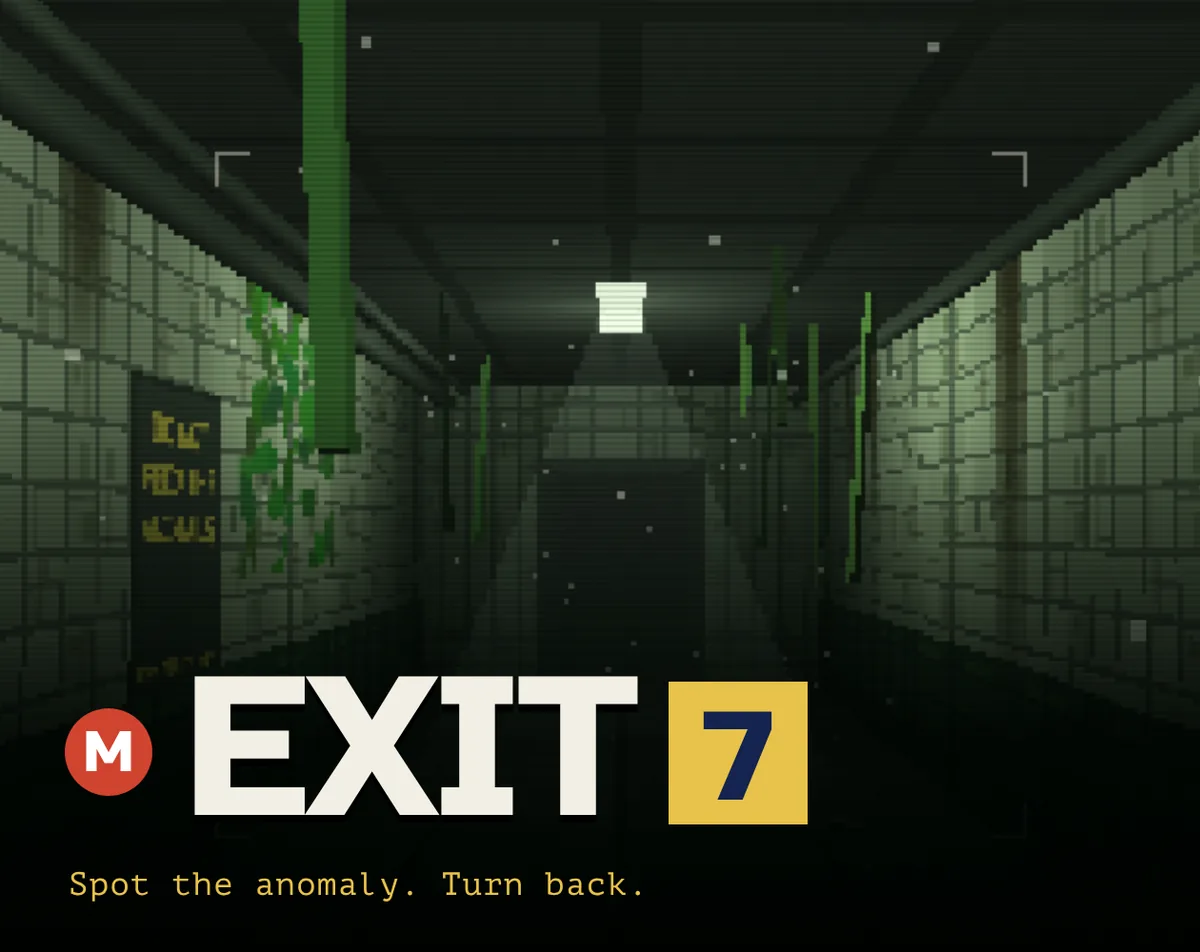
Exit 7 is a first-person puzzle-horror prototype set in a liminal corridor that repeats. The goal is to reach exit 7 by deciding whether each pass looks normal or has changed. When something is off, the correct move is to turn around and go back; when nothing is wrong, the correct move is to keep walking. One mistake sends the counter back to zero, so the run is built on careful observation rather than speed.
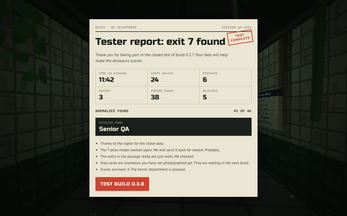
The twist is the camera. Anomalies can be photographed, and each photo becomes a bug report. At the end, the game turns those reports into a game-tester rank, asking what kind of quality assurance person you would be if the anomalies were real bugs. That framing gives the short prototype a second layer beyond simply spotting a changed object. It is a free HTML5 browser game and a short prototype. The tone mixes low-poly retro horror with humor. Sudden scares and flickering lights are part of the presentation. It supports English and Russian.
How to play
Each run follows a simple loop. A corridor repeats, and every pass has to be judged. If the scene contains an anomaly, turn around and walk back. If it looks normal, continue forward. The counter tracks correct decisions; a single misread sends it to zero. The target is exit 7.
The camera changes the loop. When an anomaly appears, take a photo. That image is filed as a bug report. At the end of the run, the collected reports determine the tester rank. The result may be junior, senior, or something less flattering, such as a random passenger. That makes photography part of the core route, not just a screenshot tool. The game is built for quick browser sessions, so a run can be treated as a short break. The corridor repeats and the stakes stay simple: observe, decide, photograph, and avoid resetting the counter.
Controls
Movement uses WASD or the arrow keys. Hold Shift or press R to run. The mouse controls the view, so looking around is part of checking each corridor pass. To take a photo, click, press F, or use Space. Esc or P opens the pause menu and settings.
The game is playable in a browser and works on phones, but a mouse is the better input. That matters because looking around and photographing anomalies are central actions. The settings menu includes a Calm light option for players who want to reduce the impact of flickering lights. The control scheme is small and readable, with separate inputs for walking, running, looking, photographing, and pausing. The game runs as HTML5, so the browser is the platform. Keep the photo key in mind before starting: each image records an anomaly as a bug report.
| Input | Action |
|---|---|
| WASD or arrow keys | Walk |
| Shift or R | Run |
| Mouse | Look around |
| Click, F, or Space | Take a photo |
| Esc or P | Pause and open settings |
Tips for your first run
Treat the first passes as calibration. The corridor repeats, so the job is to notice what changed rather than to rush to the end. Use the mouse to sweep the scene before moving, then decide whether to continue or turn back. The counter is unforgiving: one wrong call resets it to zero.
When an anomaly is visible, use the photo input. A click, F, or Space captures it, and the image is recorded as a bug report. That report feeds the final tester rank. If the lights are uncomfortable, open settings with Esc or P and enable Calm light before starting. Running with Shift or R can shorten the walk, but it does not remove the need to inspect each pass. Keep the pause menu handy for settings.
- Use the mouse to inspect the corridor before committing to forward movement.
- Turn around promptly when something looks off; the counter resets after one mistake.
- Photograph an anomaly while it is in view so the bug report is recorded.
- Enable Calm light in settings if flickering lights are a problem.
- Pause with Esc or P to check settings and avoid mixing up the photo input.
Content and replayability
Exit 7 is built as a short prototype rather than a large campaign. The central content is the repeating corridor, the anomaly checks, and the photo-to-bug-report system. A complete attempt ends with a tester rank, with junior, senior, and random passenger named as possible outcomes. The rank supplies a reason to compare runs and to share stats after finishing.
The game also invites players to report which anomaly caused a reset and what broke. That feedback loop fits a first project, and the short structure keeps a session contained. Replay value comes from trying to improve the rank, from seeing how different mistakes affect the final result, and from the novelty of turning horror sightings into bug reports. The game is available in English and Russian, which broadens the audience for a small browser release. It is not presented as a long narrative game; the corridor, the counter, and the final rank are the main draw. The published date is 26 October 2026, and the build is a prototype.
Presentation and performance
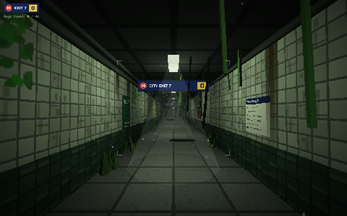
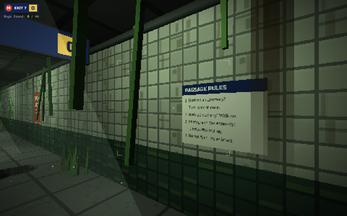
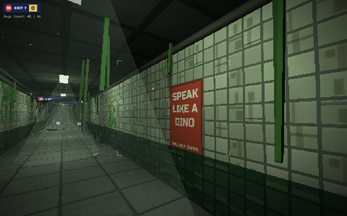
Exit 7 aims for a low-poly, PSX-era look and a liminal-space mood. The corridor is first-person, which puts the changed details directly in view and makes the mouse look control part of the tension. The horror is psychological in tone, with sudden scares and flickering lights called out as warnings. A Calm light setting is available for players who want to soften that element.
The presentation is deliberately retro rather than realistic, matching the short prototype scope. The browser build works on phones, though a mouse is the better way to look around and photograph anomalies. English and Russian are supported. The visual style and the bug-report framing give the scares a slightly playful edge: a photographed anomaly is not only a fright, but also a piece of evidence. The game is short, so the presentation is concentrated on the repeating corridor and the moment-to-moment check of whether the scene has changed.
Who should play it
Exit 7 suits players who enjoy spot-the-difference tension, liminal-space horror, and short browser sessions. The loop is easy to understand: judge the corridor, turn back on an anomaly, keep walking when it is normal, and try not to reset the counter. Players who like photographing evidence or comparing end-of-run ranks have an extra hook. The game-tester framing adds humor to the horror, especially for anyone who has filed a bug report or wondered what kind of QA tester they would be.
It is also a reasonable fit for a quick break because it runs in a browser and is free. The prototype label and short structure mean it is not aimed at players seeking a long campaign. Those who dislike sudden scares or flickering lights should know those elements are present, though Calm light is available in settings. Players on phones can try it, but the mouse-first control advice makes desktop play the more natural fit. Fans of low-poly retro horror, first-person puzzle games, and Exit 8-style corridor checks are the clearest audience.
Screenshots
How we tested it
The build was loaded from games.debutplay.com in a headless Chromium session on ; the canvas started and no request was blocked. The guide was last checked on .
From the developer
Yes, it's another Exit 8-like game. But it runs right in your browser, so you can jump in for a quick and fun break. Why play this one and not the other hundred? Fair question. Here you can photograph the anomalies. Every photo turns into a bug report, and at the end you find out what kind of game tester you'd be if the anomalies were bugs in a real game. Junior? Senior QA? Random passenger? Screenshot your stats, share them and tag #Exit7Game. I want to see your ranks. The author thinks she has a good sense of humor, so it should be both fun and scary. I made this game and some of the scares still made me jump. How to play: 1. The corridor repeats. If something is off, turn around and go back. If everything looks normal, keep walking. One mistake and the counter goes back to zero. Get to exit 7.2. WASD / arrows to walk, Shift or R to run, mouse to look around3. Click, F or Space to take a photo, Esc or P for pause and settings4.…
Frequently asked questions
Is Exit 7 free to play?
Yes. It is a free HTML5 browser game.
What is the goal in Exit 7?
Reach exit 7 by judging each pass through the repeating corridor. Continue when the scene looks normal and turn back when something is wrong.
What happens after a mistake?
The counter resets to zero. One wrong decision undoes progress toward exit 7, so each pass needs a careful look.
How do photos work?
Click, press F, or use Space to photograph an anomaly. Each photo becomes a bug report, and the collected reports determine the tester rank at the end.
Does Exit 7 work on phones?
Yes, the game works on phones, but a mouse is the better input for looking around and taking photos.
Are there options for the scares?
The game includes sudden scares and flickering lights. A Calm light option in settings can reduce the impact of the lighting.
What games are similar to Exit 7?
The closest matches on DebutPlay are Checkmate Protocol 2076, ECHO, Chem Grid. They share the same genre, so the controls and the pace carry over.
Something wrong or missing? Tell us. How we test games.