Simulation · New game
Grass Spin
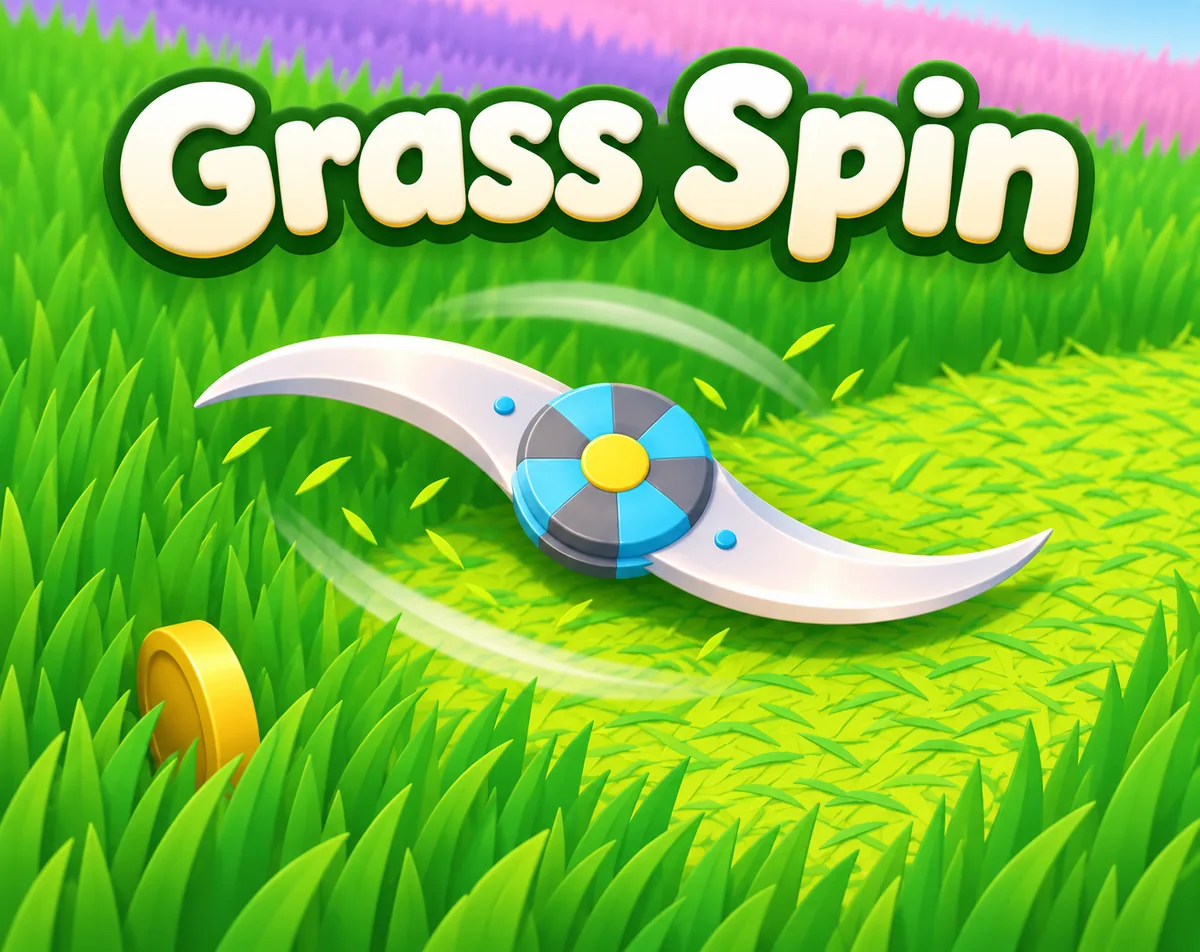
A colourful arcade mower that grows as it cuts, Grass Spin asks players to clear patterned fields against the clock and then refine their best times.
#29 this weekAI-assisted: Code
The game runs in this tab. No install, no account.
The short answer
Grass Spin is a hyper-casual mowing game set in colourful 3D fields where the mower swells as it cuts. Clear each level before the timer runs out, collect hidden coins, grab Giant, Speed and Extra Time boosts, and replay unlocked stages to shave seconds off your best time on the way to three stars.
What is Grass Spin?
Grass Spin is a hyper-casual mowing game built around colourful 3D fields and a single promise: cut everything before the clock empties. Each stage drops a mower onto open ground and asks for a full clearance inside a time limit, turning a chore into a short arcade burst.
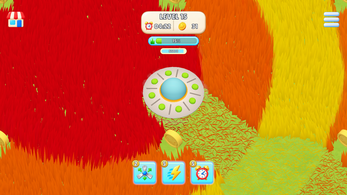
The twist is growth. Cutting grass feeds the mower's size, and the machine passes through five distinct size tiers, each one widening the radius it slices in a single pass. A small mower demands careful lines; a large one sweeps whole bands of field at once. Fields are generated from images, which is how the game produces its colour patterns and themed looks instead of one repeated lawn.
Hidden coins sit throughout the fields, and three pickups — Giant, Speed and Extra Time — bend a run in different directions. Levels unlock progressively, every stage is rated up to three stars on completion time, and best times are saved per level. It is a single-player game with a deliberately relaxing tone, and it runs both in a browser and on Android.
How to play
Every level opens with a field to clear and a clock already running. The job is to cut the grass down before that limit expires, and the grass is also the fuel for growth: as the mower passes over uncut ground it swells, and once it reaches a new tier its cutting radius expands so later passes remove more in one go. Five size tiers give a run a natural arc from nimble to wide-sweeping.
Coins are scattered around each field and reward a detour, while three boosts shape the pace of a run: Giant, Speed and Extra Time. Each active boost shows a visual indicator counting down the time left, so decisions about when to lean on one can be made on the fly rather than in advance.
Reaching the end of the field is not the end of the scoring. Each stage hands out up to three stars depending on how quickly it was finished, which makes a first clear a baseline rather than a result. Unlocked levels can be replayed, and the best completion time for every level is kept.
Controls
The browser build runs through WebGL and accepts keyboard or mouse input, so a desktop or laptop player can mow without installing anything. The Android build uses touch controls instead, and the interface was designed primarily around portrait orientation — the upright layout a phone player holds in one hand or two.
Because the game was originally designed for mobile devices and then optimised to run directly in the browser, the two versions are not identical in feel. On Android phones the native APK is the recommended route, with touch as the intended input there.
Portrait-first design is worth knowing before the first run: the interface was laid out for an upright screen, so a tall, narrow browser window keeps the arrangement closer to what was built. Mouse control suits players who prefer a pointer to keys.
| Input | Action |
|---|---|
| Keyboard | Plays the WebGL browser version |
| Mouse | Plays the WebGL browser version |
| Touch | Plays the Android version |
Tips for your first run
The opening minute of any level is an investment. Cutting is what makes the mower bigger, and bigger means a wider radius, so early passes pay back later in the same run. Spending the first stretch in tight, tidy lines usually costs more time than letting the mower grow into the space.
Boosts are best judged against the clock rather than saved out of caution. Each one shows a duration indicator once active, so the value of a Giant, Speed or Extra Time pickup can be read directly on screen.
- Aim to grow early: each of the five size tiers widens the cut, so mowing in the first seconds of a level is never wasted.
- Sweep the edges and corners for coins, since they sit hidden around the field rather than in the middle of the open ground.
- Treat the star rating as a second objective: finishing is one thing, finishing fast is what earns the full three.
- Use the boost duration indicator to judge pickups rather than guessing how much time is left on them.
- Replay an unlocked level once the layout is familiar, because the saved best time is the number you are really competing with.
Content and replayability
Content is organised around unlocking. Levels open up progressively, and once a stage is available it stays available through level selection, so a run that went badly can be revisited without working back through earlier fields. Saved progress covers both which levels are open and the best completion time recorded on each.
The rating system gives replays a target. Three stars is the ceiling on any stage and it depends on finishing quickly, so even a clean clear with a slow time leaves something to chase. Returning with a better route, or with a clearer memory of where the coins sit, is the intended loop.
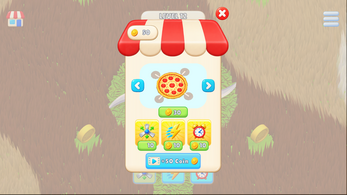
Unlockable mower skins add a second reason to keep playing, and the coins hidden around each field give every stage something to find beyond the cut itself. The five mower size tiers mean the feel of a run shifts as it develops, which keeps repeat attempts from playing out identically.
Presentation and performance
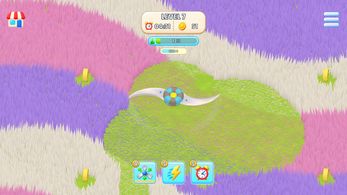
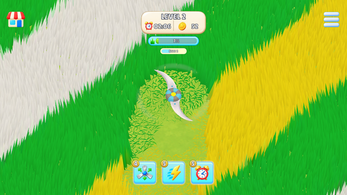
Visually the game leans on colour. Fields are generated from images, and that generator is what defines the colours and patterns a level uses, which is how themed stages get their own look instead of sharing one lawn. All 3D models were built in Blender.
Moment-to-moment feedback is physical: grass bends and cuts around the player, and cutting throws particles and visual effects, so progress across a field is legible at a glance. Boost timers appear as on-screen indicators that count down the remaining duration.
Running in a browser is a deliberate design goal rather than an afterthought, with the game optimised to run directly through WebGL after being designed for phones. Music and sound effects are earmarked as a planned improvement, so the current emphasis falls on visual and mechanical feedback. The portrait interface shapes the layout throughout.
Who should play it
Grass Spin suits players who want a short, low-pressure session with a scoring hook attached. The loop is simple enough to start immediately — cut, grow, beat the clock — but the three-star rating and saved best times give it a competitive edge for anyone who enjoys shaving seconds off a familiar route.
Its relaxing tone and casual framing make it a reasonable fit for winding down, and the portrait-first design means it works well in short bursts on a phone. Players who prefer a desk can use keyboard or mouse in the browser build instead.
It is a single-player game. Collectors get hidden coins and unlockable mower skins; completionists get progressive unlocking and star ratings to fill in. Anyone hoping for story, campaign structure or audio atmosphere should note that music and sound effects are still planned rather than present.
Screenshots
How we tested it
The build was loaded from games.debutplay.com in a headless Chromium session on ; the canvas started and no request was blocked. The guide was last checked on .
From the developer
Grass Spin is a hyper-casual mowing game focused on cutting through colourful fields, growing your mower and clearing each level before time runs out. The WebGL version can be played using the keyboard or mouse. The Android version uses touch controls. The game was originally designed for mobile devices and was also optimized to run directly in the browser via WebGL. All 3D models used in the game were created by me in Blender. The gameplay systems, including a grass field generator that uses images to define field colours and patterns, were programmed in C#. For Android phones, the native APK version available below is recommended. The interface was primarily designed for portrait orientation. Current features Mobile interface designed for portrait gameplayPlayable WebGL version with keyboard and mouse controlsImage-based grass field generation for colourful patterns and themed levelsGrass cutting and bending around the playerMower…
Frequently asked questions
Is Grass Spin free?
Yes. It costs nothing to play, and it runs in a browser through WebGL as well as on Android devices.
Which platforms are supported?
There is an HTML5 build playable in the browser and an Android build. For Android phones the native APK version is the recommended option.
How many mower sizes are there?
Five. The mower grows as it cuts grass, and each size tier increases the cutting radius, so later passes clear more ground.
How does the star rating work?
Each level awards up to three stars based on how quickly it was completed. Replaying an unlocked level is how a better rating is earned.
Can levels be replayed?
Yes. Unlocked levels stay selectable, and the best completion time for each one is saved so improvements are tracked.
Does the game have music and sound effects?
Audio is not part of the shipped feature set; music and sound effects are listed among the planned improvements for the game.
What games are similar to Grass Spin?
The closest matches on DebutPlay are Decision Maker, DomeLand Demo, What is PGSX. They share the same genre, so the controls and the pace carry over.
Something wrong or missing? Tell us. How we test games.