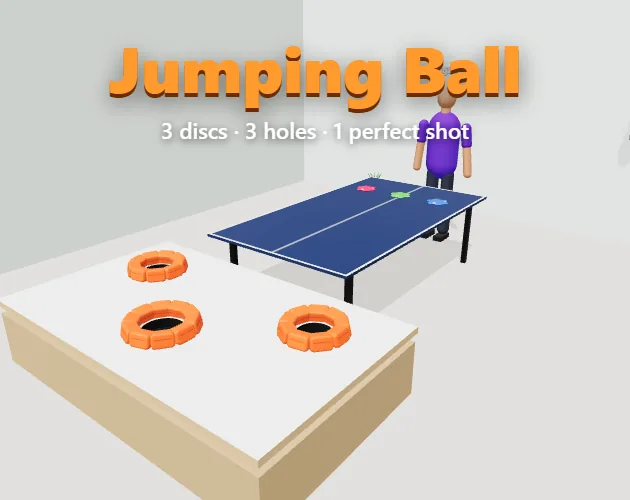
Sports · New game
Jumping Ball
Three discs, three cushioned holes and a ping-pong table: a short 3D physics game about reading a bounce that starts at an unpredictable moment.
#21 this week
The game runs in this tab. No install, no account.
The short answer
Jumping Ball is a free browser game from Direciona Tech about flicking three discs off a ping-pong table and landing each one in a separate cushioned hole. Every disc becomes a bouncing ball at a random point between one and six seconds, so no two attempts feel the same. It suits a short, repeatable skill challenge.
What is Jumping Ball?
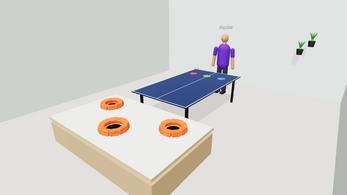
Jumping Ball is a compact 3D sports game built around a ping-pong table and three discs. The task is to send each disc off the far end of the table and drop it into one of three cushioned holes, with exactly one disc per hole. Fill all three and the round is complete.
The twist is that a disc does not stay a disc. After launch, each one turns into a ball and begins bouncing at a random moment somewhere between one and six seconds, which means the flight path shifts from attempt to attempt and the shot has to be read rather than memorised.
It is a single-player, skill-first casual game with physics at its centre, published by Direciona Tech and playable in the browser as an HTML5 build. Nothing needs installing: the game runs inside the page. It has been released and it is free to play.
How to play
On a first visit, the game demonstrates itself. A short demo runs once with the game playing its own shot, which shows what a launch looks like before any input is required.
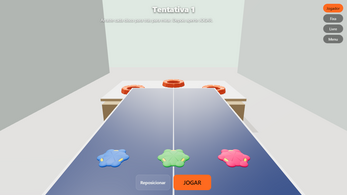
After that, each of the three discs is aimed individually. Dragging a disc backwards positions it like a slingshot, setting the direction and intent of that disc's launch. All three are then fired together, either with the PLAY button or the Space bar, so the aiming phase is the only window for adjustments.
The launch is not the end of the shot. Somewhere between one and six seconds into the flight, each disc converts into a ball and bounces, so the final approach to the holes is decided by physics as much as by the aim.
Success means three landings in three separate cushioned holes. Anything less counts as a missed attempt and the attempt counter rises. A clean 3/3 resets the counter, turning the game into a chase for the lowest number of attempts rather than a single pass or fail.
Controls
Everything is handled with a pointer or a finger, and the keyboard carries one job. A mouse drag aims, a touch drag does the same, and the PLAY button or the Space bar sends all three discs on their way at once.
Aiming works backwards: each disc is pulled back from its starting position, slingshot style, rather than pointed at the target. The three discs are aimed one at a time before a single shared launch, so the sequence is aim, aim, aim, launch.
Three cameras are available for judging the table: a player view, a fixed vertical 9:16 framing and a free orbit option. Choosing between them is a viewing decision rather than a shot mechanic. Mouse support covers desktop and touch support covers mobile, and both follow the same drag-and-launch pattern.
| Input | Action |
|---|---|
| Mouse | Drag a disc backwards to aim it like a slingshot |
| Touch | Drag a disc backwards to aim it |
| Space | Launch all three discs at once |
| PLAY button | Launch all three discs at once |
Tips for your first run
The random pop timing is the real opponent. Because each disc becomes a ball at some point between one and six seconds, the same aim can produce a different outcome twice; treat the opening launches as calibration rather than as failures.
- Let the demo finish before taking over, since it shows the launch arc once with no input needed.
- Aim all three discs before pressing PLAY, because the launch sends them together and there is no second aiming window.
- Spread the three targets deliberately: only one disc can settle in each cushioned hole, so overlapping shots waste a disc.
- Judge depth with a camera that matches the shot; the fixed vertical 9:16 view and the free orbit option show the table differently from the player view.
- Watch the attempt counter. It resets only on a full 3/3, so a clean run matters more than a fast one.
- Give each disc a distinct colour so three balls in flight stay easy to tell apart.
Content and replayability
Jumping Ball is deliberately small: three discs, three cushioned holes and one table. Its length comes from repetition rather than content volume, and the attempt counter is the spine of it. Every miss adds to the count; a full three-hole run wipes it back to zero, which creates a natural goal of winning in as few attempts as possible.
Records are tracked across three spans — daily, weekly and all-time — alongside a local ranking, so improvement is visible both within a session and across days.
There is cosmetic scope as well: the player can be customised, and each disc can be given its own colour, which helps distinguish three balls in flight.
The interface is available in five languages: English, Portuguese, Chinese, French and German. The whole package is free, with an optional Ko-fi tip option for anyone who wants to support the developer.
Presentation and performance
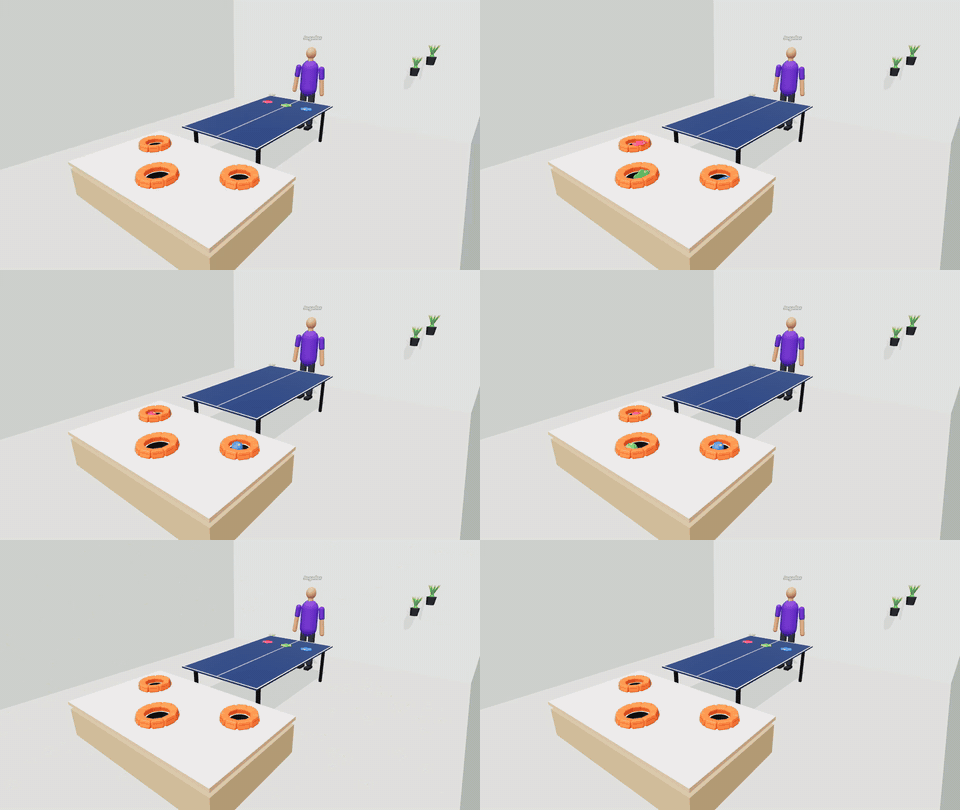
The look is functional 3D: a ping-pong table modelled at official ITTF dimensions, three cushioned holes at the far end, and discs that turn into balls mid-flight. The physics is the presentation — bounces, arcs and the small unpredictability of the pop timing are the spectacle rather than decoration around it.
Camera work carries the rest. There is a player view for the natural angle, a fixed vertical 9:16 framing that suits a tall window, and a free orbit view for inspecting the layout. The vertical option is a sensible inclusion for anyone playing in a narrow browser panel or on a phone held upright.
The build uses three.js and runs in an HTML5 frame, so it starts inside the page rather than through a launcher. Mouse and touch are both supported, covering desktop and mobile play.
Who should play it
Jumping Ball fits players who like a one-button skill test with a short loop: aim, launch, watch, adjust. The slingshot aiming and the randomised conversion from disc to ball reward patience and reading rather than reflexes, and the attempt counter gives a clear measure of whether a session went well.
It also suits anyone who wants something that starts instantly in a browser tab, on desktop with a mouse or on a phone with touch, without a download or an account.
Players expecting a long campaign, opponents or a deep customisation suite should adjust expectations first: this is a single-player game of three discs and three holes, and its depth comes from repeat attempts at a low score. The five-language interface and the daily, weekly and all-time records add reasons to return for a few minutes at a time.
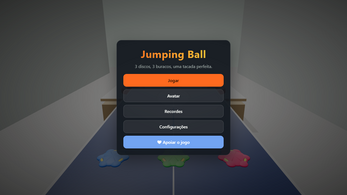
Screenshots
How we tested it
The build was loaded from games.debutplay.com in a headless Chromium session on ; the canvas started and no request was blocked. The guide was last checked on .
From the developer
🎯 3 discs. 3 holes. 1 perfect shot. Jumping Ball is a short 3D physics skill game. Flick three discs off the end of a ping-pong table — at a random moment (1 to 6 seconds) each disc pops into a ball and bounces. Land all three in the three cushioned holes, one per hole, to win. Sounds easy. It isn't. 😅 HOW TO PLAY • First time? Watch the short demo — the game plays itself once. • Drag each disc backwards to aim (like a slingshot). • Press PLAY (or Space) to launch all three at once. • Missed? Your attempt counter goes up. Get 3/3 and it resets — try to win in as few attempts as possible. FEATURES • Realistic 3D physics (official ITTF table size) • 3 cameras: player view, fixed vertical (9:16) and free orbit • Customize your player and the color of each disc • Daily, weekly and all-time records + local ranking • Mouse & touch — plays on desktop and mobile • 5 languages: English, Português, 中文, Français, Deutsch Enjoying it? ☕ Support…
Frequently asked questions
Is Jumping Ball free to play?
Yes. It is a free HTML5 browser game with no purchase required.
Can it be played on a phone?
Yes. Touch input is supported alongside mouse input, and the game covers desktop and mobile play.
What is the goal?
Land three discs in the three cushioned holes at the end of the ping-pong table, with one disc in each hole.
When does a disc turn into a ball?
At a random moment between one and six seconds after launch, after which it bounces.
What happens after a miss?
The attempt counter goes up. A full 3/3 clears it, so the aim is to win in as few attempts as possible.
Does the game keep score?
It tracks daily, weekly and all-time records plus a local ranking, alongside customisable player and disc colours.
What games are similar to Jumping Ball?
The closest matches on DebutPlay are Machine Manager, Draft Him, JOUST! - Speed is Power. They share the same genre, so the controls and the pace carry over.
Something wrong or missing? Tell us. How we test games.