Action · New game
ONE SECOND LEFT
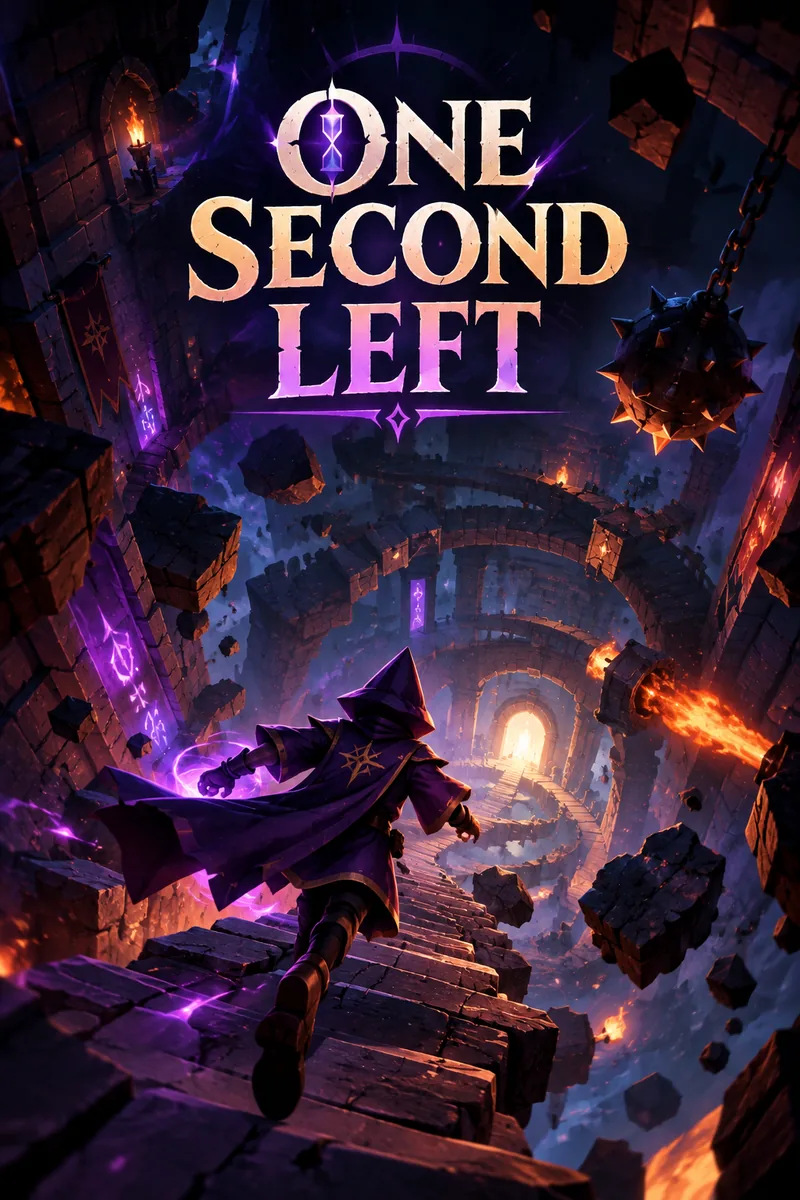
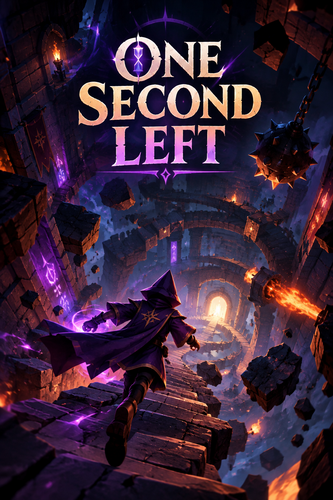
A young wizard races down five floors of a crumbling tower, dodging debris, flame vents and cracking stairs while a three-second rewind buys back mistakes the collapse timer will never forgive.
#18 this weekAI-assisted: Code, Graphics, Sound, Text
The game runs in this tab. No install, no account.
The short answer
ONE SECOND LEFT is a free HTML5 speed-platformer in which a young wizard must clear five floors of an ancient tower before it falls. Jumping, dashing and a held rewind that reverses up to three seconds of movement carry each run, while falling debris, flame vents and cracking stairs punish hesitation. The collapse timer never rewinds, so every recovery still costs clock.
What is ONE SECOND LEFT?
ONE SECOND LEFT is a 3D platformer built for the browser, dressed in dark fantasy and paced like a stopwatch with something to prove. A young wizard is trapped inside an ancient tower whose binding magic is failing, and the only way out waits at the very bottom behind a glowing door. Reaching it means descending through five floors while the stone corridors come apart around him.
The hook is recovery as much as speed. The wizard can hold a rewind to reverse his own movement by up to three seconds, erasing a bad jump or a mistimed dash. That safety net runs on a cooldown, and the tower's collapse timer keeps counting regardless, so every rescue still surrenders ground.
The game began as an entry for SlapJam #2, a jam built around the theme of speed, which explains the emphasis on fast reactions and clean lines over wandering. It is a singleplayer release with speedrun ambitions and a personal best to chase.
How to play
Every floor is a race to a glowing exit. Hazards announce themselves before they strike: red shadows on the ground mark where debris will land, vents flicker before releasing bursts of flame, and cracked stairs hold for a short delay before dropping away. Reading those warnings early is the difference between a clean descent and a fall into darkness.
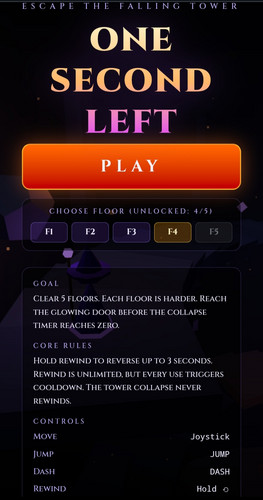
Movement comes down to three actions. Jumping clears gaps and debris lines, dashing covers ground quickly but commits to a direction, and rewinding is the emergency brake. Holding rewind rolls back up to three seconds of movement, and it can be triggered repeatedly, though each use incurs a cooldown before the next is ready.
The collapse timer is the constraint that never bends. Rewind restores position, not time, so a rescued mistake still costs seconds off the clock. Each of the five floors raises the difficulty and demands faster reactions and tighter routes. Clear them all and the escape is complete, with a personal best recorded for players who want to shave the clock on the next attempt.
Controls
On a keyboard, movement sits on WASD or the arrow keys, space handles jumping, shift fires the dash, and holding R performs the rewind. Escape pauses the action. Every ability lands within a small cluster of keys around the movement setup, which matters when a debris shadow is already on the floor.
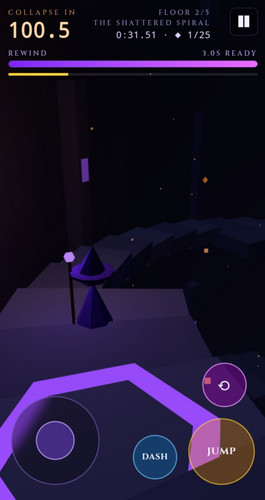
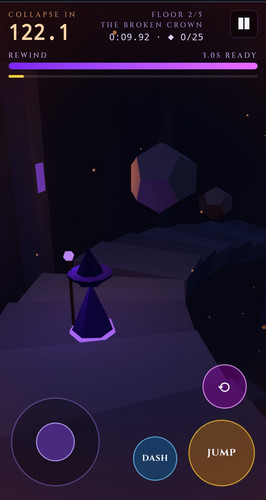
Touch builds replace the keyboard with an on-screen joystick for movement, dedicated JUMP and DASH buttons, a hold-to-rewind button marked with a circular arrow, and a pause button. Jump and dash are taps in both schemes, while rewind is a hold in both, so the same five-floor run plays out whether the input comes from keys or thumbs.
| Input | Action |
|---|---|
| WASD or Arrow Keys | Move |
| Space | Jump |
| Shift | Dash |
| Hold R | Rewind movement by up to three seconds |
| Escape | Pause |
| On-screen joystick | Move on touch devices |
| JUMP button | Jump on touch devices |
| DASH button | Dash on touch devices |
| Hold rewind button | Rewind on touch devices |
| Pause button | Pause on touch devices |
Tips for your first run
The tower telegraphs almost everything before it hurts you. The work is in noticing those telegraphs while moving at speed, so the first few attempts are as much about learning the visual language as about reflexes.
- Treat red shadows as a landing map. They reveal where debris will hit, so the safe move is to be somewhere else before it does.
- A flickering vent is a countdown, not scenery. Wait it out or route around rather than sprinting through a firing line.
- Cracked stairs are temporary flooring. Cross without hesitating and expect them to fall away behind you.
- Spend rewind on genuine mistakes rather than nerves. Every use brings a cooldown, so there is no second charge waiting.
- Keep the collapse timer in view. Rewinding does not pause it, and a recovery still costs clock.
- Use early floors to learn hazard timing at a lower cost before the harder descents demand faster reactions.
Content and replayability
The core structure is five floors, each introducing greater challenges than the one before, ending at the glowing exit at the base of the tower. That is a deliberate size for a jam entry about speed: short enough to learn, sharp enough to retry.
Replay value comes from the clock rather than from branching content. Personal best tracking gives a number to beat, and the speedrun framing pushes players back into the same five floors to trim seconds rather than to explore new ones.
Because the collapse timer never rewinds, a strong run is not simply one with fewer mistakes; it is one where the mistakes cost the least time. That distinction gives replays a different texture, since a cautious descent that survives rewind penalties can lose to a scrappier run that keeps moving. Everything here is singleplayer, so the competition is against the recorded personal best.
Presentation and replayability
The game renders in 3D, with a dark fantasy atmosphere wrapped around the tower's failing magic. Hazard design carries the visual weight: red warning shadows pooling on the floor before debris falls, vents that flicker ahead of a fire burst, and cracked stairs that read as damaged before they give way. Those cues do most of the talking, which suits a game where stopping to look is often fatal.
It runs as an HTML5 build in the browser, launching from a playable frame rather than an install. Four screenshots accompany the release. Beyond that, the practical questions a player might ask about hardware demand and which browsers run it cleanly sit outside what can be confirmed here, so the sensible approach is to load it and judge the frame on the machine at hand.
Who should play it
Players who enjoy speed-platformers with a ticking clock will recognise the shape immediately: short levels, tight routes, and a restart that costs nothing but pride. The rewind mechanic adds a forgiving layer for anyone who dislikes losing a good run to a single dropped input, while the cooldown and the relentlessly counting collapse timer stop that forgiveness from turning into a crutch.
Dark fantasy fans get an ancient tower, a young wizard and a glowing door rather than lore dumps, with the environment carrying the tension. Anyone who prefers to try a game in a browser tab before committing will also find the format convenient. Players who want multiplayer competition, long campaigns or open exploration should look elsewhere, since this is a singleplayer five-floor sprint built around the theme of speed.
Screenshots
How we tested it
The build was loaded from games.debutplay.com in a headless Chromium session on ; the canvas started and no request was blocked. The guide was last checked on .
From the developer
⏳ ONE SECOND LEFT The tower is falling. Time is running out. There's only one way down. 📖 THE STORY Deep within an ancient tower, a young wizard finds himself trapped as the entire structure begins to collapse. The ancient magic holding the tower together is fading. Stone corridors crumble, deadly traps awaken, and the path to freedom becomes more dangerous with every passing second. At the bottom lies the only way out: a mysterious glowing door. You have one objective. Reach the exit before the tower consumes you. 🎯 YOUR MISSION Survive and clear all 5 floors of the collapsing tower. Each floor introduces greater challenges and demands faster reactions. Navigate dangerous paths, avoid deadly obstacles, and reach the glowing exit before the collapse timer reaches zero. ⏪ MASTER THE ART OF REWINDING Your greatest ability is also your last chance. Hold rewind to reverse your movement by up to 3 seconds.Rewind can be used repeatedly,…
Frequently asked questions
Is ONE SECOND LEFT free to play?
Yes. It is a free browser game, published as an HTML5 release that runs in a playable frame, so there is no purchase step between finding it and starting a run.
How many floors are there?
Five. Each floor introduces greater challenges and demands faster reactions than the last, and clearing all five finishes the escape.
How does the rewind work?
Hold the rewind input to reverse movement by up to three seconds. It can be used repeatedly, but each use triggers a cooldown before the next is available.
Does rewinding stop the collapse timer?
No. The collapse timer never rewinds. Mistakes can be undone, but the seconds spent on them cannot, so a recovery still costs time off the clock.
What are the keyboard controls?
WASD or the arrow keys move, space jumps, shift dashes, holding R rewinds, and escape pauses the game.
Can it be played on a phone or tablet?
Touch controls are included: an on-screen joystick for movement, dedicated jump and dash buttons, a hold-to-rewind button and a pause button.
What games are similar to ONE SECOND LEFT?
The closest matches on DebutPlay are Speedhook, HUNGERETH, Hordebreaker. They share the same genre, so the controls and the pace carry over.
Something wrong or missing? Tell us. How we test games.