Shooter · New game
Railway Fury — Demo
A free first-person corridor shooter where every descent down the railway pays for the next, and the demo runs all the way to the first final boss.
#50 this weekAI-assisted: Code, Graphics, Text
The game runs in this tab. No install, no account.
The short answer
Railway Fury — Demo is a free incremental corridor shooter from Beep2Bleep, playable in a browser frame or as a Windows download. Runs mix shooting monsters, dodging fire waves and collecting loot with permanent upgrades bought using gold and gems. Two aim modes, an upgrade tree and a boss at the end of the first railway are included.
What is Railway Fury — Demo?
Railway Fury — Demo is a free first-person corridor shooter built on incremental progression, developed by Beep2Bleep and currently in development. It runs in a browser frame and as a Windows download, so the route from finding it to playing it is short.
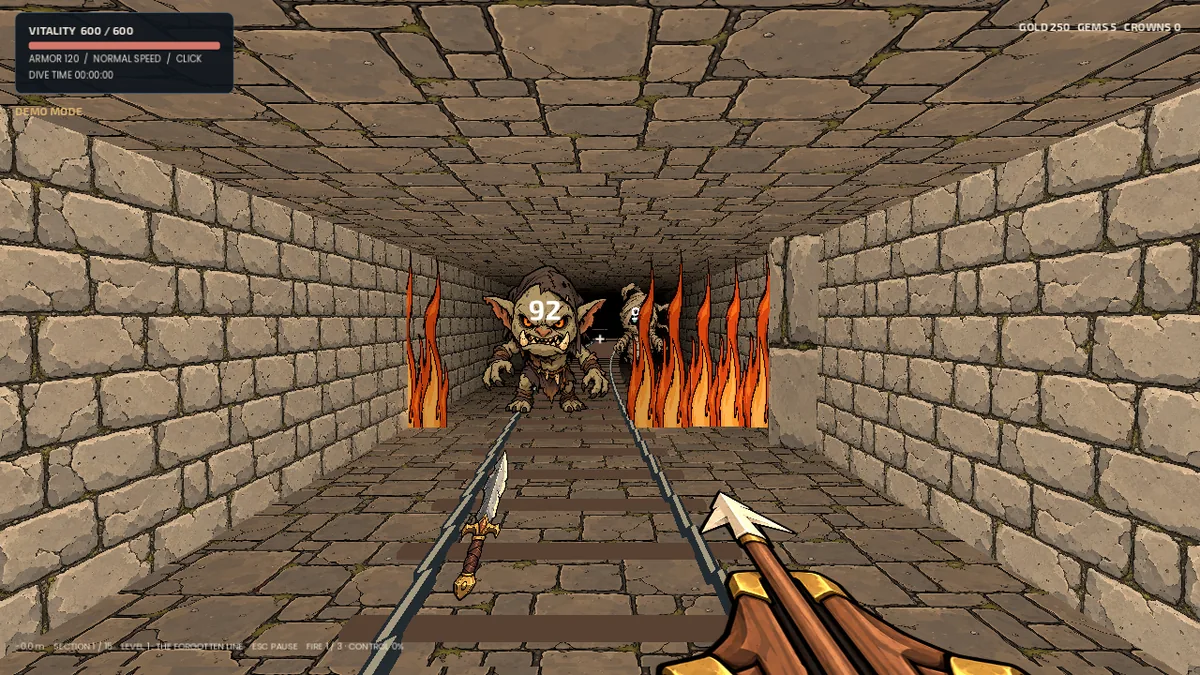
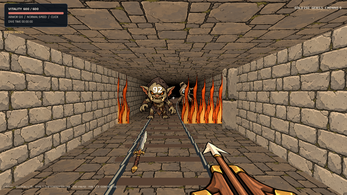
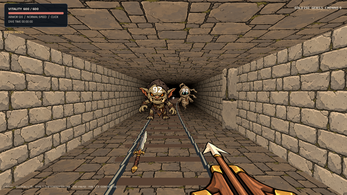
The loop is a descent. A player pushes down a dangerous railway, shoots the monsters blocking the way, dodges the fire waves thrown back, and scoops up the loot left behind. Gold and gems banked on one run are spent before the next, which is what turns a corridor shooter into a progression game rather than a single gauntlet.
The demo is not a thin teaser slice. It holds the whole first railway, minibosses and final boss included, along with permanent upgrades, achievement rewards and both play styles. Beating that final boss ends the build, and the first level stays open for replays afterwards. Crown upgrades, three later levels and two ending choices belong to the full game.
How to play
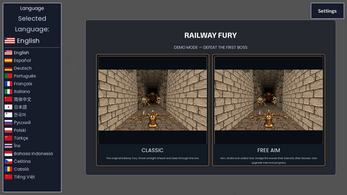
Everything begins with a mode choice. Free Aim hands over full mouse aiming: point where the shots should go, strafe around incoming attacks and fire waves, and travel across the floor to collect the payouts. Classic strips aiming back to the centre line, so shots travel straight ahead and steering the corridor becomes the whole skill.
The corridor is a threat in itself. Its length drains health even when nothing is attacking, so survival is a mix of clearing enemies quickly, sidestepping their volleys and refusing to linger between fights.
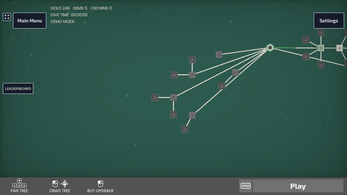
Between runs the upgrade tree opens. Gold and gems go into damage, health, armor, returning daggers and abilities, while achievement rewards widen what can be claimed. Unlocked abilities sit on keys 3 through 6. Shift toggles double speed for anyone who wants to push the pace, and an active gameplay timer keeps a record of time spent on the tracks.
Controls
A keyboard and mouse are recommended, and every listed input is covered by that pair. A and D or the left and right arrows strafe sideways, which is the main defensive move in both modes.
In Free Aim the mouse aims and the left button fires. In Classic, shots go straight ahead, so the mouse steers rather than targets. Shift toggles double speed on and off, Esc pauses, opens settings or returns to the upgrade screen, and the number keys 3 through 6 trigger abilities once those have been unlocked.
The arrangement stays compact on purpose: movement under the left hand, aiming and firing on the mouse, speed and menus on Shift and Esc, and abilities along the number row once they exist. The whole set is small enough to absorb during a first descent.
| Input | Action |
|---|---|
| A / D or Left / Right | Strafe |
| Mouse and left click | Aim and shoot in Free Aim |
| Shift | Toggle double speed |
| Esc | Pause, open settings, or return to upgrades |
| 3 through 6 | Activate abilities after unlocking them |
Tips for your first run
The first death usually comes from the corridor rather than from a monster. Health drains while travelling, so clearing a pack quickly and moving on beats circling back for stray loot. In Free Aim, strafing does double duty: it slips past fire waves and pulls in payouts at the same time.
Pick a mode and commit early. Free Aim and Classic each keep their own upgrade tree and their own saved progress, so hopping between them splits advancement across two tracks instead of building one.
- Keep strafing in Free Aim, since sideways movement is what carries a player around incoming fire waves and over dropped loot.
- Put the first gold and gems into damage, health and armor before chasing showier unlocks such as returning daggers.
- Bank achievement rewards as they arrive, because they feed the permanent side of progression rather than a single descent.
- Use Esc between fights to jump back to the upgrade screen and spend whatever the last run earned.
- Toggle Shift for double speed on stretches that already feel comfortable, then toggle it off again when a miniboss shows up.
- Unlock abilities before relying on keys 3 through 6; until then those keys have nothing to fire.
Content and replayability
The demo covers the entire first railway, from the opening stretch through its minibosses to the final boss, in both play modes. Permanent upgrades, achievement rewards, saved progress and a live gameplay timer all persist across sessions.
It ends deliberately at that final boss. Afterwards Level 1 reopens for repeat runs, which is where the incremental layer does its work: upgrades bought with earlier loot make a second pass through the same corridor play very differently.
Held back for the full release are Crown upgrades, three further levels and two ending choices. What remains is a complete progression arc with a hard stop, not a build that cuts off mid-system.
Because each mode keeps its own tree and its own save, replaying Level 1 in Classic after clearing it in Free Aim is a fresh climb rather than a victory lap with old upgrades in hand.
Presentation and performance
Three selectable art and audio styles are included, and the illustrated presentation is one of them, so the look and sound of the corridor can be swapped without touching progression. The credits in Settings name Classic artwork, Synty 3D assets and licensed audio.
The browser version needs WebGL 2.0, with a current Chrome, Edge or Firefox recommended. If performance sags inside the tab, the Windows download is the stated alternative.
The PC build carries the full language set, spanning most of Europe plus Russian, Turkish, Indonesian, Vietnamese, Chinese, Japanese, Korean and Thai. The web version leaves out Chinese, Japanese, Korean and Thai because of font compatibility limitations.
Bugs and awkward translations can be reported with the language in use and the mode being played, which is useful while the build is still in development.
Who should play it
Players who enjoy watching numbers climb will find the structure familiar and quick to reach: shoot through a corridor, bank the loot, buy damage or health, go again. The two modes make trying both worthwhile, since different aiming rules change the feel of the same railway.
It suits anyone who likes experimenting with an upgrade tree rather than following one fixed build, and who is comfortable with a keyboard and mouse on a browser or Windows machine.
This is a demo of an in-development game, and the content stops at the first railway's final boss. Players who want the finished campaign, the later levels or the ending choices should wait; those who want to test the loop early have a complete arc to play right now.
Screenshots
How we tested it
The build was loaded from games.debutplay.com in a headless Chromium session on ; the canvas started and no request was blocked. The guide was last checked on .
From the developer
Railway Fury — DemoOne more dive. One more upgrade. One more shot at the boss.Railway Fury is an incremental corridor shooter. Push down a dangerous railway, shoot monsters, dodge fire waves and collect the loot they leave behind. Every run pays for the next one.Spend your gold and gems on damage, health, armor, returning daggers and abilities. Experiment with the upgrade tree, claim achievement rewards, then head back down the tracks stronger than before.Two ways to playFree Aim: aim with the mouse, strafe around attacks and fire waves, and move to collect your payouts.Classic: shoot straight ahead and steer through the corridor. Each mode has its own upgrade tree and saved progress.The hallway itself drains your health, so standing between enemies and dodging their attacks is only part of surviving. Press Shift to toggle double speed when you feel ready to push harder.What is in this demo?The first railway, including its minibosses…
Frequently asked questions
Is Railway Fury — Demo free?
Yes. The demo is free, and it can be played in a browser or downloaded for Windows.
Where can the demo be played?
Two options exist: an HTML5 build that runs in the browser and a Windows download. A keyboard and mouse are recommended, and the browser version requires WebGL 2.0 with a current Chrome, Edge or Firefox.
How does the demo end?
Defeating the final boss of the first railway closes the demo out. Level 1 can be replayed afterwards, so the upgrade trees and achievement rewards still have somewhere to go.
Do Free Aim and Classic share progress?
No. Each mode keeps its own upgrade tree and its own saved progress, so advancement in one does not carry over into the other.
What is missing compared with the full game?
Crown upgrades, three later levels and two ending choices are reserved for the full release. The demo keeps the first railway, both modes, permanent upgrades and achievement rewards.
Which languages are supported?
The Windows build carries the full list, while the web version leaves out Chinese, Japanese, Korean and Thai for font compatibility reasons. Translation problems can be reported in the comments along with the mode being played.
What games are similar to Railway Fury — Demo?
The closest matches on DebutPlay are Ratz, Balitti, Boots & Bad Luck. They share the same genre, so the controls and the pace carry over.
Something wrong or missing? Tell us. How we test games.