Racing · New game
TurboVektor
An anti-gravity racer drawn in vector 3D and built from scratch in Z80 assembly, TurboVektor puts three very different ships on eight neon circuits in a browser.
#37 this week
The game runs in this tab. No install, no account.
The short answer
TurboVektor is a free anti-gravity racer that runs in a browser and was written from scratch in Z80 assembly for the ZX Spectrum. Pick Striker, Titan or Viper, then race over hills and through tunnels and neon arches against rivals who shoot back. Eight circuits, a championship table and a life bar that ends in an explosion.
What is TurboVektor?
TurboVektor is an anti-gravity racing game rendered in genuine vector 3D and written from scratch in Z80 assembly for the ZX Spectrum. It plays in a browser through an embedded emulator, so clicking the play frame is enough to get onto the track, and Spectrum files are available for hardware and emulator owners.
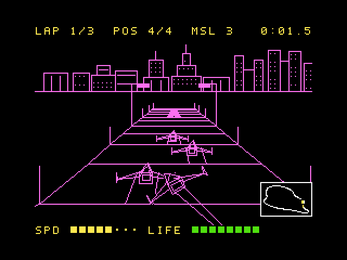
The premise is simple: pick a ship and race. The track rolls over hills, throws the craft off bumps, threads through tunnels and passes beneath neon arches while a city skyline slides along the horizon. Missiles and repair kits sit along the racing line, turbo pads reward a clean approach, and the other pilots are far from passive — they shoot, ram, snatch items and will turn on each other as readily as on the player.
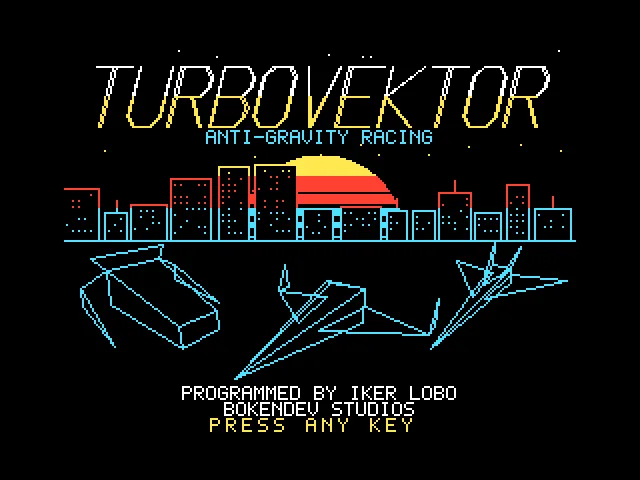
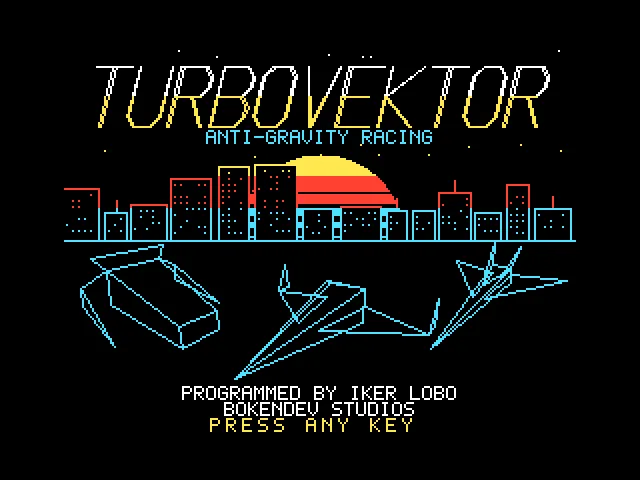
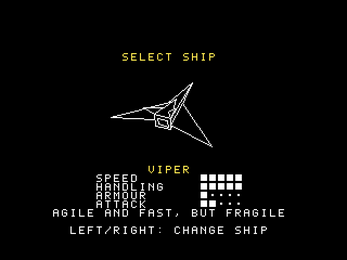
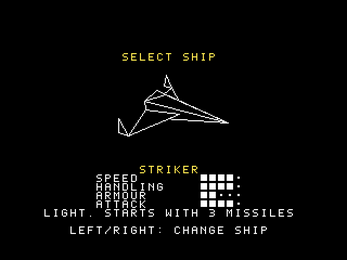
Three ships set the tone. Striker is light and balanced and begins every race with three missiles already loaded. Titan carries heavy armour, absorbs half of the damage that reaches it and rams with double force. Viper is the quickest and most agile of the three but breaks easily. The project remains in active development and has been tested on real Spectrum hardware as well as on The Spectrum from Retro Games Ltd.
How to play
Every race opens with a ship decision, and the three craft pull in different directions. Striker rewards missile-first driving because it starts with three in reserve. Titan suits players who expect to trade paint, since it halves incoming damage and hits twice as hard when ramming. Viper trades durability for pace and agility.
Once on the track, the life bar is the number that matters. It measures how much punishment the ship can absorb, and when it empties the race ends in a large explosion. Repair kits restore it, missiles give something to fire back with, and turbo pads deliver a burst of speed to anyone who lines them up cleanly.
The minimap tracks where every racer sits, which matters because opponents take an active part in the race: they shoot, ram, collect items and can be knocked out of the running altogether. Championship mode pulls the results into a standings table that closes with a final podium, so a single bad circuit is not the end of a season.
Controls
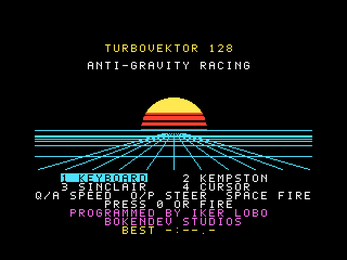
The title screen is where the control scheme is chosen. Keys 1 through 4 switch between keyboard, Kempston, Sinclair and Cursor joysticks. On the keyboard, Q and A handle speed, O and P steer, and the space bar fires.
Away from the race itself, 0 confirms choices in the menus, H pauses the action, and M returns to the menu while the game is paused. Those keys stay consistent whichever input scheme has been selected.
For anyone playing in a browser, the quickest route is to press 4 on the title screen and drive with the arrow keys, using 0 to fire. If the keys stop responding, clicking the game screen restores focus. On real hardware or in an emulator, the chosen joystick or keyboard layout applies exactly as it does elsewhere.
| Input | Action |
|---|---|
| Keys 1-4 | Choose keyboard, Kempston, Sinclair or Cursor control at the title screen |
| Q / A | Speed control on the keyboard scheme |
| O / P | Steering on the keyboard scheme |
| Space | Fire on the keyboard scheme |
| 0 | Confirm menu choices and fire in the browser layout |
| H | Pause the race |
| M | Return to the menu while paused |
| Arrow keys | Drive in the browser when option 4 is selected |
Tips for your first run
Start with Titan if survival matters more than outright speed. Halved damage and doubled ramming force give room to learn the hills, tunnels and arches without a quick explosion. Striker is the alternative for anyone who would rather open with three missiles, while Viper demands clean driving because it is fragile.
The track is generous with help if it is used deliberately: repair kits refill the life bar, turbo pads sit on the racing line, and missiles are the answer to rivals lining up a shot. Because rivals also fight among themselves, a patient driver can let them thin out the field before making a move.
- Sweep up repair kits early rather than waiting for the bar to run low.
- Hold missiles until a rival is already trading hits with someone else.
- Watch the minimap instead of guessing who is closing from behind.
- Treat bumps as jumps, since the ship is designed to fly off them.
- Learn where the turbo pads sit before chasing a faster lap.
Content and replayability
Eight circuits are spread across distinctly different landscapes: neon cities, desert pyramids, snowy peaks and industrial docks among them. Each is built as a full vector track with hills, jumps, tunnels, arches and street lamps, so the scenery shifts even where the racing rhythm stays familiar.
Championship mode is the spine of the structure. Results feed a standings table, and the season closes on a final podium. Because rivals can be knocked out of a race, a campaign can swing on one aggressive move, and a driver who only chases lap times may find the table unforgiving.
Ship choice is the other long lever. Striker, Titan and Viper are not cosmetic variants; each carries its own stats, so a season with Titan plays nothing like one with Viper.
Two Spectrum builds are offered. The 128K version adds AY chip music for every circuit plus digitized speech. The 48K version contains the complete game with beeper sound.
Presentation and performance
TurboVektor is vector 3D rather than sprite scaling. The track geometry carries hills, jumps, tunnels, neon arches and street lamps, and a city skyline scrolls along the horizon behind the racing line. The look leans on clean wireframe edges instead of texture work, which suits the ZX Spectrum hardware it was written for.
Audio differs between builds. The 128K release pairs AY chip music with digitized speech, giving each circuit a theme of its own, while the 48K release relies on beeper sound. That split is worth knowing before choosing a file.
The game has been tested on real Spectrum hardware and on The Spectrum from Retro Games Ltd, a meaningful claim for a project still in active development. In a browser, the play frame runs the game through the JSSpeccy 3 emulator written by Matt Westcott under the GPL-3.0 licence, so what appears on screen mirrors the Spectrum build rather than a separate port.
Who should play it
TurboVektor is aimed at players who remember the ZX Spectrum fondly but still want a race that plays fast. The anti-gravity format, three distinct ships and item pickups make it approachable, while the vector rendering and Z80 assembly make it a curio for anyone interested in how far that hardware could be pushed.
Spectrum owners with real machines or The Spectrum from Retro Games Ltd get .tap and .tzx files plus .sna snapshots that load instantly in an emulator. The 128K build runs on 128K, +2 and compatible machines, and the 48K build runs on any Spectrum. Players without that hardware can simply open the browser frame.
It suits anyone who enjoys combat racing — missiles, ramming, turbo pads and rivals who are eliminated rather than merely overtaken — and retro enthusiasts who prefer geometric visuals to pixel art. It is a less obvious pick for players who need touch controls or persistent progression, since neither is part of what is offered.
Screenshots
How we tested it
The build was loaded from games.debutplay.com in a headless Chromium session on ; the canvas started and no request was blocked. The guide was last checked on .
From the developer
ENGLISH TURBOVEKTOR is an anti-gravity racer in real vector 3D, written from scratch in Z80 assembly for the ZX Spectrum. Pick your ship and hit the track. Fly over hills, jump off the bumps, blast through tunnels and under neon arches while a city skyline scrolls past on the horizon. Grab missiles and repair kits along the way, hit the turbo pads, and watch out: your rivals fight back, and they fight each other too. DEVELOPMENT STATUS Tested on real hardware and on The Spectrum by Retro Games Ltd. Currently in active development. FEATURES Full vector 3D track with hills, jumps, tunnels, arches and street lamps 3 ships to choose from, each with its own stats: STRIKER: light and balanced, starts every race with 3 missiles TITAN: heavy armour, takes half damage and rams twice as hard VIPER: the fastest and most agile, but fragile 8 circuits with different landscapes: neon cities, desert pyramids, snowy peaks, industrial docks and more…
Frequently asked questions
Is TurboVektor free to play?
Yes. The browser version can be launched and played at no cost, and the Spectrum files are offered on the same basis.
What platforms does it run on?
The playable build is HTML5 in a browser. Standalone .tap, .tzx and .sna files are offered for real Spectrum machines, The Spectrum from Retro Games Ltd and emulators, with the 128K build needing a 128K, +2 or compatible machine and the 48K build running on any Spectrum.
Which ship is best for a beginner?
Titan is the forgiving option, taking half damage and ramming with double force. Striker starts each race with three missiles, while Viper is the fastest and most agile but fragile.
How many circuits are included?
Eight, covering landscapes such as neon cities, desert pyramids, snowy peaks and industrial docks, all built as vector tracks with hills, jumps, tunnels and arches.
Can it be played with a joystick?
Yes. Keys 2, 3 and 4 on the title screen select Kempston, Sinclair or Cursor joystick control instead of the keyboard.
Is the game finished?
It is in active development, with builds tested on real Spectrum hardware and on The Spectrum from Retro Games Ltd.
What games are similar to TurboVektor?
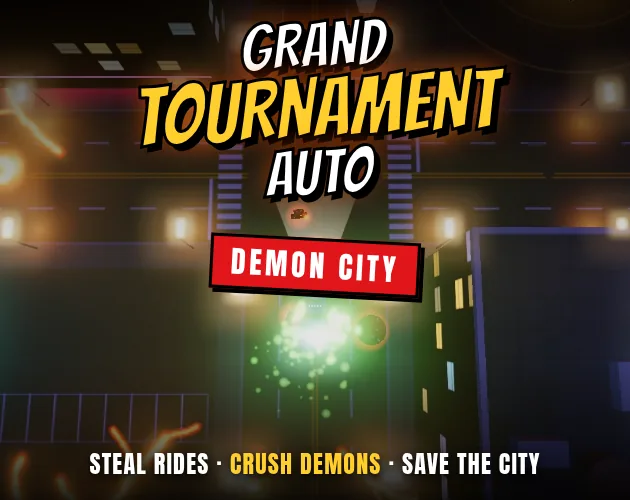
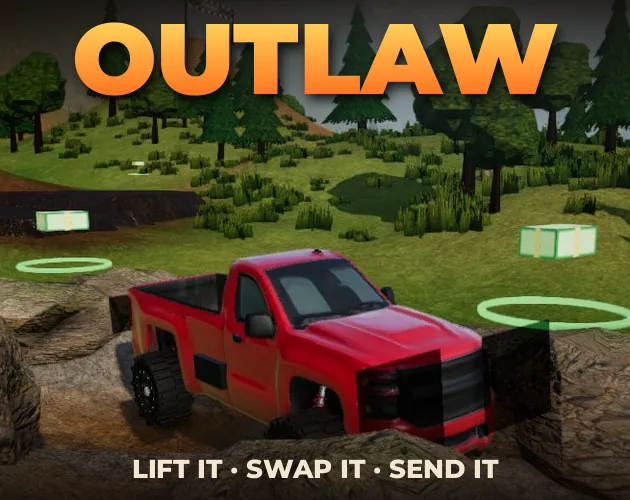
The closest matches on DebutPlay are GRAND TOURNAMENT AUTO, ROAD66, OUTLAW. They share the same genre, so the controls and the pace carry over.
Something wrong or missing? Tell us. How we test games.