Simulation · New game
Drop Zone
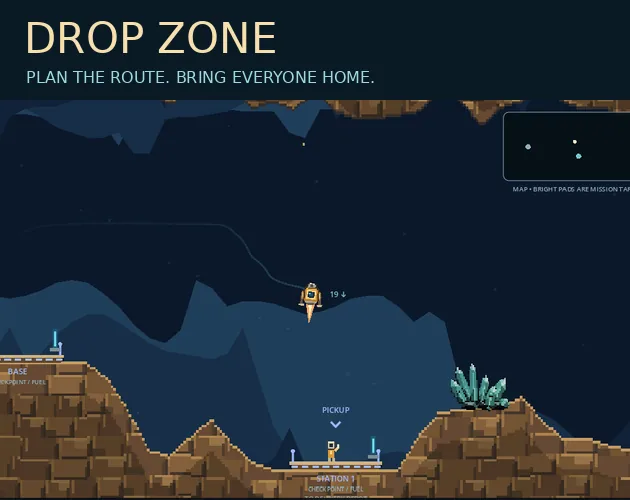
A free browser simulation about nursing a fragile rescue pod between lit pads, ferrying stranded passengers and stretching a small fuel tank across twenty seeded courses.
#34 this weekAI-assisted: Code, Graphics, Sound
The game runs in this tab. No install, no account.
The short answer
Drop Zone is a keyboard-driven physics simulation in which a small rescue pod must be rotated, burned and coasted onto lit landing pads while carrying two passengers at a time. Rock kills instantly, fuel runs short, and twenty seeded campaign courses plus a daily flight give every launch a fresh puzzle to solve. It runs in the browser at no cost.
What is Drop Zone?
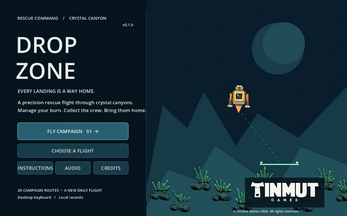
The premise is a rescue run under tight constraints. A pod with room for two passengers and a modest fuel tank has to be threaded through rocky terrain onto lit landing pads, and the safest path is the one worked out before the throttle is touched. Movement is deliberate: rotate the craft, burn, coast, then settle.
Nothing in the simulation straightens the pod for you, and rock is always fatal, so every approach has to be flown rather than corrected at the last second. Missions combine pickup and delivery: stranded passengers wait to be collected and must be set down at their named destinations, while blue refuel checkpoints top up the tank so a run can continue.
The campaign opens at Rescue Command with flight 01. Around that spine sits a 2D, physics-led arcade simulation with pixel art and a space setting, built for a single player and delivered as an HTML5 page that loads straight into the browser.
How to play
Each attempt has a clear goal and a clear threshold. Finishing a campaign course with bronze or better unlocks the next one of the twenty seeded courses, so clean flying matters more than merely surviving. The original canyon remains available to revisit whenever a simpler piece of terrain appeals.
Before a launch, an automated pilot test-flies the course using the normal control scheme, and a short progress message appears while that preparation runs. Once flying, a crash is not the end of the attempt: one key returns the pod to the last checkpoint, and another starts the whole run again from the beginning.
Touchdown has its own rules. The pod should meet the pad slowly and upright, and thrust must be released after contact before lifting off again, otherwise the landing will not settle properly. Runs flown in the tuned setting count as practice and will not unlock campaign medals, so medal hunting means flying the standard way. Leaving the tab pauses the flight. Resume from the menu or press Escape when ready to continue.
Controls
Everything is bound to the keyboard. Rotation uses A and D or the left and right arrow keys. Thrust responds to W, the up arrow or Space. Side jets are toggled with J, and Q and E slide the pod sideways, which helps with fine lateral adjustments near a pad.
Recovery and navigation keys fill out the rest. C sends the pod back to the last checkpoint after a crash, R restarts the run, and M returns home. Escape opens the flight menu, where resuming, restarting, choosing a flight and going home are all available.
Two further keys change how the craft behaves or is learned: T opens the Flight Lab, and L engages the landing assist. The page needs a click inside the game area before the keyboard takes effect, so click once if inputs seem unresponsive.
Volume for master output, music and effects is adjusted separately, both under the Audio options and inside the pause menu.
| Input | Action |
|---|---|
| A / D or Left / Right arrows | Rotate the pod |
| W, Up arrow or Space | Thrust |
| J | Toggle side jets |
| Q / E | Slide sideways |
| C | Return to the last checkpoint after a crash |
| R | Restart the run |
| Escape | Open the flight menu for resume, restart, flight selection or home |
| M | Go home |
| T | Open the Flight Lab |
| L | Landing assist |
| Click inside the game | Give the page keyboard focus |
Tips for your first run
Flight 01 at Rescue Command rewards patience more than speed. The pod carries only two passengers and the tank is small, so the useful skill is reading the terrain early and committing to a line rather than burning fuel while hovering and second-guessing.
Treat the blue refuel checkpoints as route anchors. Planning a path that touches one before the tank runs dry is more reliable than improvising a detour mid-flight.
- Sketch the whole route before touching thrust: pads, pickup points, named destinations and any blue refuel checkpoint along the way.
- Rotate first, then burn briefly and coast; long burns drain the small tank fast.
- Line up the pad while still high, since nothing levels the pod for you.
- Approach slowly and upright, then release thrust after touchdown and let the pod settle before lifting again.
- Use C to rewind to the last checkpoint instead of restarting with R when a crash is not a routing mistake.
- Keep Q and E in mind for sideways nudges during the final few metres of an approach.
- Save the Flight Lab and J side jets for practice, because tuned runs count as practice and earn no campaign medals.
Content and replayability
The campaign is a ladder of twenty seeded courses, each gated behind a bronze medal or better on the one before. Because finishing well is the unlock condition, there is a reason to replay a course rather than scrape through it, and best times are tracked per browser so personal records can be chased.
Beyond the campaign there are two other ways to fly. The daily flight changes each day at midnight UTC, giving a fresh layout to learn on a fixed schedule, and the original canyon stays open for anyone who wants familiar ground. The Flight Lab offers a pausable space to experiment, particularly with the optional side jets.
Progress is local. Best times live in the browser only, can vanish if site data is cleared, and there is no cloud save and no online leaderboard, so records are a personal matter rather than a competitive one. This is an early release, which is worth knowing before investing in a long streak of daily attempts.
Presentation and performance
The look is 2D pixel art, with rock and crystal sprites produced through Terrier, Tinmut's procedural asset tool, while everything else in the scene is drawn in code. Audio sits somewhere between functional and characterful: the flight sounds are original, and the menu music is a newly synthesised classical motif, with separate sliders for music and effects so one does not have to fight the other.
The build is made with Godot 4.6.3 and targets desktop keyboards, requiring WebGL 2 in the browser. Browser play is still being tested, and anyone hitting a failure to start is invited to report the browser and operating system in use. Sound begins only after the first click or key press, which is normal for a page like this.
Switching away pauses the flight rather than letting the pod drift, so interruptions are survivable. Credits and engine licences are included in the build itself.
Who should play it
Anyone who enjoys a control scheme with consequence will find plenty here. The pod does not self-level, rock is fatal, and the fuel budget forces decisions, which puts the game closer to precision flying puzzles than to a relaxing arcade drift. Players who like planning a route and then executing it cleanly, with a rewind key to soften the punishment, are the natural audience.
Those who want a quick browser session with a defined goal will also settle in comfortably: a course is a self-contained attempt, the daily flight gives a reason to return, and medals provide a visible measure of improvement. It is not built for players chasing online rankings or cross-device saves, since neither exists, and the keyboard-only desktop requirement rules out casual phone play.
Fans of pixel art space themes and small, replayable challenges will get the most from the twenty seeded courses and the Flight Lab.
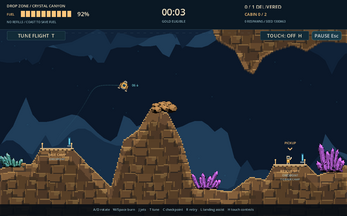
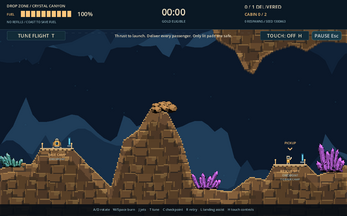
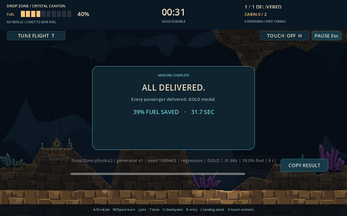
Screenshots
How we tested it
The build was loaded from games.debutplay.com in a headless Chromium session on ; the canvas started and no request was blocked. The guide was last checked on .
From the developer
Your rescue pod carries two passengers and your fuel tank is small. The safest route is the one you plan before you touch the throttle. Rotate, burn, coast and settle onto lit landing pads. Pick up stranded passengers, drop them at their named destinations, and use blue refuel checkpoints to keep the mission alive. Rock is always deadly, and nothing levels the pod for you. Start at Rescue Command with campaign flight 01. Earn bronze or better to unlock the next of 20 seeded courses, try the daily flight (new each day at midnight UTC), or go back to the original canyon. An automated pilot test-flies every course with normal controls before you launch, so you'll see a short progress message while it's prepared. Optional side jets and a pausable Flight Lab let you experiment. Tuned runs count as practice and don't unlock campaign medals. Controls A/D or left/right arrows: rotateW, up arrow or Space: thrustJ: toggle side jets; Q/E: slide…
Frequently asked questions
Is Drop Zone free?
Yes. It costs nothing to play and loads as an HTML5 page in the browser.
What does the game need to run?
A desktop keyboard and a browser with WebGL 2 support. Browser play is still being tested, and the crew asks for browser and operating system details if a launch fails.
How many courses are there?
Twenty seeded campaign courses. Earning bronze or better unlocks the next one, and the opening flight takes place at Rescue Command.
Is progress saved online?
No. Best times are stored in the browser only and can disappear when site data is cleared. There is no cloud save and no online leaderboard.
What happens after a crash?
Press C to return to the last checkpoint, or R to start the run again from the beginning. Rock contact is always fatal.
What is the Flight Lab?
A pausable practice space reached with T, useful for experimenting with the optional side jets. Runs flown in the tuned setting count as practice and do not unlock campaign medals.
What games are similar to Drop Zone?
The closest matches on DebutPlay are Oops, I Made a Zoo!, DEPT 99 SUPER JAM, DEAD AIR. They share the same genre, so the controls and the pace carry over.
Something wrong or missing? Tell us. How we test games.