Simulation · New game
Oops, I Made a Zoo!
A free browser zoo sim where a single keeper turns a quiet patch of land into a strange, cozy park full of animals to raise, breed and rearrange.
#23 this weekAI-assisted: Code, Sound, Text
The game runs in this tab. No install, no account.
The short answer
A gentle 3D management game about a tiny park with a very big job: care for animals, complete daily tasks, spend coins on unlocks, and breed new residents whose eggs hatch on real-world timers. Four themed areas, a guided elephant opening and two camera views make the first session easy to start and easy to return to.
What is this zoo sim?
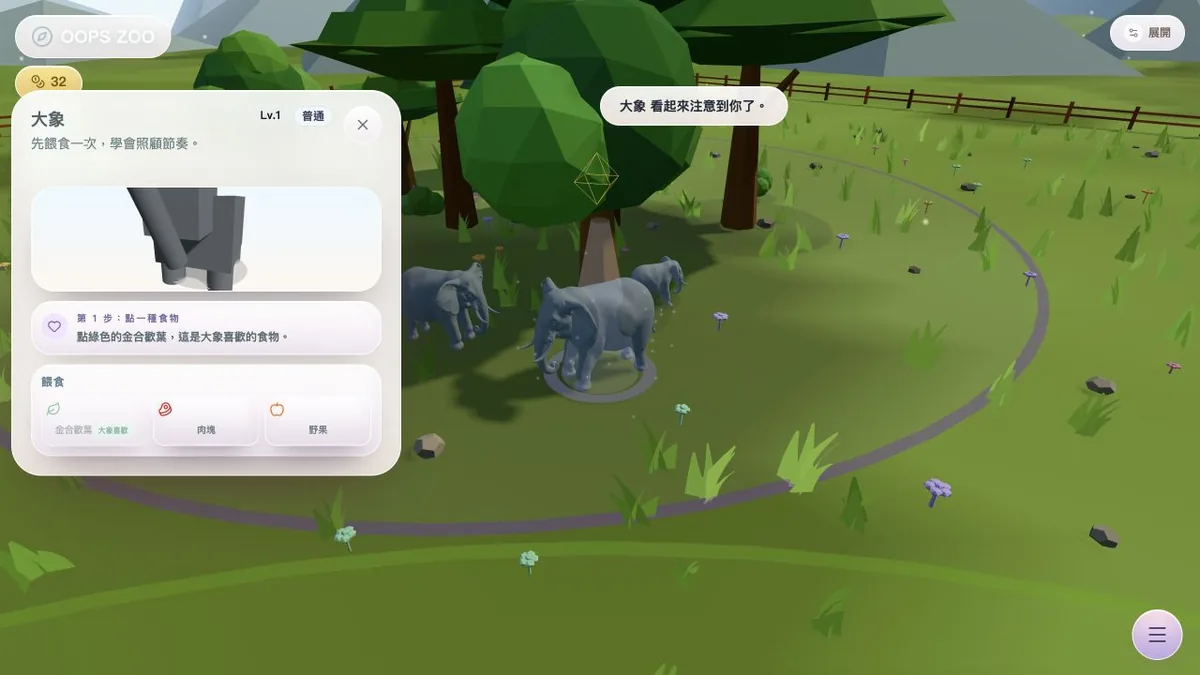
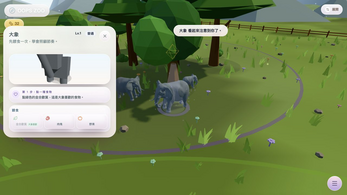
Culaliya's simulation begins with a small patch of land and one keeper rather than a finished attraction. A guided elephant-care opening walks through the first interaction, then hands over to a routine of daily tasks, coins and animal unlocks.
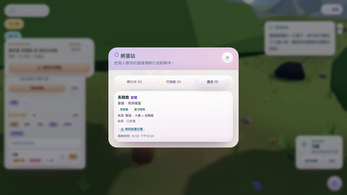
From there the park grows into a strange, cozy 3D zoo built from 34 animal models and seven decorations, arranged across four themed areas: savanna, wetland, sacred peak and twilight grove. Breeding, real-time egg incubation, reveals, a collection and family history sit alongside the caretaking.
It runs in the browser as an HTML5 game, free to play, with no account, no ads, no third-party analytics and no in-game purchases. A browser with WebGL2 enabled is required, and this is not a native macOS executable. Weather controls and visitor comments round out the management layer that sits behind the animal care.
How to play
Start a new park and let the elephant guide carry the opening. After that, the basic action is a click: select an animal and care for it. The lower-right menu is the hub for everything else, holding tasks, the hatchery, the collection, breeding and decoration.
Coins earned through ordinary play pay for animal unlocks and park building. Breeding produces eggs that incubate against real time and are then revealed; new animals join the collection, where family history is tracked. Animals can be relocated, decorations placed one at a time, and themed park packs add a coordinated look to a finished area.
The upper-right Expand button opens settings for language and audio. Caretaker progression records how far the park has come, and visitor comments give a running read on the place between tasks.
Controls
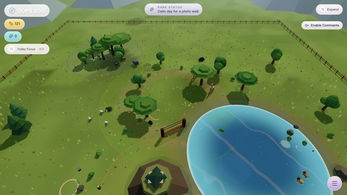
In God View, drag with the mouse to orbit the park and scroll to zoom in or out, which is the natural way to survey all four themed areas at once. Clicking an animal is the care action, and the lower-right menu covers tasks, hatchery, collection, breeding and decoration.
Player View is entered with the Enter Player View control. Inside it, WASD moves and the mouse looks around, while Esc releases the pointer so the cursor comes back. If the browser refuses pointer lock, the game returns to God View rather than leaving a player stuck in a view that will not respond.
On a touchscreen, the left side drives movement while the right side handles looking, so both thumbs stay busy. Landscape orientation and fullscreen are recommended for that layout. Settings sit behind the Expand button in the upper right, separate from the gameplay menu.
| Input | Action |
|---|---|
| Mouse drag | Orbit the camera in God View |
| Scroll wheel | Zoom in and out in God View |
| Left click | Select an animal and care for it |
| Enter Player View | Switch from God View into Player View |
| WASD | Move in Player View |
| Mouse | Look around in Player View |
| Esc | Release the pointer in Player View |
| Lower-right menu | Open tasks, hatchery, collection, breeding and decoration |
| Upper-right Expand button | Open settings |
| Touch, left side | Move |
| Touch, right side | Look around |
Tips for your first run
The opening is a tutorial in disguise, so let the elephant sequence finish before spending coins. Then settle into a rhythm: tasks first, animals second, decoration last, once the four themed areas have a shape. A few habits make the early park smoother:
Settings block scene controls while they are open, but incubation and care timers can keep counting, so there is no advantage in leaving that menu up.
- Clear the daily task list in the lower-right menu before wandering; it gives the session a short, concrete goal.
- Begin a breeding pair early, because eggs incubate against real time and keep counting while the tab is closed.
- Use the orbiting God View to plan savanna, wetland, sacred peak and twilight grove before buying single decorations.
- Visit the hatchery regularly so a finished reveal is not left sitting unopened for days.
- Keep the park in one browser: there is no cloud sync, export or cross-device transfer, and clearing site data can wipe progress.
- Treat New Game with care, since it resets park progress once confirmed.
Content and replayability
The content list is compact but wide: 34 animal models, seven decorations and four themed areas, layered with breeding, hatching, a collection and family history. Relocation and single decorations mean a finished park can be rearranged rather than abandoned.
Replay comes from the timers as much as the building. Eggs incubate in real time, care runs in real time even while away, and daily tasks refill the loop each session, with caretaker progression and visitor comments supplying long-running feedback. Themed park packs offer a second pass at layout for anyone who wants a different mood across the savanna, wetland, sacred peak and twilight grove.
There is no stated end point or scoring target to chase, so the pull is collection and arrangement: filling each area, then shuffling animals and decorations until the park reads well from above. Weather controls change the atmosphere while the visitor comments change the tone.
Presentation and performance
The park is fully 3D with two camera modes: an orbiting God View for overview and a Player View built on WASD movement and mouse look. Weather controls shift the atmosphere, and visitor comments arrive as feedback on how the place is running.
Music comes from Suno, and the code was AI-assisted. The interface is available in English and Traditional Chinese, though some habitat explanations and special archive flavor remain in Traditional Chinese only.
Performance rests on WebGL2, which the browser must support and have enabled; this is an HTML5 build rather than a native macOS executable. Landscape and fullscreen are recommended for the touch layout. An optional complete ZIP bundles all assets with an offline README and must be extracted and served over local HTTP, for example with python3 -m http.server 8000, because opening the files directly can block modules and models. Offline copies and itch copies keep separate local saves.
Who should play it
This suits players who like slow management: small decisions, daily check-ins and a park that improves in increments. Breeders and collectors get the strongest hook, since eggs, reveals, collection entries and family history are the engine of progress rather than a side activity.
It is also a low-risk try, being free with no account, no ads, no analytics and no in-game purchases, so a first session costs nothing but time. Anyone hoping to hop between devices should know the limits in advance, because progress stays in one browser and there is no export, import or sync.
Players chasing action or competition will find nothing here to aim at; the appeal is caretaking, weather, visitor comments and the look of four themed areas seen from above. Touch controls make the left-and-right thumb layout relevant on a tablet or phone, with landscape and fullscreen advised.
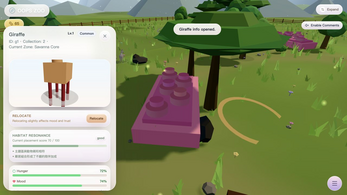
Screenshots
How we tested it
The build was loaded from games.debutplay.com in a headless Chromium session on ; the canvas started and no request was blocked. The guide was last checked on .
From the developer
A tiny park. A very big job for its keeper. Care for a curious cast of animals and turn a quiet patch of land into your own strange, cozy 3D zoo.This is the complete Web edition, with the existing game content, models and music.• 34 animal models and 7 decorations across four themed areas: savanna, wetland, sacred peak and twilight grove.• A guided elephant-care opening, daily tasks, free gameplay coins and animal unlocks.• Breeding, real-time egg incubation, reveals, collection and family history.• Animal relocation, single decorations and themed park packs.• God View, Player View, weather controls, visitor comments and caretaker progression.How to playStart a new park and follow the elephant guide. Click an animal to care for it. The lower-right menu opens tasks, hatchery, collection, breeding and decoration. The upper-right Expand button opens settings.Mouse: drag to orbit and scroll to zoom in God View. Player View uses WASD and…
Frequently asked questions
Is the game really free?
Yes. It costs nothing to play and carries no account requirement, no ads, no third-party analytics and no in-game purchases.
What does the browser need?
WebGL2 support that is enabled in the browser. The build is HTML5, so there is no native macOS executable to install.
Can progress move between devices?
No. Progress, language and audio settings stay in this browser on this site, with no cloud sync, save export or import, and no cross-device transfer. Clearing site data or ending a private session can erase progress.
Does it work with touch?
Touch controls are mapped so the left side of the screen moves and the right side looks around. Landscape orientation and fullscreen are recommended.
Do eggs keep incubating while away?
Eggs and animal care use real time, including time spent away from the game. Opening settings blocks scene controls while timers can continue running.
Is there an offline version?
An optional complete ZIP includes all assets and an offline README. Extract it and serve it over local HTTP, such as python3 -m http.server 8000; opening the files directly may block modules and models, and offline saves are kept separately from the browser version.
What games are similar to Oops, I Made a Zoo!?
The closest matches on DebutPlay are DEPT 99 SUPER JAM, DEAD AIR, Sealed Goods. They share the same genre, so the controls and the pace carry over.
Something wrong or missing? Tell us. How we test games.