Rhythm · New game
PIXEL RONDO
A free browser-based Windows demo that builds rhythm charts from local MP3 files and adds a scroll-wheel laser lane to four-key play.
#66 this weekAI-assisted: Code, Sound
The game runs in this tab. No install, no account.
The short answer
PIXEL RONDO is a free pixel-art rhythm demo for Windows computers that turns local MP3 files into playable charts. Players hit four lanes with A, S, D, and F, tap Space notes, and steer a central laser with the mouse wheel or mouse movement. The build includes 41 backgrounds, eight interface languages, and chart-code sharing.
What is PIXEL RONDO?
PIXEL RONDO is a pixel-art rhythm game in development from A1terE&o, also credited as Yongst-Venti. It is a free Windows demo that runs as an HTML5 game in a browser, and its central hook is local music: select Open local music on the song selection screen and the game generates a chart from an MP3 file. That turns an imported track into a playable chart with notes to hit.
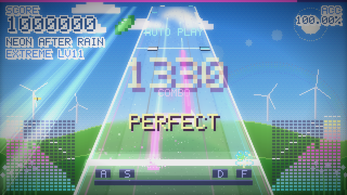
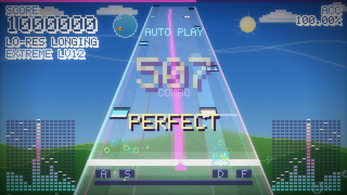
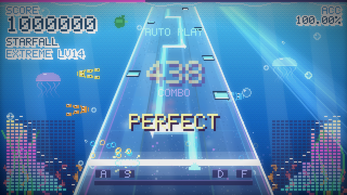
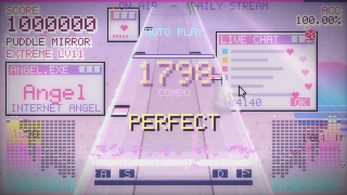
The demo is played across four lanes, with a central laser that can be controlled in two ways. It also includes 41 pixel-art backgrounds and eight interface languages, and it supports chart-code sharing so players can pass charts to others. The presentation leans on retro pixel art and arcade rhythm pacing. This is a work in development, not a finished commercial release.
How to play
The loop starts on the song selection screen. Choose Open local music to load an MP3 from the computer, and the game builds a chart for it. Notes arrive across four lanes, mapped to A, S, D, and F. Space notes appear as a separate input, and the central laser adds a continuous steering task rather than another tap lane.
The laser has two control schemes. In wheel mode, hold the mouse sideways and work the scroll wheel. In mouse movement mode, change the laser control in Settings → Game and move left and right, with adjustable mouse snap and sensitivity. After starting, click or press a key to lock the pointer. Esc pauses. Keep the launcher window open while the game runs in the browser tab, then close both when finished. Pointer lock keeps the mouse inside the game, which matters when using mouse movement for the laser.
Controls
The four lanes use A, S, D, and F. Space handles Space notes. The mouse wheel controls the central laser, and the game suggests holding the mouse sideways while working the wheel. For an alternative, open Settings → Game and set the laser to mouse movement; left and right movement then follows the laser, with separate snap and sensitivity adjustments.
After play begins, a click or key press locks the pointer so mouse input stays inside the game. Esc pauses. The demo is built for a keyboard and mouse on a Windows desktop or laptop, with Chrome or Edge recommended. Pointer lock, pause, and the two laser options are the main control-layer details to learn before chasing a clean run.
| Input | Action |
|---|---|
| A / S / D / F | Hit notes across the four lanes |
| Space | Hit Space notes |
| Mouse wheel | Control the central laser |
| Mouse movement | Control the laser in mouse movement mode, set in Settings → Game |
| Click or key press | Lock the pointer after starting |
| Esc | Pause |
Tips for your first run
First-run friction is mostly setup, not note reading. Extract the whole demo folder and keep its directory structure intact; do not launch from inside the ZIP or move only the executable. Double-click PIXEL_RONDO.exe, let the launcher open a command window and start the browser build, and leave that launcher open during play. Chrome or Edge is the recommended browser pair. If Windows shows a publisher warning, confirm the download source before continuing and use the available run-anyway option only after that check.
- Hold the mouse sideways when using the wheel, as the control scheme is built around that grip.
- Test both laser options in Settings → Game before a full track, since wheel and mouse movement use different mouse actions.
- Adjust mouse snap and sensitivity in the same menu to match the selected laser mode.
- Click or press a key after starting to lock the pointer, and use Esc when a pause is needed.
- Keep the game tab and launcher open together, then close both at the end of the session.
Content and replayability
The main content engine is local MP3 import. Open local music on the song selection screen, pick a file, and the demo generates a chart for that track. Chart-code sharing extends that idea by letting players exchange charts, so a single imported song can travel beyond one machine. The demo also includes 41 pixel-art backgrounds and eight interface languages, which gives the visual and text layer some variety before any chart is played.
Replay value comes from swapping source music and from the two laser control methods. Wheel control and mouse movement change how the central laser is handled, and mouse snap and sensitivity can be adjusted. The build is still in development, so the content set should be treated as a demo rather than a finished library. Bundled music is AI-generated with Suno, while imported music is selected by the player.
Presentation and performance
PIXEL RONDO uses pixel art and retro arcade styling, with 41 backgrounds available to accompany music. The interface is localized into eight languages. The game runs as an HTML5 build inside a browser, launched from a Windows executable that opens a command window. Chrome or Edge is recommended, and the launcher must stay open while the browser tab is active.
Scores and settings live in the current browser. Switching browsers, clearing site data, or using a temporary browsing session can make earlier records unavailable. Mobile and touch controls are not supported; the demo targets Windows computers with a keyboard and mouse. The project is a work in development, and a full start-to-finish playthrough and testing of a downloaded copy have not been completed. Bundled tracks are AI-generated with Suno, and player-imported music is chosen by the player. The runtime is a browser tab fed by a local launcher, so closing either one ends the session.
Who should play it
This demo suits rhythm players who want to test a keyboard-and-mouse setup rather than a touch screen. The four-lane A/S/D/F layout and Space notes cover the tap side, while the central laser adds a mouse-driven task. Players who enjoy tinkering with local music libraries will get the most from Open local music and automatic chart generation.
Retro pixel-art fans have 41 backgrounds and eight interface languages to explore. Chart-code sharing gives socially minded players a way to pass charts around. The demo is not for mobile players: touch controls are unsupported, and the build needs a Windows desktop or laptop with Chrome or Edge plus a keyboard and mouse. Anyone who dislikes launcher windows or browser-stored records should note those constraints before starting. The free demo is a focused rhythm testbed with a specific PC setup.
Screenshots
How we tested it
The build was loaded from games.debutplay.com in a headless Chromium session on ; the canvas started and no request was blocked. The guide was last checked on .
From the developer
Your songs. Your rondo. PIXEL RONDO is a pixel-art rhythm game that turns your own MP3s into playable charts. Play four lanes with your left hand, hold the mouse sideways to work the scroll wheel, and hit Space with your thumb. This free Windows demo requires a desktop or laptop, Chrome or Edge, a keyboard, and a mouse. How to play A / S / D / F: hit notes across four lanes. Space: hit Space notes. Mouse wheel: control the central laser. Try holding the mouse sideways to work the wheel. Mouse movement mode: open Settings → Game and change the laser control to mouse movement. Move left and right to follow the laser, with adjustable mouse snap and sensitivity. Click or press a key after starting to lock the pointer. Esc: pause. Features Automatic chart generation: choose “Open local music” on the song selection screen and load your own MP3. 41 pixel-art backgrounds to accompany your music. 8 interface languages. Chart-code sharing to…
Frequently asked questions
Is PIXEL RONDO free?
Yes. It is a free Windows demo. The build is a browser-based HTML5 game launched from a Windows executable.
What is needed to run the demo?
A Windows desktop or laptop, Chrome or Edge, a keyboard, and a mouse. The launcher must stay open while the browser tab runs the game.
Can players use their own music?
Yes. Choose Open local music on the song selection screen and load an MP3; the game generates a chart for that track.
How is the central laser controlled?
Use the mouse wheel, or switch to mouse movement in Settings → Game. Mouse snap and sensitivity are adjustable in that mode.
Does it support mobile or touch?
No. The demo targets Windows computers with a keyboard and mouse, and mobile and touch controls are not supported.
Where are scores and settings saved?
In the current browser. Switching browsers, clearing site data, or using a temporary session can make previous records unavailable.
What games are similar to PIXEL RONDO?
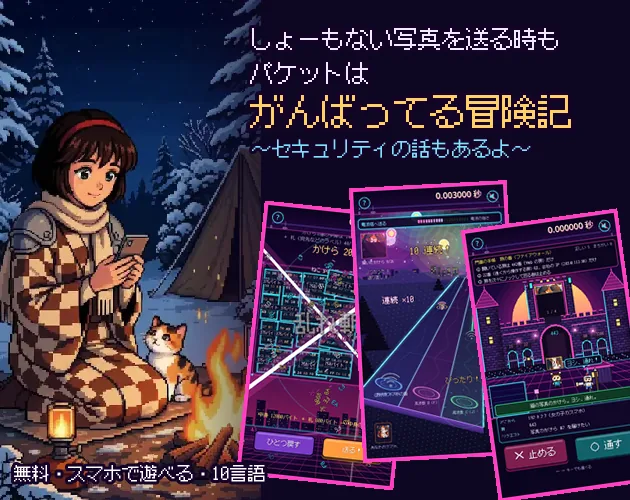
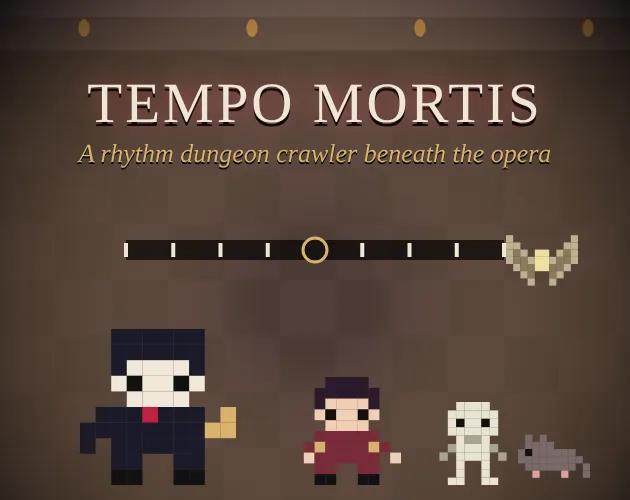
The closest matches on DebutPlay are Packet Adventure: Even a Silly Photo Gets the Full Effort, Tempo Mortis, Ring Catch. They share the same genre, so the controls and the pace carry over.
Something wrong or missing? Tell us. How we test games.