Interactive fiction · New game
Skyseed
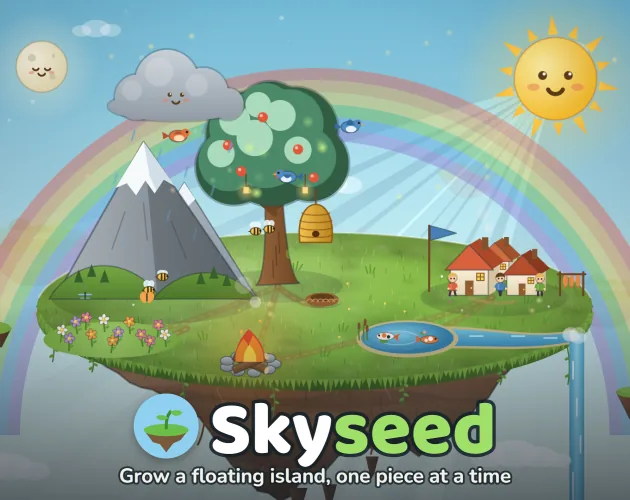
A free browser puzzle where each tray piece placed on a drifting island changes what grows next, and wrong orders lead to strange outcomes.
#18 this week
The game runs in this tab. No install, no account.
The short answer
Skyseed is a free HTML5 growth puzzle. Each turn, a player places one piece from a tray onto a floating island and watches couriers carry growth between pieces. A seed can awaken near water, a flower can draw a bee, and fire can gather people. Hints, undo, journal clues, and touch controls make short sessions easy to try.
What is Skyseed?
Skyseed is a browser puzzle about a small island suspended in the sky. The island's needed parts wait in a tray, and play moves by placing one of them at a time. Existing pieces react to the new neighbour, so the island grows through a chain of responses rather than through matching or clearing. The order of placements decides what the island becomes.
Growth can awaken a seed near water, draw a bee toward a flower, or bring people to fire. Those reactions are also the source of failure states: a piece can stall, branch into an odd form, or be ruined by the wrong neighbour. The game treats unusual outcomes as part of the discovery.
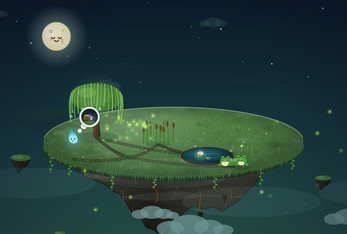
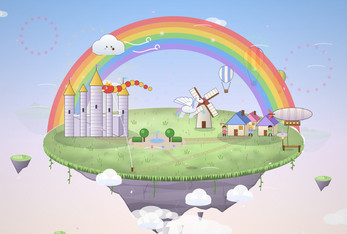
The island roster moves from a moonlit marsh with willows and frogs to a frosty setting with pines and penguins, then to desert, volcano, meadow, and cloud-castle themes. Each island supplies its own plants, animals, and scenery, giving the tray a different subject to develop.
How to play
A run starts with a tray and an island that needs development. Each turn allows one placement: a player chooses a tray piece and puts it on the island. The choice is about sequence, because every piece already present can react to the newcomer.
After a placement, little couriers carry growth between pieces. Their movement shows which connections are active. If a piece is stuck, a thought bubble points to the neighbour it is waiting for. That feedback teaches the island's logic during play.
Undo is available at any time, and a hint can be requested when progress stalls. Hints also indicate whether a perfect island remains possible. That matters because growth branches: a bad neighbour can stall a piece, create an alternate form, or ruin it. The game keeps those outcomes as discoveries.
To open the next island, a player needs most of the current island's growth to be reached. The target is broad development rather than one narrow chain. With six islands, the structure gives each puzzle a distinct subject while leaving room to test orders.
Controls
Skyseed accepts mouse, touchscreen, and keyboard input. A mouse click on a tray piece places it on the island. On a touchscreen, a tap performs the same action. The build is touch-friendly and works on phones and tablets as well as in a browser on a computer.
Keyboard shortcuts cover the core actions. Number keys 1 through 0 place pieces, H opens a hint, Z undoes a move, and Space skips an animation. These bindings help during repeated attempts because a player can test an order without moving between keyboard and pointer.
Accessibility features include a one-button scheme and an interactive tutorial. The tutorial teaches the placement rhythm before a full island is attempted. Optional vibration is available on mobile devices for players who enable it.
| Input | Action |
|---|---|
| Mouse | Click a tray piece to place it on the island. |
| Touchscreen | Tap a tray piece to place it on the island. |
| Keyboard | Press 1 through 0 to place pieces, H for a hint, Z to undo, and Space to skip an animation. |
Tips for your first run
Treat the first island as a lesson in reactions. Place a piece, then watch the couriers and thought bubbles before choosing the next tray item. A stuck piece is not random; its bubble names the neighbour it needs.
Undo is a testing tool. Try an order, observe the branch, and reverse it if the result is not useful. Hints are available when a piece refuses to develop, and they can tell whether a perfect island is still reachable.
- Place one tray piece per turn, then pause to read courier movement and thought bubbles.
- Use undo to compare placement orders around water, flowers, fire, and other reactive pieces.
- Ask for a hint when a perfect island still matters, then check the journal for clues about later stages.
- Try a wrong neighbour on purpose after a safe route is recorded; branched or ruined forms count as discoveries.
Content and replayability
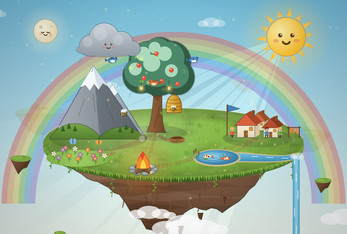
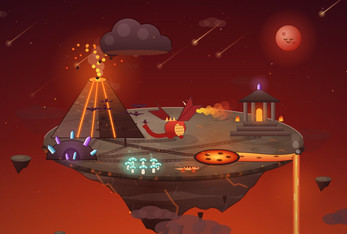
The six islands are the backbone of the content. Moonlit Marsh uses willows, frogs, fireflies, and wisps under a full moon. Frost Isle has pines, foxes, penguins, and an explorer's lantern beneath the aurora. Dune Isle includes an oasis, camels, falcons, and a nomad's camp. Ember Isle is built around a volcano, crystals, salamanders, and a dragon. Meadow Isle focuses on seeds, flowers, bees, and a small village. Sky Kingdom places kites, balloons, airships, and a pegasus over a castle in the clouds.
Replay value comes from the journal and achievement goals. The journal records every stage discovered and supplies clues for what comes next. Achievements mark perfect islands, full journals, and strange outcomes. Because growth has alternate forms and bad endings, a return visit can target a result that was missed rather than only a cleaner finish.
Free undo makes experimentation low-risk. A hint can reveal whether a perfect result is still possible, which helps a player decide whether to adjust or restart. The six-island sequence gives the collection a clear shape without demanding a long sitting.
Presentation and performance
Skyseed is a 2D browser game with a cozy, cute visual approach. The island subjects change from marsh willows and fireflies to aurora-lit pines, desert oasis life, volcanic crystals, meadow flowers, and a cloud castle. The play area shows a tray, the island, thought bubbles for stuck pieces, and couriers that move growth between placements.
Each island has a generated soundtrack and growth chimes. Those sounds mark placements and reactions, giving the short-session loop an audible layer. The game saves automatically, so repeated attempts, hints, and undo do not require manual saving.
In the browser, the build opens at 960 by 900, waits for a click before starting, and offers a fullscreen button. Scrollbars are disabled in the frame, keeping the tray and island inside a fixed play area.
Who should play it
Skyseed suits players who enjoy compact puzzle decisions with visible consequences. The loop is simple to start: choose one tray piece, place it, and read the island's reaction. The cozy, casual, cute presentation supports a short break rather than a timed challenge.
Players who like collecting outcomes will find reasons to revisit. Alternate forms, bad endings, a journal, and achievements for perfect islands and strange results reward experimentation. Hints help anyone who wants to test orders without being stranded, and free undo keeps the risk low.
The game is single-player and supports mouse, keyboard, or touchscreen input. The average session is a few minutes, and the six islands move from marsh and frost to desert, volcano, meadow, and sky castle. A player who wants ordering, observation, and a floating island that takes shape is the right audience.
Screenshots
How we tested it
The build was loaded from games.debutplay.com in a headless Chromium session on ; the canvas started and no request was blocked. The guide was last checked on .
From the developer
# Skyseed: page ## Basics - **Title:** Skyseed - **Short description / tagline:** Grow a floating island, one piece at a time - **Classification:** Games - **Kind of project:** HTML - **Release status:** In development - **Pricing:** No payments - **Uploads:** `dist/skyseed-itch.zip`, ticked "This file will be played in the browser" ## Embed options - **Viewport dimensions:** 960 × 900 - **Mobile friendly:** on, orientation default - **Automatically start on page load:** off (click to launch) - **Fullscreen button:** on - **Enable scrollbars:** off ## Details - **Genre:** Puzzle - **Tags:** puzzle, casual, cozy, relaxing, cute, short, singleplayer, 2D, mouse, touch-friendly - **AI generation disclosure:** set to match how the game was made - **Input methods:** Mouse, Keyboard, Touchscreen - **Accessibility:** One button, Interactive tutorial - **Average session:** A few minutes - **Languages:** English ## Description **A small island…
Frequently asked questions
Is Skyseed free?
Yes. Skyseed is a free browser game with no payment required.
What platform does Skyseed use?
It is an HTML5 game that runs in a browser. The build supports mouse, keyboard, and touchscreen input and is touch-friendly for phones and tablets.
How long is a session?
The average session is a few minutes. The game is arranged around short attempts across six islands.
Does Skyseed start automatically?
No. The browser build waits for a click before launching. It opens at 960 by 900 and includes a fullscreen button.
Are hints and undo available?
Yes. Undo can be used freely, and a hint can be requested when a piece is stuck. Hints also show whether a perfect island remains possible.
Can a player use keyboard shortcuts?
Yes. Number keys 1 through 0 place pieces, H gives a hint, Z undoes, and Space skips an animation.
What games are similar to Skyseed?
The closest matches on DebutPlay are Last Train to Kaerazu, Dungeons & Gangsters, Police Raid Commander. They share the same genre, so the controls and the pace carry over.
Something wrong or missing? Tell us. How we test games.