
Simulation · New game
Techy Repair House
Techy Repair House turns cracked phones, dramatic foldables and skeptical customers into a cozy bench-repair sim with real diagnostic tools and a free browser demo.
#60 this weekAI-assisted: Code, Graphics, Sound, Text
The game runs in this tab. No install, no account.
The short answer
Techy Repair House is a 3D simulation about running a small phone repair shop. Diagnose dead batteries, corroded ports, torn flex cables and other faults, then open the device with the right bit, heat, picks and suction cups. A free browser demo covers the first two workdays, four phones, story jobs and walk-ins, with progress saved in the browser.
What is Techy Repair House?
Techy Repair House is a 3D simulation about running a tiny phone repair shop. The premise is simple: customers arrive with phones that will not power on, tablets with broken glass and a foldable with a flair for drama, each carrying a story presented as fact. The shop is cozy rather than clinical, and the tone is built for humor as much as diagnosis. The shop handles individual devices and walk-in customers.
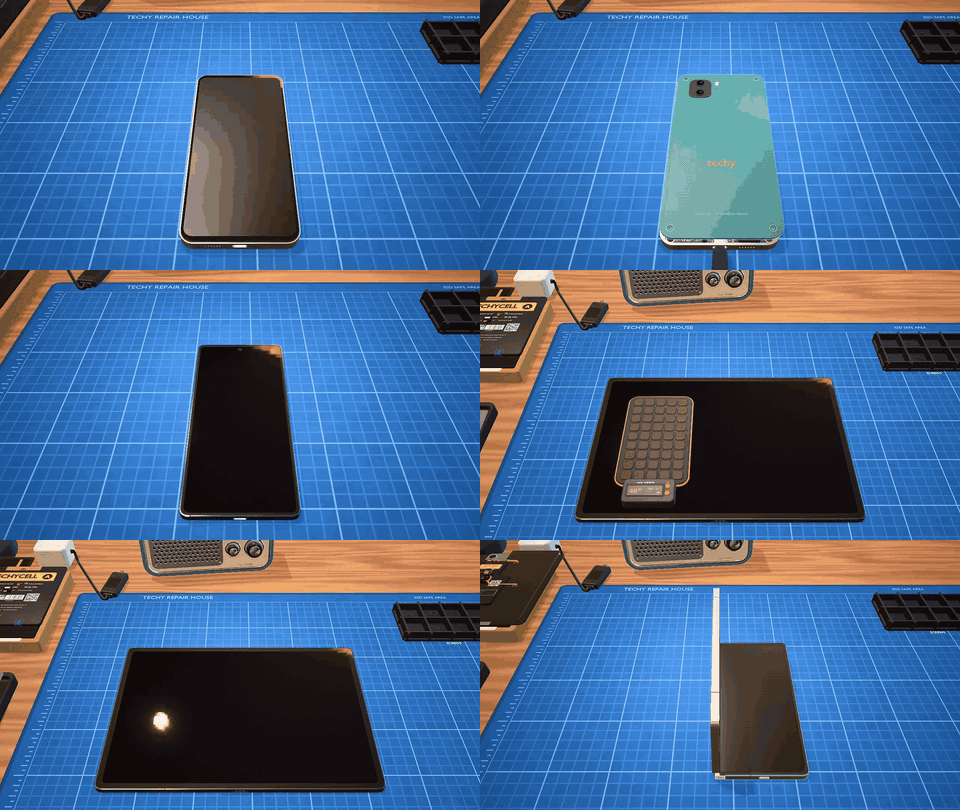
The core loop is hands-on repair. Players diagnose a device, open it on the bench, find the actual cause and close it again with every fastener accounted for. Faults can be as ordinary as a battery that will not hold charge or as fiddly as a torn flex cable, a corroded port or a loose connector. Cameras and antennas can fail too, and some devices arrive with no defect at all.
How to play
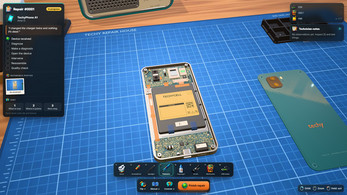
The workflow rewards testing before parts are swapped. A USB tester and a multimeter provide readings, while temperature and power checks add more evidence. Once the fault is narrowed down, the device opens the way real hardware does: the correct bit for each screw, heat to soften adhesive, picks and suction cups to separate parts, then clips plus ZIF and battery connectors to handle with care. Each repair moves from diagnosis to opening, fault-finding and reassembly.
Repair is only part of the job. Spare parts can be bought from Rashid in original or Rashid Special form, stock has to be kept, and workshop rank can rise as work is completed. Achievements add goals, and a bench radio supplies several stations for company. Walk-in situations add variety, and promising more than a shop can deliver has consequences that customers remember.
Controls
The bench is operated through concrete tool choices. Players choose the bit that fits a screw, apply heat where adhesive needs softening, work picks and suction cups under a case, and handle clips, ZIF connectors and battery connectors with care. The bench radio can be switched on for background stations. The browser demo is built for desktop and for phones or tablets in landscape, and browser progress is saved.
In the Windows release, F11 toggles fullscreen. On macOS 11 or newer, the app is not notarized yet, so first launch may need approval through Privacy and Security. The Linux 64-bit AppImage must be made executable, and libfuse2t64 or libfuse2 may be needed if it will not start. The desktop builds are separate applications.
| Input | Action |
|---|---|
| F11 | Toggles fullscreen in the Windows version |
Tips for your first run
Start each job with diagnostics, not a parts order. The USB tester, multimeter, temperature checks and power readings are there to narrow the fault before a replacement is chosen, and a device with no obvious failure still needs a careful look. Open slowly, match the bit to the screw, warm adhesive before prying, and keep fasteners organised so the reassembly stays clean.
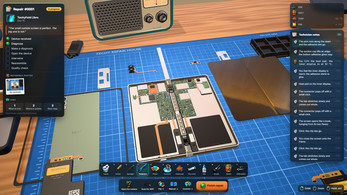
When progress stalls, use the hint option or the illustrated teardown manual for the device on the bench. Shop decisions matter too: compare original parts with Rashid Special stock, keep spares available, and avoid promising a result the shop cannot deliver.
- Use the USB tester and multimeter before choosing a replacement.
- Match the screwdriver bit to the screw and keep every fastener accounted for.
- Warm adhesive before using picks or suction cups.
- Check for a no-fault device before assuming every job needs a part.
- Ask for a hint or open the illustrated manual when a repair stalls.
- Keep stock from Rashid and remember that customers recall overpromises.
Content and replayability
The browser demo is the opening slice: two workdays, four phones, the first story jobs and the day's walk-in customers. Progress is saved in the browser. The full release expands to more phones, tablets and the dramatic foldable, along with the complete story and every customer. Walk-in situations run into the dozens, so the shop can produce new conversations and repair cases beyond the main jobs.
The game is still in development. English and Spanish are supported. Early-access buyers receive every update, and the price is scheduled to rise at 1.0. The demo is the safest way to sample the repair loop before the paid desktop build. The desktop edition is the complete version, while the browser build is a limited trial. The browser slice is a shorter commitment.
Presentation and performance
The visual pitch is a cozy 3D shop with a comic edge. The game uses Babylon.js and a 3D presentation. The character roster does much of the tonal work: Big Barry and Lord Whiskers, Rashid with his nearly original parts, Chen as a blunt mentor and Tigre as a cat who chooses his own sleeping spots. The game is made by Diego, also known as drleria.
The full game is built for Windows 10 and 11 in 64-bit, macOS 11 or newer on Intel and Apple Silicon, and 64-bit Linux through an AppImage. English and Spanish are supported. The shop is singleplayer, and the tone stays casual and relaxed even when a repair turns stubborn. The demo and full game share the same shop setting and cast.
Who should play it
This is for players who like a cozy simulation with practical puzzles and a shop to run. The appeal comes from diagnosis, careful teardown and the small satisfaction of closing a device with all its fasteners in place, rather than from action or competition. The humor, the recurring customers and Tigre the cat soften the technical work.
Players who prefer a fixed challenge may find the shop-management layer less appealing, while those who enjoy stock, rank, achievements and dozens of walk-ins have more to dig into. The browser demo is the low-risk entry point. A desktop is required for the full game, while the demo runs in a browser on phones or tablets in landscape. The shop is small and the focus stays on individual devices. The relaxed tone suits players who want to tinker.
Screenshots

How we tested it
The build was loaded from games.debutplay.com in a headless Chromium session on ; the canvas started and no request was blocked. The guide was last checked on .
From the developer
Fix the impossible. Survive the customers. Techy Repair House is a cozy 3D repair sim about running a tiny phone repair shop. Customers walk in with dead phones, cracked tablets and one very dramatic foldable, plus a story they swear is true. You diagnose, open the device on your bench, find what really broke, fix it and close it back up without losing a screw. 🛠 Real repair, made friendly Measure before you replace: USB tester, multimeter, temperature and power readings.Open devices the way they are really built: screws with the right bit, heat pads and adhesive, picks and suction cups, clips, ZIF and battery connectors.Faults with real causes: dead batteries, swollen cells, corroded ports, torn flex cables, loose connectors, broken cameras and antennas… and the occasional device with nothing wrong at all.Stuck? Ask for a hint, or open the illustrated teardown manual of the device on your bench. ☕ A shop full of characters Big Barry…
Frequently asked questions
Is there a free demo?
Yes. The browser demo is free and covers the first two workdays, four phones, the first story jobs and the day's walk-in customers. Progress is saved in the browser. It runs on desktop and on phones or tablets in landscape. It is the free trial for the paid desktop game.
What does the full game cost?
The desktop release is paid. Pricing appears as $2.49, with an early-access figure of $4.99 and a planned rise at 1.0. The browser demo is free.
Which platforms are supported?
The browser demo runs on desktop and on phones or tablets in landscape. The full game is for Windows, macOS and Linux. A mobile version of the full game may arrive later.
Can progress be saved?
Browser demo progress is stored in the browser. That covers the opening two workdays, four phones and the day's walk-ins.
What tools are used for diagnosis?
A USB tester and a multimeter provide readings, with temperature and power checks adding evidence before a replacement is chosen.
What can go wrong with a device?
A device may arrive with a swollen cell, a port damaged by corrosion, a torn flex cable, a loose connector, a failed camera or antenna, or a battery that no longer holds charge; some jobs have no fault at all.
What games are similar to Techy Repair House?
The closest matches on DebutPlay are Voxelium: Block Crafting 3D, Salim's Stall, Bloodline: Vampire Dynasty. They share the same genre, so the controls and the pace carry over.
Something wrong or missing? Tell us. How we test games.