Simulation · New game
Creepy Ballers
A free browser-friendly bug lab where players pour goop, add bling, bake the result, and keep the finished creature in a 24-slot jar.
#4 this weekAI-assisted: Code, Text
The game runs in this tab. No install, no account.
The short answer
Creepy Ballers is a free 2D simulation about making a small bug from swappable parts, coating it in one of six goop finishes, and baking it for a grade. A 24-bug jar, daily orders, Drip Titles, hidden Legends, and six synth tracks give the loop more to chase than a single cute result.
What is Creepy Ballers?
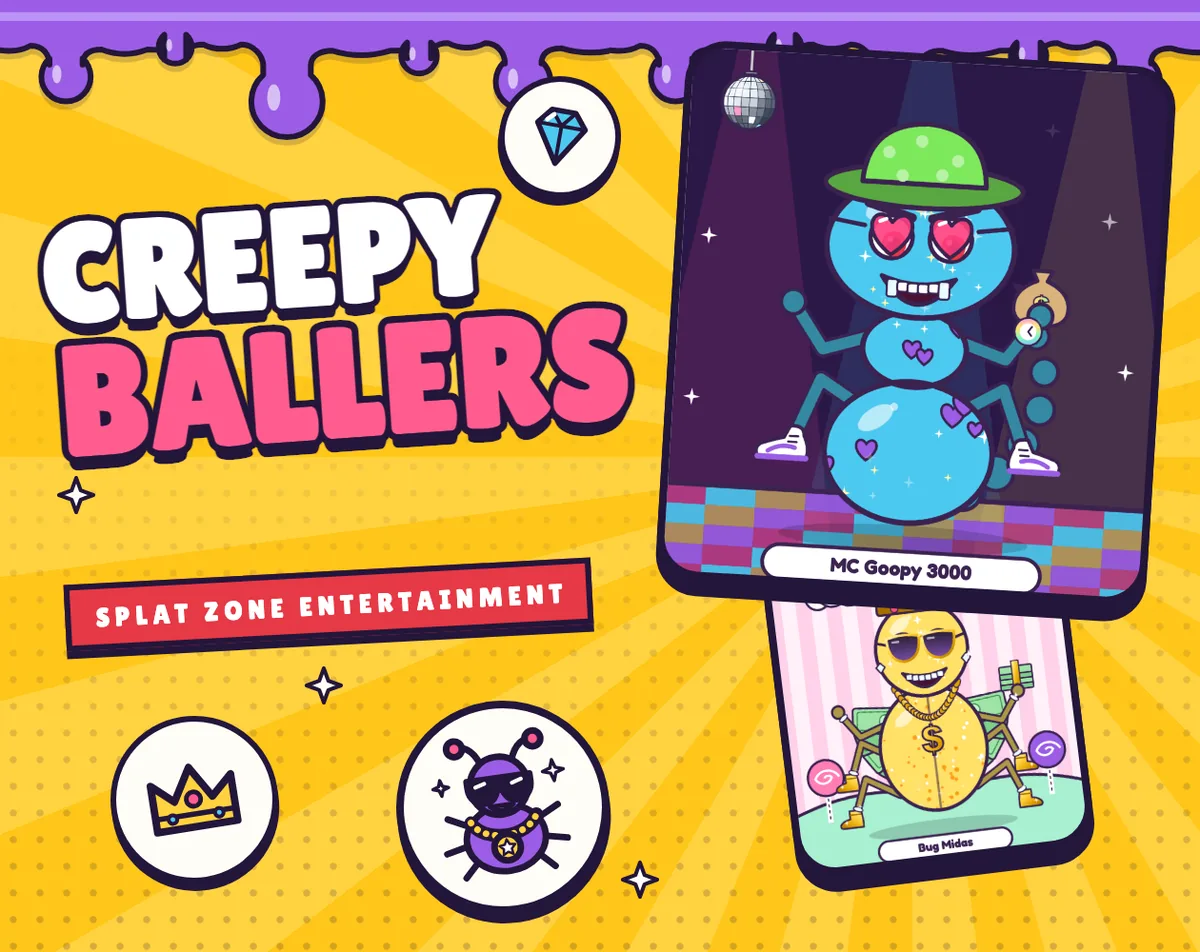
Creepy Ballers is a free 2D simulation from Splat Zone Entertainment, playable in an HTML5 frame and available for Windows, macOS, and Linux. The premise is a bug-making workstation: pour goop, shape a creature, add accessories, bake the result, and keep it in a jar. The creature is built from swappable body parts, including the body, head, face, limbs, wings, and tail, so the silhouette can change before any decoration begins.
Customization goes beyond the parts. A bug can take a pattern and be coated in any of 14 colors with one of six goop finishes. There are 157 options spread across 20 slots, which makes the build step feel closer to a toy lab than a fixed character creator. Once the shape and finish are set, bling adds grills, chains, hats, shades, head ice, leg bling, kicks, a held object, and a choice of metal. The jar holds 24 finished bugs, and any bug in it can be brought back out with a tap.
The tone is cute and creepy rather than realistic, and the loop is built for short sessions. A bake produces a graded result, and the collection grows one jar slot at a time.
How to play
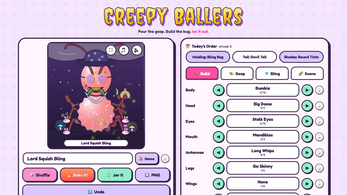
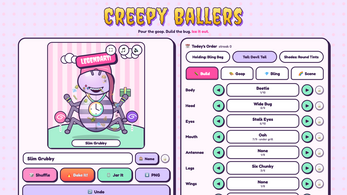
Start with a body plan. Swap the main parts until the bug reads the way you want, then choose a pattern and apply one of the 14 colors. The goop finish is a separate choice, so the same color can look matte, glossy, jelly-like, glow-in-the-dark, glittery, or pearly. This is also where the 157 options across 20 slots come into play: there is room to keep changing the head, eyes, mouth, antennae, legs, wings, tail, and the rest of the build before committing.
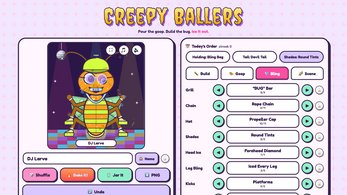
Decoration comes next. Grills, chains, hats, shades, head ice, leg bling, kicks, a held item, and a metal choice sit on top of the creature. When the look is right, set a scene such as Candy Land, Garden Dirt, or the Goop-O-Matic Oven, with Bug Club, Under the Rock, and a Rotten Log also available. Then hit Bake It! The goop melts into the mold, the oven counts down, and the bug comes out with a grade.
The grade can be Plain Goop, Fresh, Slick, Iced Out, or Legendary. A timed interaction adds a small skill check: press Skip right as the oven dings to earn a Perfect Pull. Finished bugs go into the Bug Jar, which holds 24. From there, tap any stored bug to bring it back out for another look. Today's Order adds a daily target of three parts; a baked bug containing all three keeps the streak alive.
Controls
Mouse and touch controls cover the main build loop. The on-screen arrows change parts, the Shuffle control rolls a new bug, and Bake It! sends the current design into the jar. Holding an arrow down spins through parts quickly, which is useful when a slot has many options. Shuffle can roll everything at once, or locked parts can stay put while the rest changes. In the jar, a tap brings a stored bug back out. The bug itself is also clickable: a click squishes it, and its eyes follow the pointer.
Keyboard controls mirror the interface. Tab moves between controls, and Enter or Space activates the focused control. Ctrl or Cmd plus Z undoes the last change, F switches to fullscreen, and Esc returns to the title screen. Touch input is supported, so the same arrows, Shuffle, and Bake It! actions can be used without a mouse. The input model stays close to the two activities that matter: cycling through parts and committing a bake.
| Input | Action |
|---|---|
| Mouse or touch | Use the arrows to change parts |
| Mouse or touch | Hold an arrow to spin through parts quickly |
| Mouse or touch | Use Shuffle to roll a new bug |
| Mouse or touch | Use Bake It! to bake the design into the jar |
| Mouse or touch | Tap a stored bug in the jar to bring it back out |
| Mouse or touch | Click the bug to squish it |
| Keyboard | Tab between controls |
| Keyboard | Enter or Space presses the focused control |
| Keyboard | Ctrl or Cmd plus Z undoes the last change |
| Keyboard | F switches to fullscreen |
| Keyboard | Esc returns to the title screen |
Tips for your first run
Use Shuffle as a discovery tool before trying to fine-tune a design. Roll a full bug, find one part that works, lock it, and shuffle again; the locked parts stay while the rest change. When a slot is close but not quite right, hold an arrow down to spin through the options rather than clicking repeatedly.
Keep an eye on Today's Order. The daily target is three parts, and a bake containing all three keeps the streak going, so it can guide part choices without forcing a full redesign. If the goal is a Perfect Pull, watch the oven countdown and press Skip right as it dings; the timing is part of the bake, not a separate mode.
- Lock the parts that already look right, then reshuffle the rest to keep a promising silhouette.
- Use the scene selector to test a finish against a contrasting backdrop, then save a PNG if the result is worth keeping outside the jar.
- The Bug Jar holds 24, so there is room to keep a few experiments and compare them with a new build.
- Bring a stored bug back out with a tap when a fresh roll starts to look too similar.
Content and replayability
The collection layer extends beyond a single jar. The Drip Log tracks 14 Drip Titles, each paired with a clue, so there is a checklist to uncover over repeat sessions. Eight hand-built Legends can appear from a Shuffle; examples include Bug Midas, Count Drip-ula, and Bare Knuckle Betty. Those names suggest that some rolls are worth watching closely rather than clicking past.
Today's Order is the daily goal. It supplies three parts per day, and a bug baked with all three keeps the streak alive. The Bug Jar holds 24 finished creatures, and any stored bug can be tapped to bring it back out. With 157 options across 20 slots, plus six goop finishes and 14 colors, the same parts can be recombined many times before the jar fills.
The game also supports a save-as-PNG option for any bug, which gives finished designs a life outside the jar. For players who like goals, the Drip Titles and Legends provide named targets; for players who prefer free play, Shuffle keeps producing new starting points. The loop is single-player and offline-friendly, so progress does not depend on a connection.
Presentation and performance
Creepy Ballers uses a 2D look with a cute-creepy bug theme, and the soundtrack is part of the character. Six synth tracks run from Moss Nap at 80 BPM to Shell Shock at 152 BPM, and the current bug grooves along with the music. The creature also reacts in small ways: its eyes follow the pointer, and a click squishes it.
The presentation is generated during play. All art and sound are made by the game itself while play is underway. The result is a toy-like workshop atmosphere around the oven, the jar, and the scene backdrops.
Performance details are limited to what the build supports: it runs as an HTML5 game and has Windows, macOS, and Linux versions. It works offline, with no ads, accounts, or tracking. Bugs, the jar, and the streak save in the browser. Reduced motion and screen reader support are included, and the typefaces are Creepster, Fredoka, and Lilita One.
Who should play it
Creepy Ballers suits players who like character creators, dress-up, and small collecting goals. The build system has enough slots and finishes to reward fiddling, but the bake is short and the jar holds a manageable 24 bugs. The daily order and Drip Titles give direction for repeat sessions.
It is also a good fit for low-pressure, offline play. There are no ads, accounts, or tracking, and progress saves in the browser. Mouse, touch, and keyboard input are all supported, so the same loop works on a desktop or a touch-friendly setup. Players who want a single-player simulation with a sense of humor and a visible collection will find the loop easy to start.
The Legends and Perfect Pull timing add optional pursuits for players who want more than a cute result. The scene selector and six synth tracks make repeat bakes feel a little different, even when the same parts return.
Screenshots
How we tested it
The build was loaded from games.debutplay.com in a headless Chromium session on ; the canvas started and no request was blocked. The guide was last checked on .
From the developer
Pour some goop, build yourself a creepy little bug and then ice it out with as much bling as it can carry. When it looks right you bake it in the oven and it goes in your jar to keep. You can swap the body, head, eyes, mouth, antennae, legs, wings and tail, then pick a pattern and goop it in any of 14 colors and six kinds of goop - Matte, Glossy, Jelly, Glow-in-Dark, Glitter Goop and Pearl. After that comes the good stuff, which is grills, chains, hats, shades, head ice, leg bling, kicks, something to hold and the metal it's all made of. Then you set the scene, whether that's the Goop-O-Matic Oven, Garden Dirt, Under the Rock, Bug Club, Candy Land or a Rotten Log. There are 157 options across 20 slots, so if you can't decide just hit Shuffle and let it roll everything, or lock the parts you love and shuffle the rest. You can also hold an arrow down to spin through the parts. When you hit Bake It! the goop melts into the mold and the…
Frequently asked questions
Is Creepy Ballers free?
Yes. It is free to play, with no ads, no accounts, and no tracking. It runs in an HTML5 frame and has desktop builds for Windows, macOS, and Linux.
What platforms can run it?
Creepy Ballers is available in an HTML5 frame and as builds for Windows, macOS, and Linux. Mouse or touch input is supported, along with keyboard controls.
How many bugs fit in the jar?
The Bug Jar holds 24 finished bugs. A tap on any stored bug brings it back out.
How are bugs graded?
Grades run from Plain Goop through Fresh, Slick, and Iced Out to Legendary. A Perfect Pull comes from pressing Skip right as the oven dings.
Can the game be played offline?
Yes. It works offline, and bugs, the jar, and the streak save in the browser. There are no ads, accounts, or tracking.
What customization options are included?
The bug has swappable body, head, face, limb, wing, and tail parts, plus 14 colors and six goop finishes. Bling covers face grills, chain jewelry, hats, shades, head ice, leg decorations, footwear, a held object, and a metal choice. There are 157 options across 20 slots.
What games are similar to Creepy Ballers?
The closest matches on DebutPlay are DEAD AIR, Toxicode, FOSSICK. They share the same genre, so the controls and the pace carry over.
Something wrong or missing? Tell us. How we test games.