Card game · New game
Domon
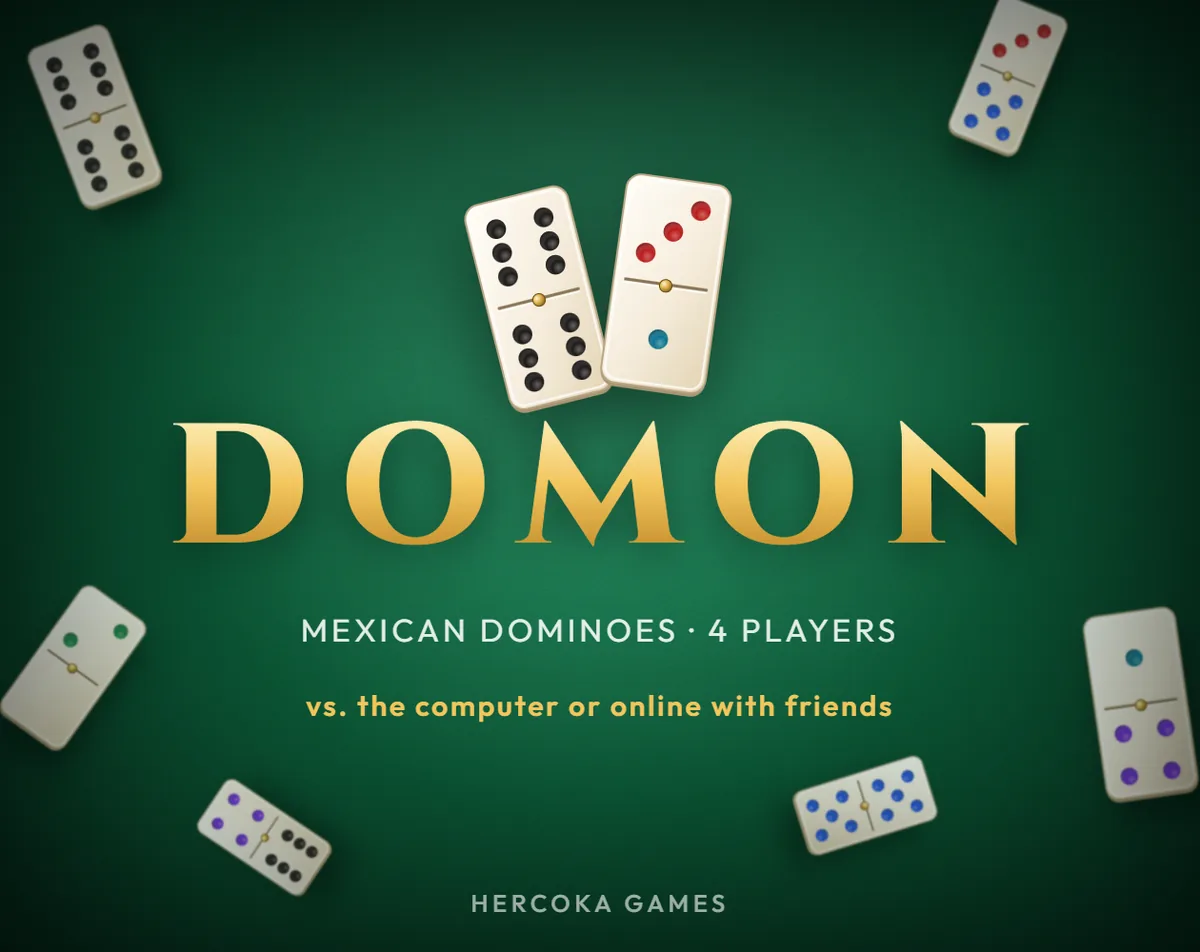
Domon brings four-player dominoes to the browser, with three computer opponents, online tables for friends, and point targets that shape each session.
#5 this weekAI-assisted: Code, Text
The game runs in this tab. No install, no account.
The short answer
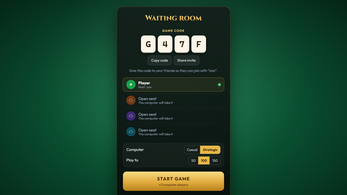
Domon is a free HTML5 dominoes game for four players, each competing for themselves with a double-six set of 28 tiles. Play three computer opponents in Casual or Strategic style, or create an online room and share its four-character code. Empty seats become computer players, and sessions run to 50, 100, or 150 points.
What is Domon?
Domon is a browser-based dominoes table for four players, with each seat competing for itself. The game uses a double-six set of 28 tiles and deals seven to every player. A session can be played against three computer opponents or opened to friends through an online room; any empty seat is taken by the computer. Online rooms use a four-character code, and joining does not require an account or an installation. The overall contest runs to a chosen target of 50, 100, or 150 points. Two computer styles change the table: Casual opponents keep play relaxed, while Strategic opponents count tiles and try to block. The interface supports English and Spanish, with the language switchable at any time. Domon is free to play in the browser and accepts mouse, touch, and keyboard input. Sound effects, colored pips, and adjustable opponent speed are also part of the setup. The result is a focused four-player domino game.
How to play
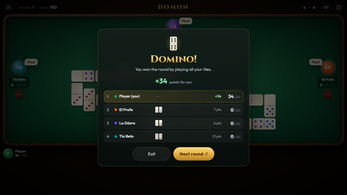
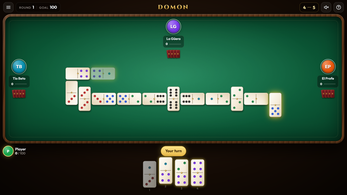
Each round begins with a specific opening rule. In the first round, the player holding the double six must open with it. After that, the winner of the previous round opens with any tile. On a turn, a player places a tile that matches one of the two open ends. Legal tiles glow gold. When one tile can fit either end, a ghost tile appears on the side selected, letting the player choose the end. If no tile can be played, the turn is a pass. A round ends when one player runs out of tiles; that player scores the points left in the other hands. If the table becomes blocked and nobody can play, the lowest hand wins the round and scores the points from every other hand. A tie in that situation scores nothing. The first player to reach the target score wins the game. The target can be set to 50, 100, or 150 points, and those thresholds decide how long the overall contest lasts.
Opening rules carry across rounds, so the previous winner gains the freedom to choose any opening tile. The pass rule keeps a stuck table moving without forcing an illegal placement. Those scoring and blocking rules apply to computer and online tables alike.
Controls
Domon supports mouse, touch, and keyboard play. With a mouse or touch screen, the main action is to tap a glowing tile to play it. Keyboard players can use the number keys 1 through 7 to pick a tile from the hand, then the left and right arrow keys to choose an open end. Space passes, Esc cancels an action or opens pause, and Enter advances to the next round. The glowing gold highlight on playable tiles is the main visual cue for legal moves, so a player can scan the hand before choosing an end. When a tile fits both ends, the ghost tile gives a direct way to pick the side rather than relying on a single default. Online tables add host control: only the host can pause, start the next round, or restart. Guests can still play their tiles, but the host owns those table commands. If a guest disconnects, the computer steps in for that seat until the guest returns from the same tab. If the host leaves, the game ends for everyone.
The control scheme is compact enough for a browser table, with number keys covering tile selection and arrows covering end choice.
| Input | Action |
|---|---|
| Mouse | Tap a glowing tile to play it. |
| Touch | Tap a glowing tile to play it. |
| Keyboard 1-7 | Pick a tile from the hand. |
| Keyboard left and right arrows | Choose an open end. |
| Keyboard Space | Pass. |
| Keyboard Esc | Cancel or pause. |
| Keyboard Enter | Advance to the next round. |
Tips for your first run
The first practical choice is the score target, because 50, 100, and 150 points set different lengths for the whole session. For an opening table, Casual computer opponents are the gentler style; Strategic opponents count tiles and try to block, so they put more weight on end choices. The gold glow marks every legal tile, and the ghost tile is the moment to pick a side on purpose when a tile fits both ends. Keyboard play becomes quicker once the number keys and arrow keys are familiar. Online, a host creates the room, shares the four-character code, and can start whenever the group is ready.
- Set 50, 100, or 150 points before play to choose the target score.
- Try Casual opponents before Strategic ones, which count tiles and attempt blocks.
- Use the ghost tile to select an end when one tile fits both sides.
- Use keys 1 through 7 for tiles, arrows for ends, Space to pass, Esc to cancel or pause, and Enter for the next round.
- Empty online seats become computer players, so a full human group is optional.
Content and replayability
Domon's content is anchored by the double-six set: 28 tiles, four hands, and seven tiles per player. That fixed pool gives every round the same material while the score target changes the length of the contest. A table can stay offline with three computer opponents or move online through a room code. Online rooms use four characters, the host can start when ready, and empty seats are taken by the computer. Casual and Strategic opponents create two levels of pressure, with the latter counting tiles and trying to block. Targets of 50, 100, or 150 points provide three clear session lengths without changing the scoring rules. English and Spanish are both available, and the language can change at any time. Adjustable opponent speed, sound effects, and colored pips are options around the same four-player format. Replay value comes from switching between solo computer tables and online rooms, and from choosing a relaxed or blocking-focused opponent style.
Presentation and performance
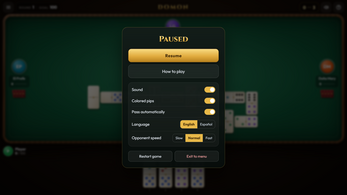
Domon runs as an HTML5 browser game, so the table is reached without an installation or an account. The visual cues are practical: legal tiles glow gold, pips are colored, and a ghost tile marks the chosen side when a tile fits both ends. Sound effects accompany play, and opponent speed can be adjusted so computer turns move at a comfortable pace. Online connections run browser to browser through WebRTC with PeerJS. PeerJS's public server handles only room lookup by code; the host's browser runs the game. That host model has clear effects: only the host can pause, start the next round, or restart, and if the host leaves, the game ends for everyone. A guest who disconnects is covered by the computer until the guest rejoins from the same tab. Because the platform is HTML5, play happens in a browser rather than a dedicated app. Mouse, touch, and keyboard input are all supported, giving the same table several control options. The presentation favors readable table signals over decorative noise.
Who should play it
Domon suits players who want a four-player domino table in a browser, especially those who prefer every seat competing for itself rather than team play. The double-six set, seven tiles per hand, and scoring rounds give domino players familiar structure, while 50, 100, and 150 point targets let a group choose the commitment level. Solo players can fill three computer seats, and online hosts can invite friends with a four-character code; empty seats become computer players, so a full human roster is optional. Casual opponents make the game approachable for family tables, and Strategic opponents add tile counting and blocking for players who want more resistance. English and Spanish language options, colored pips, sound effects, and adjustable opponent speed make the table configurable. Mouse, touch, and keyboard support covers different input preferences. The game is free in the browser and requires no account or installation. The focus is four-player dominoes with online or computer opposition.
Screenshots
How we tested it
The build was loaded from games.debutplay.com in a headless Chromium session on ; the canvas started and no request was blocked. The guide was last checked on .
From the developer
Classic dominoes for four players Domon brings the domino table to your browser. Play against three computer opponents, or invite your friends to an online table with a 4-character room code — no account and no download needed. Features 4 players, every player for themselves, with a double-six set: 28 tiles, 7 per player. Two computer styles: Casual for relaxed games, or Strategic opponents that count tiles and try to block you. Online play with friends: create a room, share the code and start whenever you want. Empty seats are filled by the computer. Play to 50, 100 or 150 points. English and Spanish, switchable at any time. Mouse, touch and keyboard controls. Sound effects, colored pips and adjustable opponent speed. How to play Opening: in the first round, whoever holds the double six opens with it. In later rounds, the winner of the previous round opens with any tile. Your turn: place a tile that matches one of the two open ends.…
Frequently asked questions
Is Domon free?
Yes. Domon is free to play in the browser.
How many players can sit at a table?
Four players compete for themselves. The double-six set has 28 tiles, with seven dealt to each seat.
Can the game be played without friends online?
Yes. Three computer opponents fill a solo table, and two styles are available: Casual and Strategic.
How do online rooms work?
A host creates a room and shares a four-character code. Empty seats are filled by the computer, and the host's browser runs the game.
What keyboard controls are available?
Number keys 1 through 7 pick a tile, left and right arrows choose an end, Space passes, Esc cancels or pauses, and Enter advances to the next round.
What score targets can be selected?
Play to 50, 100, or 150 points. The first player to reach the target wins the game.
What games are similar to Domon?
The closest matches on DebutPlay are Kortzale Solitaires, Road Trip Games, THE VOTE. They share the same genre, so the controls and the pace carry over.
Something wrong or missing? Tell us. How we test games.