Adventure · New game
HELPDESK, NIGHT SHIFT
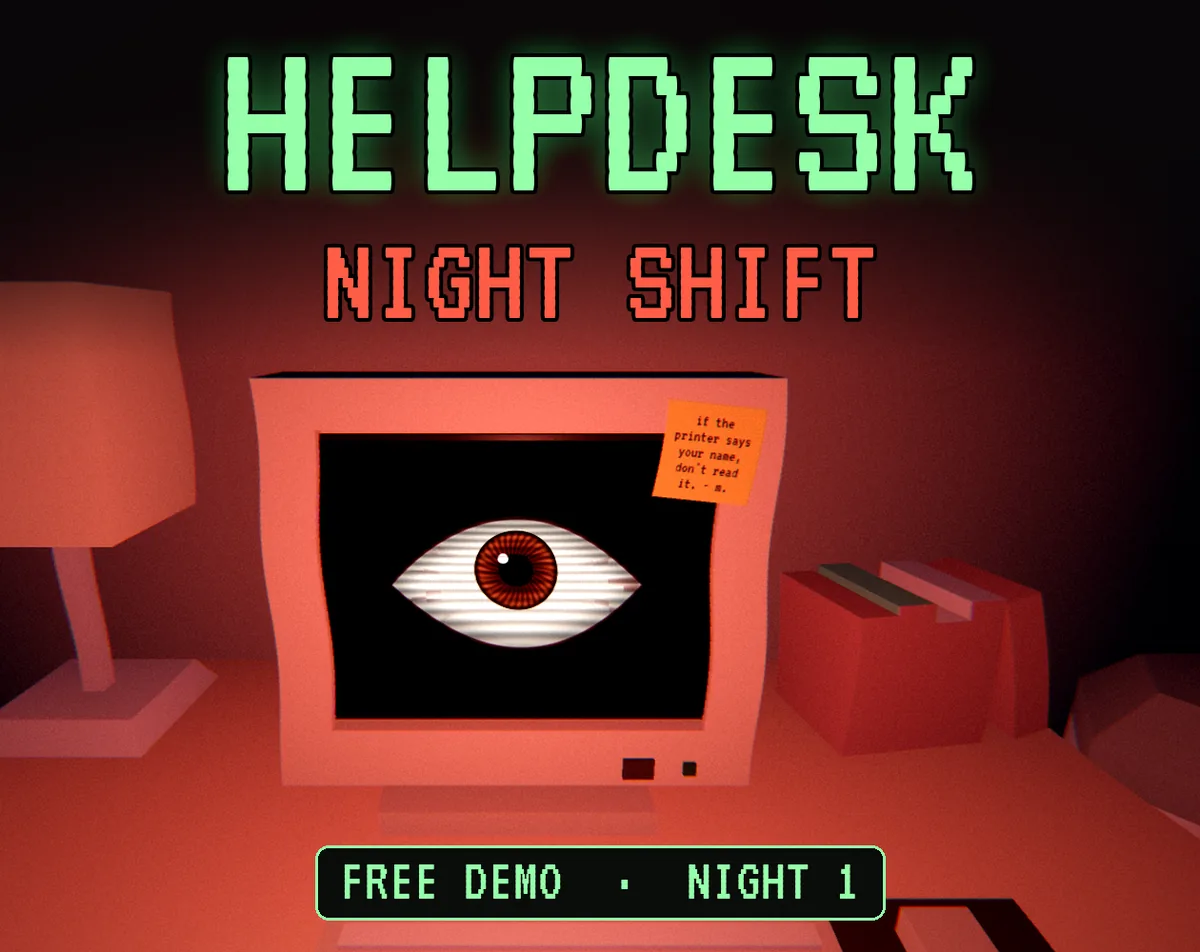
One free night of IT ticket work in a dark third-floor office, where each fix rearranges the room and the incoming requests begin naming the technician at the desk.
#40 this weekAI-assisted: Code, Text
The game runs in this tab. No install, no account.
The short answer
A short first-person horror adventure about a night IT technician on Floor 3 who closes support tickets while the office rearranges itself. One ticket fix at a time, the room changes and the requests turn personal. The first night runs roughly 12 to 15 minutes, plays in a browser or on Windows, and costs nothing.
What is HELPDESK, NIGHT SHIFT?
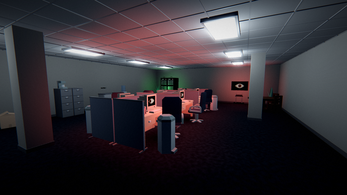
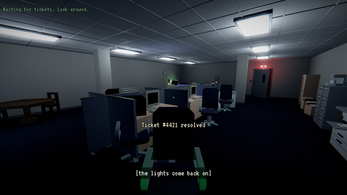
HELPDESK, NIGHT SHIFT is a first-person horror adventure set on the third floor of an office building after everyone else has gone home. The job is IT support: work through the open tickets and close them. The building is empty, the fluorescent tubes are the only company, and the night is measured in requests rather than in hours.
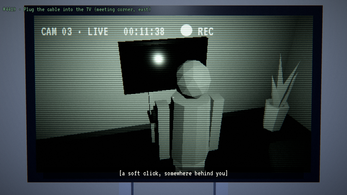
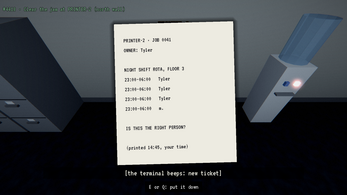
The twist is spatial. Each ticket resolved alters the dark office around the desk, so the room is never quite the layout that was there a moment ago. A monitor on the far side of the room signs itself in. The printer produces a page carrying the technician's name. A television shows a camera feed of the person at the desk from behind, from a position where no camera exists. Then the tickets themselves start being about the one answering them.
The project comes from raxeris and is built in Godot. It shares a world with 99%: the eye that looks back out of screens, and m., who worked at this same desk before. Night 1 arrived on 25 October 2026 and the game remains in development, with four more nights planned.
How to play
The shift opens at the desk with work to clear. Movement is first-person and slow-paced by design: walk to whatever the current ticket concerns, use it, and move on. Every closed ticket is followed by a change to the office, so the loop alternates between admin and atmosphere rather than between admin and action.
The escalation is ordered and deliberate. A login appears on a monitor across the room. A printed page arrives with a name on it. A television feed shows an angle that should not exist. By the end, the requests address the technician personally instead of addressing equipment.
Two builds are offered. The browser version runs inside the page and needs a keyboard and mouse, or a gamepad; it does not run on phones or tablets. A Windows download is also available and is the calmer option on weaker hardware.
Before the first ticket, decide about the name. The game reads the computer's user name and folds it into the story. Nothing is transmitted anywhere, and the behaviour can be switched off in Settings, which is worth doing before streaming.
Controls
The input scheme is small and conventional, which keeps attention on the room rather than on the keyboard. Walking uses W, A, S, D or the arrow keys. Looking is handled by the mouse. E or a left click uses whatever is in front of the technician, and Q or a right click steps back from it. Escape or P opens pause and the settings menu.
A gamepad works throughout the night: the sticks handle movement and looking, A uses, B backs out, and Start pauses.
Options cover camera sensitivity, inverted Y axis, field of view, volume, subtitles for sounds, head bob, screen effects, fullscreen and language selection. Sound subtitles matter more than usual here, because much of the unease arrives as printer noise, a CRT powering up, buzzing tubes and footsteps on carpet rather than as spoken lines. Head bob and screen effects can be reduced if either makes the office harder to read.
| Input | Action |
|---|---|
| W, A, S, D or arrow keys | Walk |
| Mouse | Look around |
| E or left click | Use |
| Q or right click | Step back |
| Escape or P | Pause and open settings |
| Gamepad sticks | Move and look |
| Gamepad A | Use |
| Gamepad B | Step back |
| Gamepad Start | Pause |
Tips for your first run
The shift is short, roughly 12 to 15 minutes, so it works best taken in one uninterrupted sitting. Treat the first pass as a tour of a room that keeps rewriting itself: after each closed ticket, look around before touching the next one, because the rearrangement is the content.
- Set up a keyboard and mouse or a gamepad before starting; phones and tablets are not supported.
- If the browser build stalls on its progress bar, switch to the Windows download, which reaches the title in about two seconds and runs better.
- Turn off the user-name read in Settings before recording or streaming.
- Enable subtitles for sounds so the printer, the CRT and the light fittings register as cues.
- Scan the office after every closed ticket, since the monitor login, the printed page and the television feed are easy to miss if attention stays on the ticket list.
- Reduce head bob or screen effects if either gets in the way of reading the room.
Content and replayability
Night 1 is the free opening chapter of a five-night structure. The remaining four nights are announced as coming, and the project is still in development, so what exists now is one self-contained shift of about 12 to 15 minutes rather than a full campaign. The night is singleplayer and built around a short, dense run of ticket-driven events rather than around exploration for its own sake.
Replay value sits in observation rather than in branching paths. A second pass costs a quarter of an hour and makes it easier to watch the room instead of the ticket list: the far monitor signing in, the page in the printer tray, the impossible camera angle on the television, and the point where the requests stop being about equipment at all.
Interface support is broad, with twelve languages running from English and the major European languages through Turkish, Japanese, Korean and Chinese, alongside sound subtitles and a fullscreen toggle. The shared world with 99% adds a second layer for returning players, with the eye inside the screens and m. at the desk before.
Presentation and performance
The office is a 3D first-person space assembled from Kenney's Furniture Kit models for the furniture, with the rest of the room generated by a Blender script, an economical approach that keeps the setting consistent. The code was written with AI assistance, and no AI images or AI audio were used.
Sound carries most of the weight. The mix draws on human-made CC0 recordings, among them fluorescent hum and a faulty light starter, empty-room tone, computer-room ambience, a low drone, an electric buzz, a power cut, a CRT switching on, keyboard typing, a laser printer, a light switch, carpet footsteps, a swivel chair, unfolding paper and a heavy wooden door closing. Type is set in VT323 and Noto Sans CJK.
The browser build is a 15 MB download, 45 MB unpacked, and reaches the title in about seven seconds on a quick machine with slower computers taking longer; the Windows build starts in roughly two seconds and is the better fallback when the browser version struggles.
Who should play it
Short, atmospheric first-person horror in a mundane workplace is the pitch, and it suits players who prefer dread assembled from ordinary objects, a printer or a monitor or a television, over chases. The 12-to-15-minute length makes it a low-commitment evening experiment, and the browser build means no install for a first look.
It also fits anyone who played 99% and wants more of that world, since the eye inside the screens and m. carry over. Readers of office-set psychological horror will recognise the ticket structure and find it unpleasant in the intended way.
It is a poor fit for players who want a complete campaign today, given that only Night 1 exists, or for anyone without a keyboard and mouse or a gamepad. Those hoping to play on a phone or tablet should look elsewhere, because the game does not run there.
Screenshots
How we tested it
The build was loaded from games.debutplay.com in a headless Chromium session on ; the canvas started and no request was blocked. The guide was last checked on .
From the developer
You're the night IT tech on Floor 3. Close the tickets. Nobody else is here. Every ticket you fix changes the dark office around you. A monitor across the room logs itself in. The printer prints your name. The TV shows a camera feed of you from behind, from a spot where there is no camera. Then the tickets start being about you. Plays in your browser, or download it for Windows. This is Night 1, the free first night of five. It takes about 12 to 15 minutes. The other four nights are coming. It's set in the same world as 99%: the eye that looks back out of screens, and m., who sat at this desk before you. Before you play You need a keyboard and mouse, or a gamepad. It doesn't work on phones or tablets. Browser or Windows. The browser version is a 15 MB download (45 MB unpacked). On my PC it shows a progress bar right away and reaches the title in about 7 seconds; slower computers take longer. If it struggles, get the Windows download…
Frequently asked questions
Is HELPDESK, NIGHT SHIFT free?
Night 1 is free. It is the first of five planned nights, and the other four are announced as coming while the game stays in development.
How long is the night?
About 12 to 15 minutes for the single available night, which makes it easy to finish in one sitting.
Can it be played on a phone or tablet?
No. A keyboard and mouse or a gamepad is required, and the game is offered for browser play and as a Windows download.
Does it use any personal information?
It reads the computer's user name and folds it into the story. Nothing is sent anywhere, and the read can be switched off in Settings.
Does it support controllers?
Yes. The sticks move and look, A uses, B steps back and Start pauses, so the whole night can be played without the keyboard.
Which languages are included?
Twelve, spanning English, the major European languages and East Asian options including Turkish, Japanese, Korean and Chinese.
What games are similar to HELPDESK, NIGHT SHIFT?
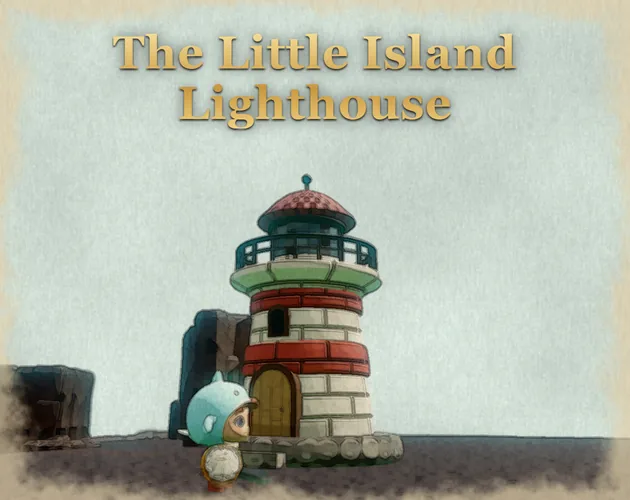
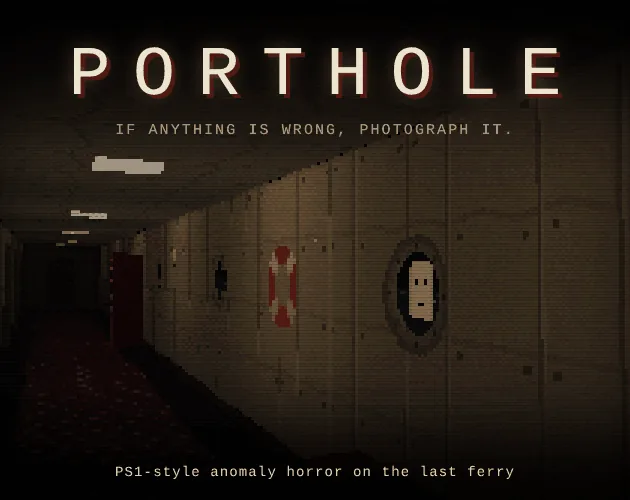
The closest matches on DebutPlay are Fjord Saga, The Little Island Lighthouse, PORTHOLE. They share the same genre, so the controls and the pace carry over.
Something wrong or missing? Tell us. How we test games.