Puzzle · New game
LogiBelt: Sudoku Factory
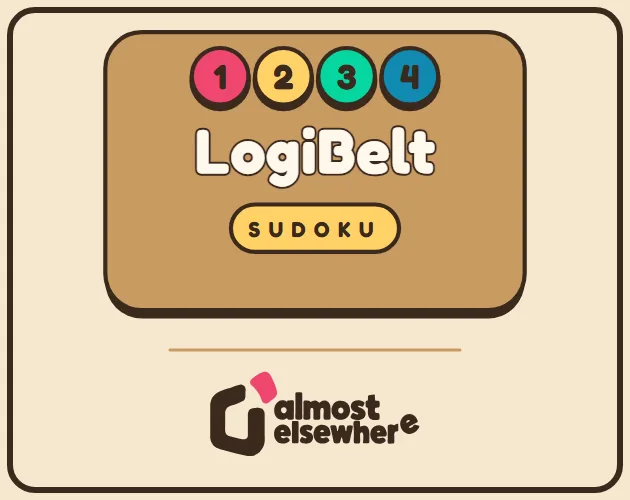
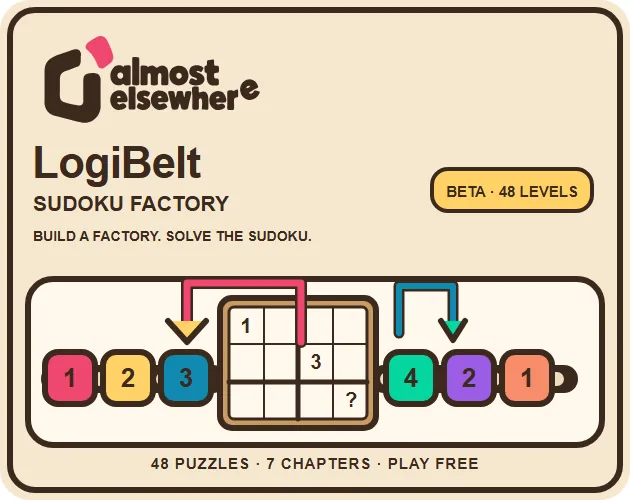
A browser puzzle game that asks you to solve Sudoku cells and then build a working factory route to deliver each token.
#71 this weekAI-assisted: Code, Graphics, Sound, Text
The game runs in this tab. No install, no account.
The short answer
LogiBelt: Sudoku Factory is a free HTML5 puzzle game that combines Sudoku deduction with factory automation. Work out the missing numbers, then build conveyor routes with filtering arms, splitters and tunnels to send the right token to each destination. It offers 48 chosen puzzles, seven chapters and 144 stars, with mouse and touch controls, undo, adjustable speed and step-by-step simulation.
What is LogiBelt: Sudoku Factory?
LogiBelt: Sudoku Factory is a 2D puzzle game from Almost Elsewhere that combines Sudoku deduction with factory automation. The number puzzle comes first: each empty cell needs the right digit. The second step is physical, because that digit has to arrive through a small production line. Players lay out conveyor belts, robot arms that filter, splitters that alternate and tunnels that run underground, then test whether the route delivers the correct token. The toolkit also includes telescopic arms and programmable gantries.
The two halves are meant to be solved in sequence, with the grid setting the delivery target and the line carrying it out. The structure is compact and specific: 48 chosen puzzles, seven chapters and 144 stars. It runs as an HTML5 game in the browser, supports mouse and touch input, and is free to play with optional donations. An account is not needed. The project is in development as a beta.
How to play
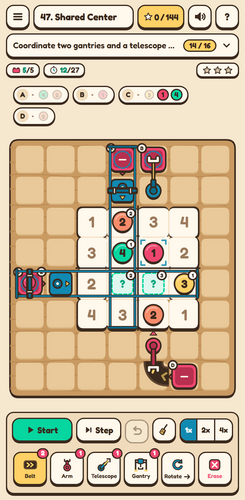
Each puzzle starts with a Sudoku grid that has empty cells to solve. Work out which number belongs in every gap, then switch to construction. Choose a tool and place pieces on the board, using belts to move tokens, filtering arms to sort them, alternating splitters to divide flow and underground tunnels to route beneath the surface. The toolkit also includes telescopic arms and programmable gantries.
When the layout looks ready, press Start to test the factory. The test supports an adjustable simulation speed and a step-by-step mode, so movement can be inspected at a controlled pace. If a route fails, the on-screen undo button or Ctrl+Z / Command+Z reverses the last action. The goal is to earn stars across 48 puzzles in seven chapters. The chapter structure gives the puzzle set a campaign frame.
Controls
Input is built around the board. Choose a tool, then tap or drag on the board with a mouse or a touch screen. A placed piece rotates when tapped, and it moves when dragged. The Start control runs the current factory so its route can be tested.
An on-screen undo button reverses a placement or change, and Ctrl+Z or Command+Z provides the same shortcut on a keyboard. Speed can be adjusted for simulation, and a step-by-step mode lets the factory advance in controlled stages. Those controls matter because factory puzzles involve repeated tweaks: rotate a belt, drag a splitter, run the line, then undo if the token takes the wrong path. Tool choice happens before placement, so the board stays focused on building and testing. Language can be changed from the main menu or the help screen.
| Input | Action |
|---|---|
| Mouse | Choose a tool and tap or drag on the board; tap a placed piece to rotate it and drag it to move it. |
| Touch | Choose a tool and tap or drag on the board; tap a placed piece to rotate it and drag it to move it. |
| Start button | Test the current factory. |
| On-screen undo button | Reverse the last action. |
| Ctrl+Z / Command+Z | Undo the last action from the keyboard. |
| Speed control | Adjust the simulation speed. |
| Step-by-step mode | Advance the factory test in controlled stages. |
| Main menu or help screen | Change the language. |
Tips for your first run
Begin with the Sudoku deduction rather than laying belts at random. The missing digits define what each destination needs, and the factory route should follow that answer. Place a minimal path first, test it with Start, then add filtering arms, alternating splitters or tunnels when the route needs to sort or branch. The first run should feel like a test bench, not a final assembly.
Use step-by-step simulation when a token moves through a complex section, and lower the speed if the path is long. Undo is a normal part of the process, not a failure state; use the button or Ctrl+Z / Command+Z to reverse a bad rotation or drag quickly.
- Solve the empty cells before committing to a large build.
- Tap a placed piece to rotate it, then test the change with Start.
- Drag pieces to reposition them rather than rebuilding a route.
- Use step-by-step simulation to watch tokens pass through filtering arms, splitters and tunnels.
- Check the save situation: progress is local to this browser and device, with no cloud sync.
Content and replayability
The content plan is clear for a beta. There are 48 chosen puzzles, divided into seven chapters, with 144 stars available across the set. Each star is a collectible target, so the campaign has a reason to be revisited beyond simply finishing a grid. The puzzle selection is deliberate, which points to a considered choice of layouts.
Automation pieces move from belts, filtering arms, alternating splitters and tunnels to telescopic arms and programmable gantries. Progress is saved locally in the browser on the device, with no cloud synchronization. Clearing browser data can erase that save, and if storage is blocked the game can still be played but progress may not persist. The local save note matters for anyone who plays across multiple browsers or devices. The game is free to play, with optional donations, and an account is not needed.
Presentation and performance
The look is 2D and vector-based. Graphics are procedural vector assets, and the audio is synthesized. The interface uses the Fredoka and Noto Sans CJK typefaces under the SIL Open Font License, with notices included in the game package.
In play, presentation supports the factory test loop: adjustable simulation speed and step-by-step advancement make moving parts easier to follow, while undo keeps experimentation quick. The game is an HTML5 browser build. The beta interface covers Spanish, English, French, German, Italian, Korean, Japanese and two Chinese variants. Translations are AI-assisted and may contain errors. Progress is stored in the browser on the current device, and no cloud sync is provided. Storage blocking can prevent persistence, though play may still continue. The screen is organized around the board and its production line.
Who should play it
LogiBelt: Sudoku Factory suits players who like two kinds of thinking in one session: Sudoku deduction and spatial route building. The combination is distinctive enough to appeal to players who enjoy both number logic and production layouts. It is a natural fit for puzzle players who want to place belts and test a machine rather than fill a grid alone.
Factory-automation fans get filtering arms, alternating splitters, tunnels, telescopic arms and programmable gantries to work with, while Sudoku players get empty cells and a delivery goal tied to the missing digits. Mouse and touch controls make the board approachable for pointer users and touchscreen users. Because the game is free, has no account requirement and runs in HTML5, trying it carries little setup. Players who depend on cloud saves should note the local-only save model; clearing browser data can erase progress. The beta also suits multilingual players, with nine language options and AI-assisted translations that may contain errors. It is less suited to anyone wanting a finished, non-beta release with fully settled content.
Screenshots
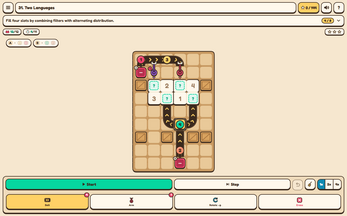
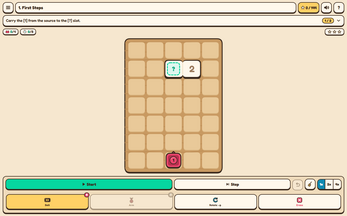
How we tested it
The build was loaded from games.debutplay.com in a headless Chromium session on ; the canvas started and no request was blocked. The guide was last checked on .
From the developer
A tiny factory. A lot of logic. LogiBelt: Sudoku Factory combines factory automation and Sudoku. Deduce which number belongs in each empty cell, then build a factory that delivers the right token. By Almost Elsewhere. 48 curated puzzles across 7 chapters, with 144 stars to earn.Conveyor belts, filtering robot arms, alternating splitters and underground tunnels.Advanced telescopic arms and programmable gantries.Mouse and touch controls, undo, adjustable speed and step-by-step simulation. How to play Choose a tool and tap or drag on the board. Tap a placed piece to rotate it, or drag it to move it. Press Start to test your factory. Use the on-screen undo button or Ctrl+Z / Command+Z. Beta & languages Spanish, English, French, German, Italian, Korean, Japanese, Simplified Chinese and Traditional Chinese. Change language in the main menu or help screen. Translations are AI-assisted and may contain errors; feedback is welcome in the…
Frequently asked questions
What is LogiBelt: Sudoku Factory?
It is a 2D HTML5 puzzle game from Almost Elsewhere that combines Sudoku deduction with factory automation. Players solve missing numbers, then build routes that deliver the right tokens.
Is it free to play?
Yes. The game is free to play and offers optional donations. No game account is required.
How many puzzles are included?
There are 48 chosen puzzles across seven chapters, with 144 stars to earn.
What controls are supported?
Mouse and touch input are supported. Choose a tool, tap or drag on the board, tap a placed piece to rotate it, and drag pieces to move them. Start tests the factory.
Does the game save progress?
Progress is saved locally in the browser on the device. There is no cloud sync. Clearing browser data can erase the save, and blocked storage may prevent persistence.
Is there an undo option?
Yes. Use the on-screen undo button or Ctrl+Z / Command+Z. Adjustable speed and step-by-step simulation are also available.
What games are similar to LogiBelt: Sudoku Factory?
The closest matches on DebutPlay are Checkmate Protocol 2076, ECHO, Chem Grid. They share the same genre, so the controls and the pace carry over.
Something wrong or missing? Tell us. How we test games.