Simulation · New game
Cocotas Farm — Starter Demo
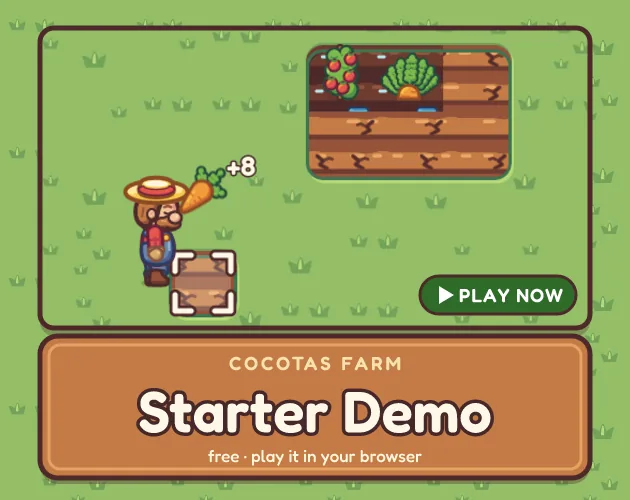
A small, free browser farm where tilling, planting, watering and harvesting form a complete loop, built entirely from the Cocotas Farm Starter pack and openable in Godot 4.
#14 this weekAI-assisted: Graphics
The game runs in this tab. No install, no account.
The short answer
Cocotas Farm — Starter Demo is a compact top-down farming simulation that runs in the browser at no cost. One farmer works a patch of grass with a hoe and a watering can, growing carrots and tomatoes to sell for coins. The full demo scene ships inside the free Starter pack, so the same project opens in Godot 4 for anyone who wants to build on it.
What is Cocotas Farm — Starter Demo?
Cocotas Farm — Starter Demo is a small top-down 2D simulation about turning a patch of grass into a paying crop. It runs in the browser, costs nothing, and arrived on 31 October 2026 from Cocotas Lab. Everything on screen comes from the Cocotas Farm Starter pack — the vector art, the font and the game code — which keeps the presentation consistent from the first click.
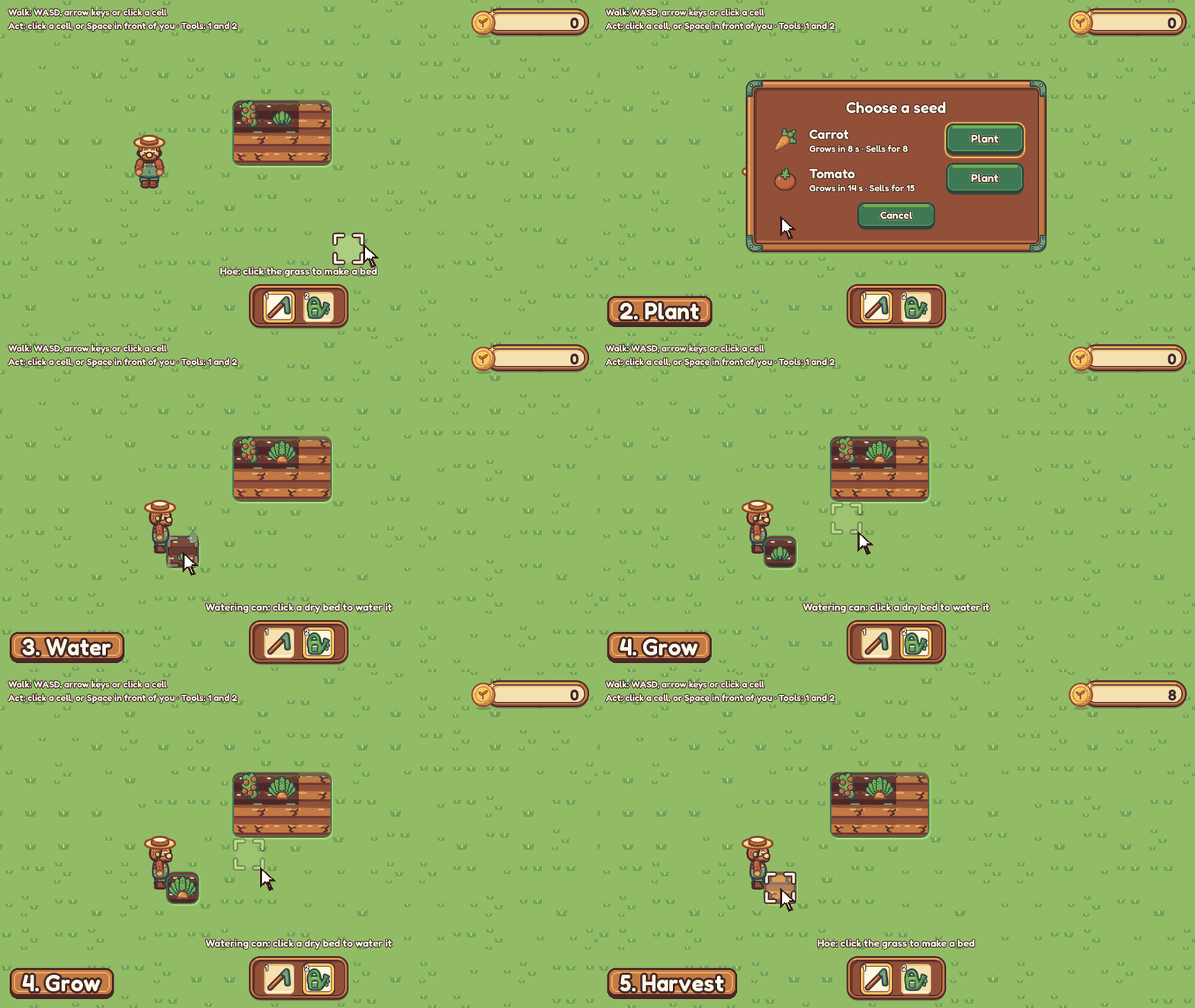
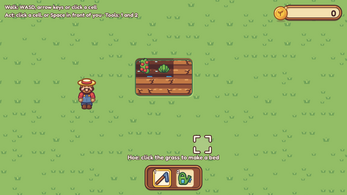
The scope is deliberately narrow. There is one farmer, two crops to raise (carrots and tomatoes) and two tools: a hoe that breaks grass into a plantable bed, and a watering can that wets the soil. Harvesting a ripe crop pays coins, and that is the entire loop — till, plant, water, wait, collect.
Because the demo scene and its scripts ship inside the Starter download, the same project can be opened in Godot 4 by anyone curious about how a tiny farming game is assembled.
How to play
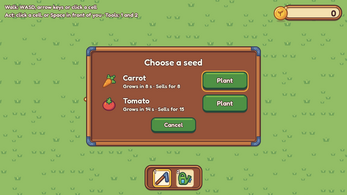
Start by walking the farmer to an untouched patch of grass, either with WASD or the arrow keys, or by clicking the cell directly — a click sends the farmer over to work that spot without any extra input. The hoe converts grass into an empty bed, and clicking that bed opens a seed panel where the choice is a carrot or a tomato. Esc closes the panel.
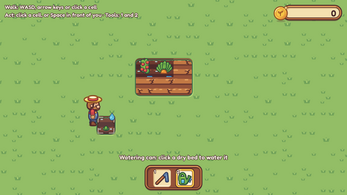
Planting alone will not grow anything. Crops only advance on wet soil, so the watering can has to be used on the bed after the seed is in. Once the crop ripens, a single click on it harvests the produce and adds coins.
The loop is short by design: prepare ground, choose a seed, water, wait for growth, harvest, repeat. Two tools and two crops mean there is no menu to learn and no upgrade tree to plan around — the first minute already contains the whole system, and the rest of a session is repetition at a comfortable pace.
Controls
The keyboard covers movement and actions without touching the mouse. WASD or the arrow keys walk the farmer; Space or E performs the current task on the bed directly in front of him. Number keys handle tool switching, with 1 selecting the hoe and 2 selecting the watering can, and clicking the hotbar does the same job for a mouse-driven session.
Mouse play is fully viable on its own. Clicking a cell tells the farmer to walk over and work that spot, clicking an empty bed opens the seed panel, and clicking a ripe crop collects it.
Between the two methods, the practical difference is precision. Keyboard movement keeps the farmer exactly where intended when a row of beds is being worked, while clicking is quicker for a single spot across the field, and swapping between them mid-session takes no special setup.
| Input | Action |
|---|---|
| WASD or arrow keys | Walk the farmer around the farm |
| Click a cell | Send the farmer to that cell and work it |
| Space or E | Work the bed directly in front of the farmer |
| 1 | Select the hoe and turn grass into a bed |
| 2 | Select the watering can |
| Click the hotbar | Switch tools without the number keys |
| Click an empty bed | Open the seed panel to choose a seed |
| Esc | Close the seed panel |
| Click a ripe crop | Harvest it and earn coins |
Tips for your first run
The demo is small enough that a first run rarely goes wrong, but a few habits keep it moving and make the planting cycle readable from the start.
- Water immediately after planting. A seed sitting on dry ground does not progress, and it is easy to wander off believing the bed is finished.
- Reach for the number keys once several beds are in play; 1 and 2 are faster than steering the cursor to the hotbar for every swing.
- Remember that Esc backs out of the seed panel, which is the quick fix if the wrong crop is chosen on an empty bed.
- Stand beside a bed and use Space or E when a click feels imprecise, since the keyboard action applies to whatever is directly in front of the farmer.
- Click every ripe crop as it appears. Coins arrive on that click, and coins are the only reward the loop produces.
Content and replayability
The demo contains exactly what the planting loop needs and nothing else: one farmer, carrots and tomatoes, a hoe and a watering can. A session wraps up in minutes, so replay value comes from repeating the cycle and from what the wider Starter material makes possible rather than from unlocks inside the build.
The Starter pack bundles the art, the font and the code behind this scene, and the demo scene and its scripts come with it, so the realistic second use is opening the project in Godot 4 and extending it. The larger Cocotas Farm packs push the same foundation much further: seven autotile terrains with animated water, cliffs and fences; eleven crops drawn across four growth stages alongside fourteen tool icons; a farmer with seventeen animations facing four directions plus three portraits; nine animals in fourteen variants with idle, eating and walking states; fifty-three interface pieces with a prepared Godot theme and HUD scenes; four fruit trees that grow, bloom and fruit, plus three large trees; eight buildings with opening doors and a spinning windmill; and four villagers with the actions of their jobs and twelve portraits. A complete bundle gathers all eight packs and a Produce and Crates bonus.
Presentation and performance
The look is vector-based and top-down, drawn from one cohesive palette, with a matching font carrying through the interface. Nothing on screen is a stray asset or a photo texture; every piece comes from the Starter pack, which is why a build this small still reads as a finished product rather than a rough prototype.
Two production details are worth knowing. Art direction, palette and review were handled by people, while the vector shapes were generated by code written with AI assistance; no image-generation model was used and nothing was traced from other artists' work. The build itself is a Godot 4.7 web export, which is why the game opens in a browser tab rather than through an install.
There is very little on screen at any moment — one farmer, a limited field and two crop types — and the browser release carries the full demo scene rather than a trimmed version of it.
Who should play it
Anyone who wants a farming loop with no setup cost fits here. The demo is free, browser-based and finished in minutes, which makes it a low-risk way to check whether the till-plant-water-harvest rhythm appeals before committing to a longer farming game.
It also suits people learning Godot. The demo scene and its scripts ship inside the Starter download, so the build can be opened in Godot 4 and picked apart, and the pack behind it supplies the font, art and code needed to keep going.
Players expecting animals, villagers, buildings or an orchard on day one will not find them in this version; those belong to the larger packs. The same applies to anyone hoping for a long progression — one farmer and two crops are the whole of it, and the draw is a clean loop rather than a deep one.
Screenshots
How we tested it
The build was loaded from games.debutplay.com in a headless Chromium session on ; the canvas started and no request was blocked. The guide was last checked on .
From the developer
A tiny cozy farm you can play right here in your browser: till the grass, plant a carrot or a tomato, water it, watch it grow and sell the harvest. It is made only with the free Cocotas Farm Starter pack: the art, the font and all the game code. The demo scene and its scripts ship inside the Starter download, so you can open them in Godot 4 and grow your own farm from there. Want to make your own? Get the free pack: Cocotas Farm — Starter How to Play Walk: WASD or the arrow keys, or click a cellAct: click a cell and the Farmer walks over and works it, or press Space or E in front of himTools: 1 for the hoe (grass becomes a bed), 2 for the watering can, or click the hotbarClick an empty bed to pick a seed (Esc closes the panel)Crops only grow on wet soil. Click a ripe crop to harvest it and earn coinsOn a phone or tablet: hold it sideways and tap where you would click Just the Basics This demo is only the planting loop: one Farmer, two…
Frequently asked questions
Is Cocotas Farm — Starter Demo free?
Yes. It is a free browser demo on an HTML5 build, with no price attached to playing it.
What can be grown in the demo?
Two crops: carrots and tomatoes. Clicking an empty bed opens a small panel for choosing the seed, and Esc closes that panel.
Which tools does the farmer carry?
A hoe and a watering can. The hoe turns grass into a bed, and the can wets the soil that crops need before they will grow.
Why is a planted crop not growing?
Crops only develop on wet soil. Watering the bed after planting is the step that sets growth going.
How are coins earned?
By harvesting. Clicking a ripe crop collects it and pays out coins, which is the only reward the planting loop produces.
What engine does the demo run on?
Godot 4.7, exported for the web. The demo scene and its scripts are included in the Starter pack, so the project can be opened in Godot 4.
What games are similar to Cocotas Farm — Starter Demo?
The closest matches on DebutPlay are The Diner, Crop Critters Idle, Penguin Nursery. They share the same genre, so the controls and the pace carry over.
Something wrong or missing? Tell us. How we test games.