Strategy · New game
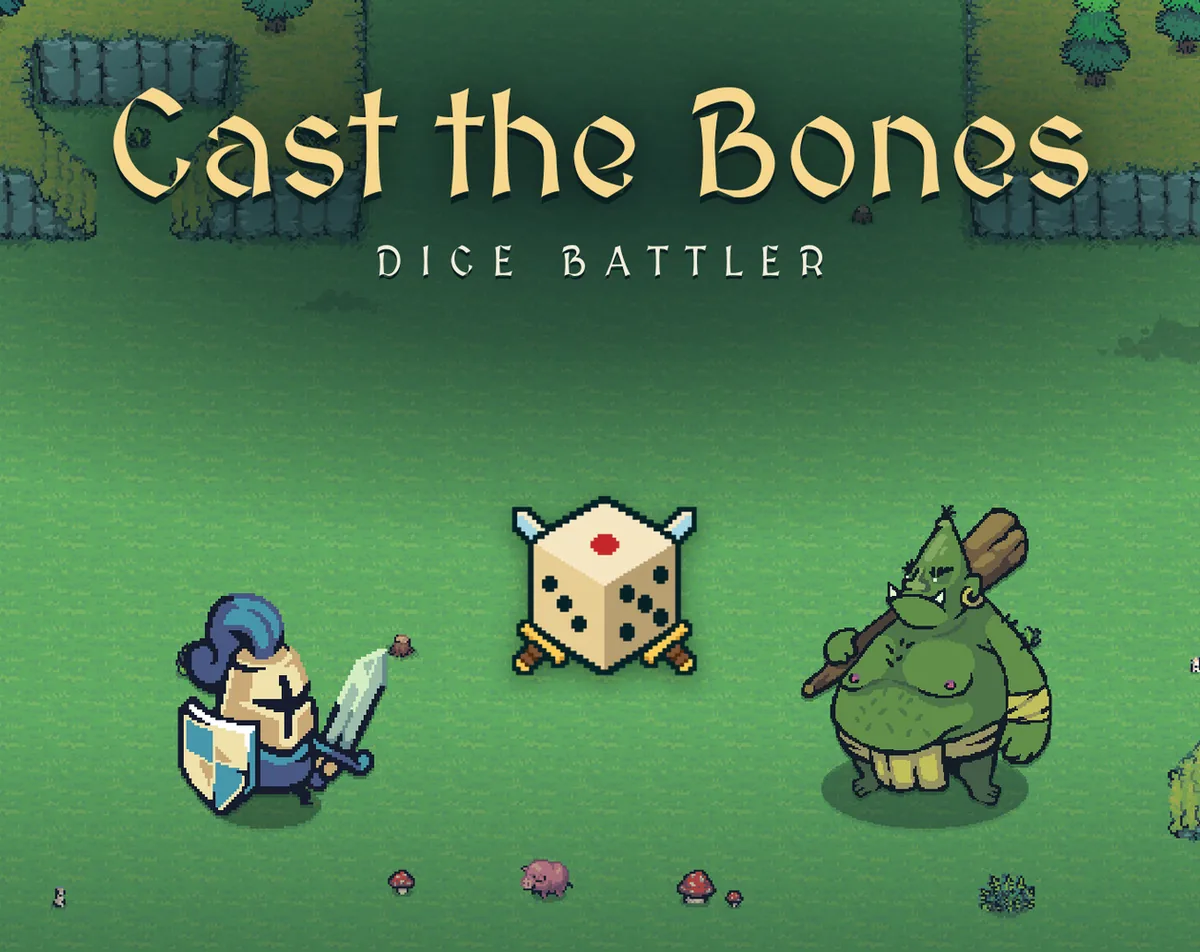
Cast the Bones: Dice Battler
A free browser roguelite where every die face holds an item, every monster shows its next move, and every throw is a small tactical puzzle.
#23 this week
The game runs in this tab. No install, no account.
The short answer
Cast the Bones: Dice Battler is a free, turn-based dice roguelite in chunky pixel art. Load each of a die's six faces with an item, throw the dice, and watch swords, spells and shields fire in the order they land. Monsters reveal their next move before the roll, so each throw becomes a decision rather than a shrug.
What is Cast the Bones: Dice Battler?
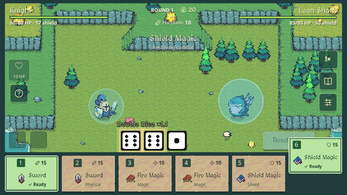
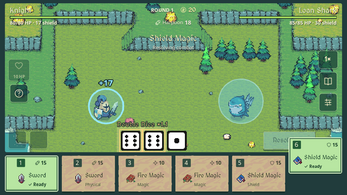
Cast the Bones: Dice Battler is a turn-based roguelite about building dice instead of accepting whatever the game hands over. Each die carries six faces, and each face holds an item: a sword, a spell, a shield, a heal, a coin, or a status such as Poison or Burn. Throwing the dice onto the battlefield fires those items in the order the dice settle, so the arrangement of a throw decides what happens first.
Order matters because of how damage resolves. Swords break against a raised shield, while magic passes straight through it. Layering a shield ahead of a heavy swing and a sword behind it is the core decision, repeated across a run that keeps changing the pieces.
Around that loop sits a full roguelite frame: 29 monsters with individual tricks, 44 items to find and improve, five champions with their own abilities, and stages that never stop, breaking into a fresh region every ten.
How to play
A run starts in the blacksmith's economy as much as on the battlefield. Items are unlocked, upgraded at the blacksmith, and sold back, which makes every die face a slot the player keeps re-authoring. Faces run from 1 to 6, and what sits on each one is a deliberate choice.
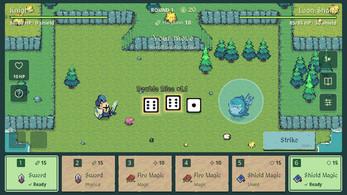
Before each strike there is a short list of outs: spend a reroll on one die, quaff a potion, or trigger the champion's signature ability. Then the dice go out and everything fires. Dice combinations, from Double and Triple through Straight, Full and Perfect, multiply whatever triggers, so a throw that looks thin on raw numbers can still be correct when it completes a pattern.
The counterweight is enemy intent. Every monster displays its next move before the roll, which turns each throw into a small puzzle: hit hard now, or spend the turn raising a shield? Brace for the big hit, break a guard, or race a countdown. Monsters have habits of their own, including one that rolls for power, one that steals gold, and one that seals a die every fourth round, so the reading shifts as the run deepens. Skill Points banked from each run buy permanent upgrades afterward.
Controls
Input is deliberately narrow: mouse or touch throughout, with no keyboard required at any point. Building dice, throwing them, rerolling, using a potion and firing a champion ability all happen by pointing and clicking or tapping, which makes it as much a one-handed browser game as a tactical one.
A guided tutorial plays the opening run alongside the player rather than dropping anyone into the deep end, which suits a game whose dice-building layer asks a lot of a first-timer.
Language follows the browser by default, with English and Brazilian Portuguese supported, and Settings can override that choice. Progress and the active run live in the browser between battles, so a session closes cleanly and resumes later. A Google Play release also exists for anyone who prefers an app.
| Input | Action |
|---|---|
| Mouse | Build dice, throw them, reroll, use potions and trigger the champion ability by clicking |
| Touch | Tap through the same dice building, throwing, rerolling, potion and champion actions |
Tips for your first run
The tutorial run is a free lesson in the two things that decide most fights: reading intent and placing faces well. Beyond that, a handful of habits shorten the learning curve considerably.
- Check the enemy's next move before touching a die. The shield-versus-sword question is usually answered right there.
- Spread magic across different dice rather than stacking it on one. Magic ignores guards, so it is the answer whenever a shield is going up.
- Keep a face free for utility. Heals, gold and status effects such as Poison and Burn are easy to undervalue and painful to lose mid-fight.
- Push for combinations when one is close. Double, Triple, Straight, Full and Perfect multiply everything that fires, so a modest throw that completes a pattern can beat a strong scattered one.
- Spend Skill Points on dice count, rerolls and HP. Those three carry forward into every later run, so an early loss still pays.
Content and replayability
Volume is the headline. There are 29 monsters, each built around a specific trick rather than a stat block with new art, plus 44 items to unlock, improve and sell back, 35 consumables, and 20 late-game artefacts that only enter the pool once a run has gone deep. Five champions each bring a distinct ability to the throw.
The stage ladder never ends. Every ten stages pushes into a new region, with Sheep Meadow, Pine Forest, Rocky Coast and Bone Marsh among the seven. Weather layers on top: Thunderstorm, Sandstorm, Scorching Heat, Snowfall and Rising Tide rewrite the rules for both sides rather than just tilting things toward the player.
Long-term goals sit outside the run itself. The Collection tracks every item, and Records holds the best stage reached, so there is a scoreboard even where the stages have no finish line. Because Skill Point upgrades persist, a failed attempt still returns something: extra dice, extra rerolls and extra HP carry into the next push.
Presentation and performance
The look is chunky pixel art with a fantasy and monster cast, and the work is credited rather than anonymous: Tiny Swords by Pixel Frog, Pixel Boy, and Cute Dice by Dani Maccari supply the art, with music by HydroGene.
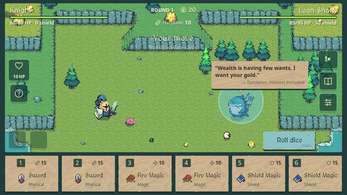
Characterisation leans on comedy. Each monster opens a fight with a famous line bent to fit its own situation, which gives a roster of 29 something to remember it by beyond a silhouette and a move set.
Technically it runs as an HTML5 game inside the browser, playable on the page with no install step, and it saves progress and run state locally between battles. Mouse and touch both work, so the same build suits a desktop pointer and a touchscreen. That combination of local saves, no keyboard and turn-by-turn decisions is what makes the format fit a browser tab that can be closed mid-fight and picked up again.
Who should play it
Players who enjoy turn-based fights where the enemy's next move is public information will recognise the appeal immediately. The twist is that the randomness sits in a dice pool the player assembles, so a bad throw is something to build against rather than simply endure.
Tacticians who like small, repeated puzzles, such as shield first or sword first, magic now or a combination next turn, get that decision on every throw. Completionists have a Collection to fill, a Records page to push and late-game artefacts to reach. Anyone who wants a browser game that runs without a keyboard and saves itself between battles fits too.
Players after real-time action, keyboard controls or a finite campaign with a credits roll should look elsewhere: this one is turn-based, endless, and built around a dice economy. The guided tutorial run is the fairest test of whether the loop clicks.
Screenshots
How we tested it
The build was loaded from games.debutplay.com in a headless Chromium session on ; the canvas started and no request was blocked. The guide was last checked on .
From the developer
Read the enemy. Forge your dice. Then strike. Cast the Bones is a turn-based dice roguelite in chunky pixel art. Put an item on every face of your dice, throw them onto the battlefield, and your swords, spells and shields fire in dice order. Every monster shows its next move before you roll, so each throw is a small puzzle: hit hard now, or raise a shield first? Build your dice, face by face An item on each face, 1 to 6: swords that hit the shield first, magic that slips past it, shields, heals, gold, Poison and Burn.44 items to unlock, upgrade at the blacksmith and sell back.Dice combinations (Double, Triple, Straight, Full, Perfect) multiply everything that fires.Reroll a die, drink a potion, call on your champion's ability. Then strike. Read the enemy 29 monsters, each with its own trick: one rolls for power, one steals your gold, one seals a die every 4th round.Every move is shown before you roll. Brace for the big hit, break the…
Frequently asked questions
Is Cast the Bones: Dice Battler free?
Yes. It costs nothing to play in the browser, and there is no price attached to the HTML5 version.
What do you play it on?
It runs as an HTML5 game in a browser and accepts mouse or touch input. A Google Play release exists as well.
Do you need a keyboard?
No. The game is mouse or touch only, and a guided tutorial plays the first run alongside the player.
Does the game end?
The stage ladder is endless, moving into a new region every ten stages, with seven regions in total.
Is progress saved?
Progress and the current run are stored in the browser between battles, so a session can be resumed later.
What languages are supported?
English and Brazilian Portuguese. The game follows the browser language, and Settings can change it.
What games are similar to Cast the Bones: Dice Battler?
The closest matches on DebutPlay are Critterfront, Travel & Return: The trip isn't over till you're home!, Pokémon Rumblefield. They share the same genre, so the controls and the pace carry over.
Something wrong or missing? Tell us. How we test games.