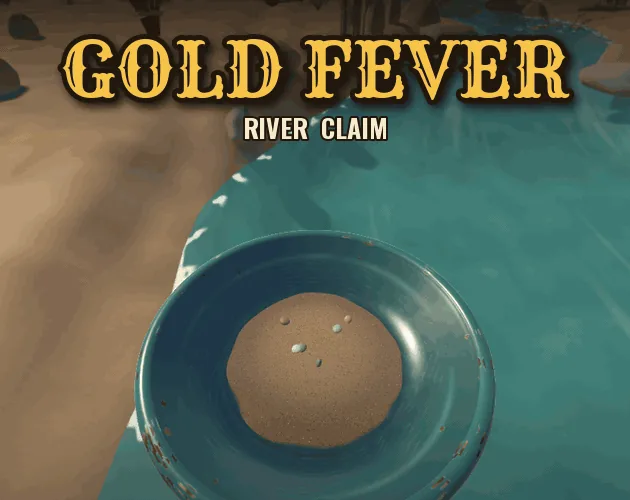
Simulation · New game
Gold Fever: Gold Mining & Panning Simulator
A first-person river claim you can carve from a shallow scrape to a twelve-metre pit, with a pan in one hand and a shovel in the other.
#26 this weekAI-assisted: Code
The game runs in this tab. No install, no account.
The short answer
Gold Fever is a hands-on prospecting simulation: cut into a riverbank, haul gravel to the shallows, swirl a pan until the grade comes up, then sell the take at a riverside counter to fund better gear. It is free, in development, and runs in a desktop browser or as a download.
What is Gold Fever: Gold Mining & Panning Simulator?
Gold Fever is a first-person prospecting simulation set on a private river claim. Instead of reducing the hunt to menus and timers, it hands over a shovel and a pan. Players cut into the bank, carry gravel to the shallows, and swirl it by hand until the first flakes catch the light.
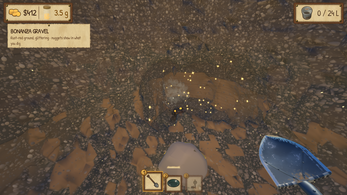
The claim measures 65 by 65 metres of riverbank that can be carved anywhere, from a shallow scrape down to a 12 metre pit. Every shovel bite removes real ground, layer by layer: loam first, then ochre sand, then the dark pay gravel where gold collects. Cut walls show the strata being worked through, and gold-bearing bites glint in the face.
Prospecting feeds a small economy. Weighed-in gold at the Assay & Supply counter funds 33 upgrades split across seven lines, and a sluice can be built up from a simple box into a water-wheel cascade. The game is free while in development, playable straight in a desktop browser or as a download for macOS and Linux, with Windows also covered.
How to play
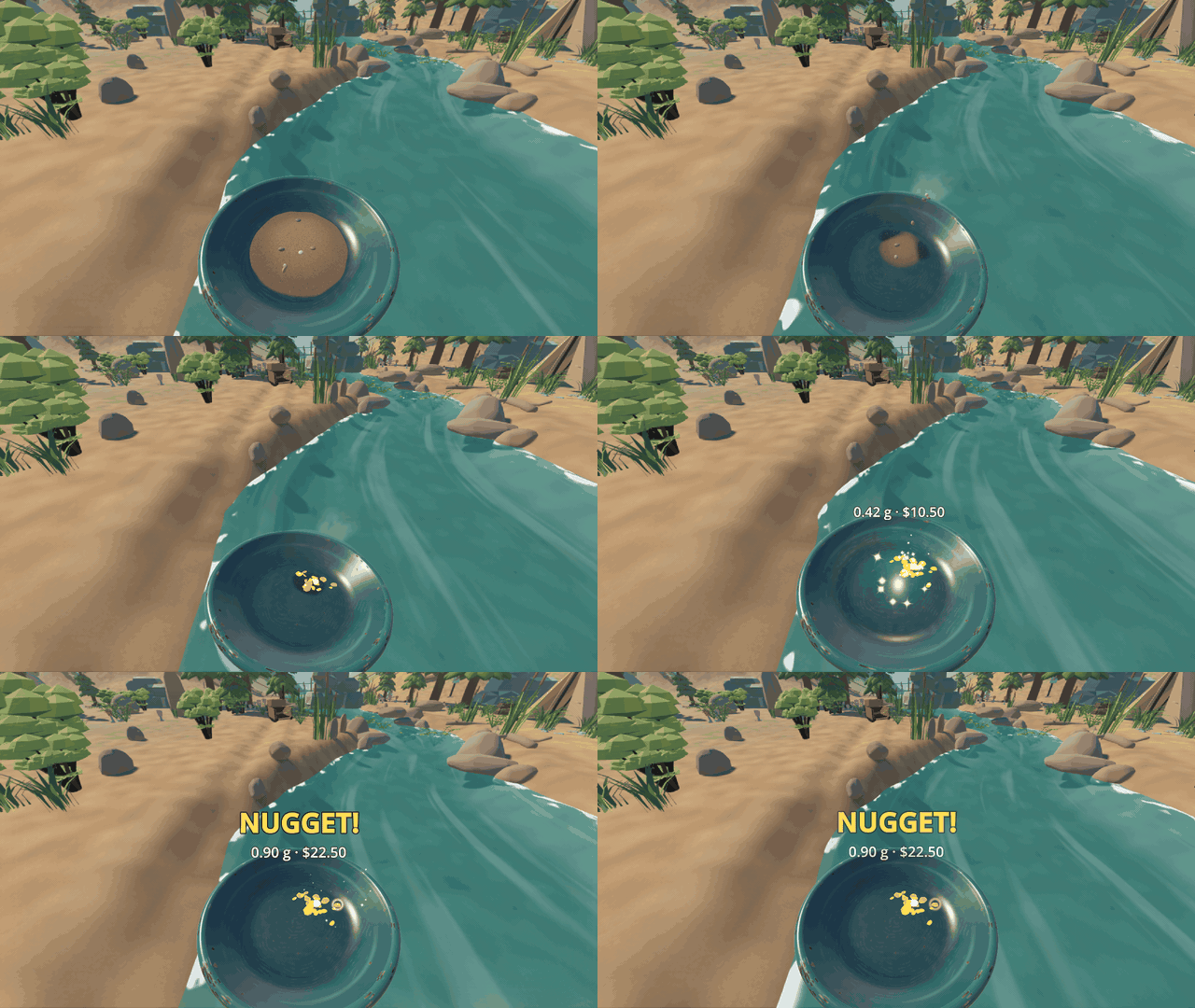
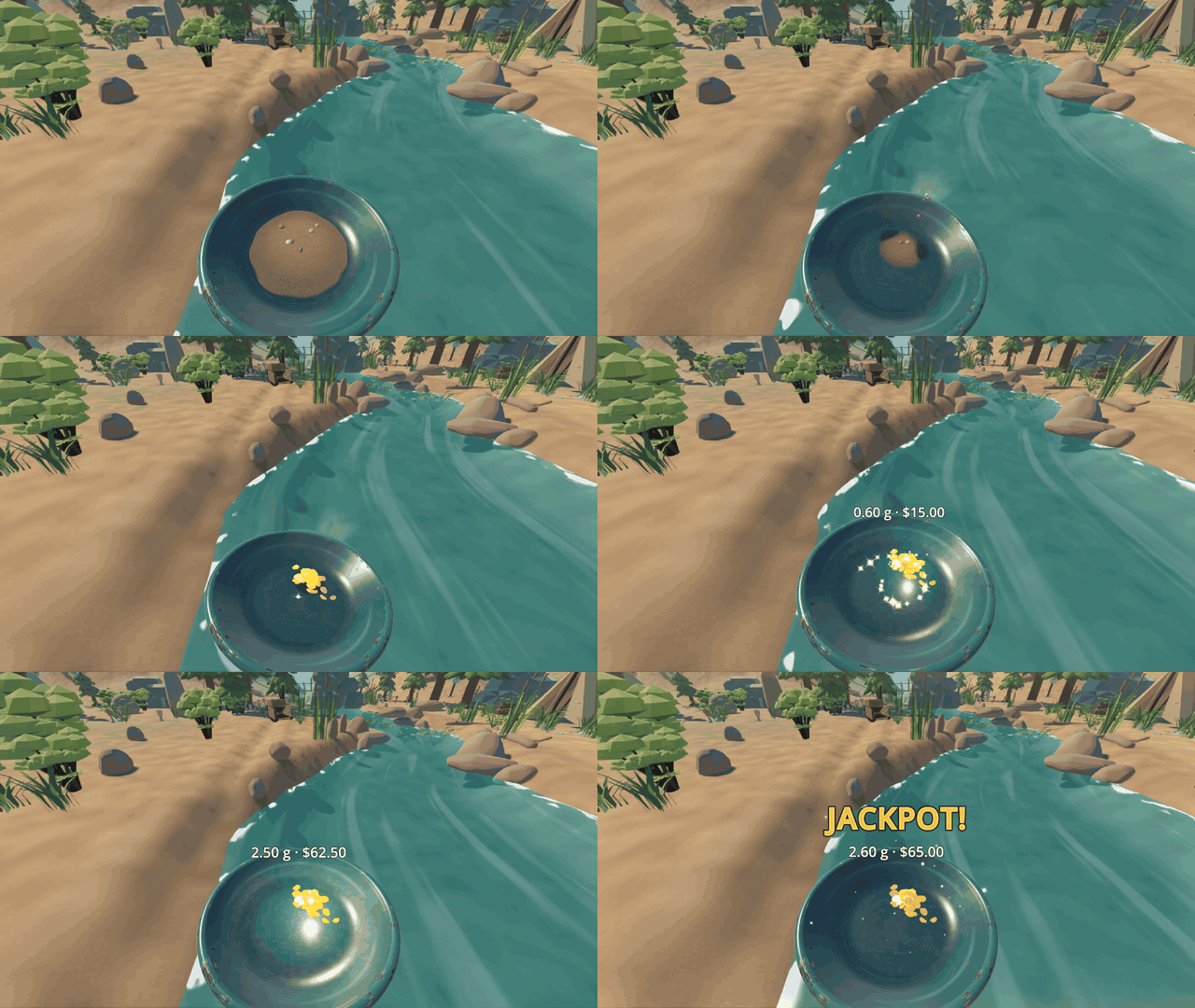
The loop starts at the riverbank. Holding the dig input cuts into the ground and produces gravel, which is collected from the pile and carried to the shallows. There the pan goes into the water and is swirled by hand: river water flows in, light sand washes over the lip, black sand stays behind, and whatever gold was in the gravel is left in the bottom.
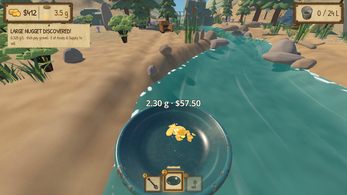
When the pan comes up clean, the find is graded into one of five outcomes: BUST, COLOR, PICKERS, NUGGET or JACKPOT. That grading is the heartbeat of the session, turning each swirl into a small verdict on whether the digging was worthwhile.
Gold is not rolled at random. It lies in the claim, and the ground tells you where: dark gravel and mineral outcrops point toward an ancient channel, and deeper ground pays more. A gold finder reads what is left underfoot for players who want confirmation before committing to a pit.
Gold is then weighed in at the riverside counter at Assay & Supply and swapped for equipment. A sluice changes the rhythm of a session considerably: feed it gravel and it washes the material automatically, trapping gold behind its riffles while digging continues elsewhere on the claim.
Controls
Movement is standard first-person: WASD plus a mouse handles moving and looking around the claim. The left mouse button is the workhorse input, held down to keep digging and used to wash the pan, while exposed gravel is collected by clicking the pile.
The shovel, pan and gold finder sit on keys 1, 2 and 3, and the mouse wheel cycles between them. The right mouse button takes a field sample with the pan, which is useful for testing ground before investing in a large excavation.
A few utility keys round out the set. E handles selling, depositing at the sluice and inspecting finds; Tab opens the upgrade counter at Assay & Supply; Q triggers a deep reading with the gold finder; R yanks the rope to climb out of a hole; Space and Shift jump and run; Esc pauses and opens settings; and F5 forces a save, which is handy because the claim also autosaves as play continues.
| Input | Action |
|---|---|
| WASD / mouse | Move and look around the claim |
| Left mouse button (hold) | Dig into the riverbank, or wash the pan |
| Click on a pile | Collect exposed gravel |
| 1 / 2 / 3 or mouse wheel | Switch between shovel, pan and gold finder |
| Right mouse button | Take a field sample with the pan |
| E | Sell, deposit at the sluice, inspect finds |
| Tab | Browse upgrades at Assay & Supply |
| Q | Gold finder deep reading |
| R | Rope yank out of a hole |
| Space / Shift | Jump / run |
| Esc | Pause and settings |
| F5 | Save now (the game also autosaves) |
Tips for your first run
Depth is the main lever in the early game. Below a metre the flakes get coarser, and deeper still the ground turns rust-red and glitters as it is cut, so a pit that feels ambitious early on usually pays better than a wide, shallow scrape.
Before digging, read the surface. Dark gravel and mineral outcrops are the clues that point toward an ancient channel, and the cut walls plus the glint of gold-bearing bites in the face confirm whether a pit is on the right line. The gold finder's deep reading takes the guesswork out.
Selling is the moment to plan rather than just collect. Gold weighed in at the Assay & Supply counter buys upgrades across shovels, pans, carrying, classifiers, hoppers, survey gear and sluices, and a sluice pays for itself by washing gravel in the background.
- Dig deeper rather than wider once the shallow layers turn up only specks.
- Check dark gravel and outcrops before committing to a large excavation.
- Use the gold finder's deep reading when a pit starts looking empty.
- Build toward a sluice early so gravel keeps washing while digging continues.
- Keep an eye on the seven upgrade lines and spread spending across carrying and pans, not just shovels.
- Deeper ground pays more, and a bedrock pocket on the far bank is waiting on the right gear.
Content and replayability
The claim is a sandbox rather than a level list. A single 65 by 65 metre stretch of riverbank can be dug anywhere, and the terrain records the work: every hole dug, every pile left behind, and every gram in the jar is preserved as the claim saves while playing.
Progression runs through 33 upgrades across seven lines, covering shovels, pans, carrying capacity, classifiers, hoppers, survey gear and sluices. The sluice itself is a build-up, starting as a simple box and developing into a water-wheel cascade that washes gravel and catches gold behind its riffles.
There are chases beyond the routine pan. Somewhere under the claim sits an exceptional nugget, and a bedrock pocket on the far bank rewards players with the equipment to reach it. The five pan grades, from BUST through COLOR, PICKERS and NUGGET to JACKPOT, give every swirl a small stake.
Because the layout is one continuous claim that remembers its own shape, replay comes from reworking the ground with better tools rather than starting over — a rust-red deep cut dug with a top-tier shovel and fed through a cascade is a different session from the first scrape.
Presentation and performance
This is a 3D first-person game, and the browser build opens on the Low graphics preset to get players into the claim quickly. Chrome, Edge or Firefox on a desktop are the stated browser options, and downloads provide the full-quality version for macOS and Linux, with Windows also addressed in the setup notes.
Hardware guidance is specific: a dedicated or recent integrated GPU with Vulkan on Windows and Linux, or Metal on macOS, is recommended for the 3D presentation. The build runs on Godot 4.7 and uses a caustics water shader adapted for the river, alongside recoloured nature assets and licensed sound effects.
Desktop downloads carry the usual unsigned-app friction. On Windows, a SmartScreen warning needs More info and then Run anyway; on macOS the app is not notarised, so the first launch needs a right-click, Open, then Open again; on Linux, a file that will not start may need chmod +x on the executable. The soundtrack is built from four Kevin MacLeod pieces, including Cattails and Porch Swing Days.
Who should play it
Gold Fever suits players who want the fiddly, satisfying part of prospecting rather than a management screen. The relaxing and idle tags are earned: a slow pit, a pan of black sand and a sluice doing quiet work in the background make for a low-pressure session, and the dig-anywhere claim never forces a route.
It also works for incremental-game players who enjoy watching small numbers compound. Thirty-three upgrades across seven lines, a sluice that automates washing, and grades that scale from specks to JACKPOT give the kind of steady curve that rewards short return visits as much as long digs.
Simulation fans who like physical, first-person work will find the layer-by-layer digging and hand-swirled pan closer to hands-on labour than most mining games. Anyone hoping for combat, story missions or a competitive mode will not find those here; this is a claim, a pan and a long bank to work.
Screenshots
How we tested it
The build was loaded from games.debutplay.com in a headless Chromium session on ; the canvas started and no request was blocked. The guide was last checked on .
From the developer
Dig the bank. Swirl the pan. Watch the gold come up. A first-person gold prospecting sim on your own river claim. Grab a shovel and cut into the riverbank. Every bite takes real ground out of a dig-anywhere claim, layer by layer: loam, ochre sand, then the dark pay gravel where the gold hides. Carry your gravel to the shallows, dip the pan and swirl it by hand. Sand spills over the lip, black sand stays behind, and then the first flakes catch the light. Sometimes it's a few specks of colour. Sometimes it's a nugget. Prospect it yourself Dig anywhere. 65 × 65 m of riverbank you can carve into, from a shallow scrape to a 12 m pit. The cut walls show what you're digging through, and gold-bearing bites glint in the face. Pan by hand. Hold the mouse and swirl. River water flows in, light sand washes out, and the gold is graded when the pan comes up clean: BUST, COLOR, PICKERS, NUGGET or JACKPOT. Read the ground. Gold isn't rolled at…
Frequently asked questions
Is Gold Fever free to play?
Yes. The game is free while it is in development, and it is playable in a desktop browser or as a download without a stated charge.
Which platforms can run it?
It plays in Chrome, Edge or Firefox on a desktop, and there are downloads for macOS and Linux, with Windows also covered in the setup notes. The browser build starts on the Low graphics preset.
How does panning work?
Gravel is carried to the shallows, the pan is dipped and swirled by hand, and light sand washes over the lip while black sand and gold stay behind. A clean pan is graded BUST, COLOR, PICKERS, NUGGET or JACKPOT.
Does progress save?
Yes. The claim saves while playing, recording every hole dug, every pile left behind and every gram collected. F5 forces a save on demand, and the game also autosaves.
What can gold be spent on?
Gold is weighed in at the Assay & Supply counter and turned into upgrades across seven lines: shovels, pans, carrying, classifiers, hoppers, survey gear and sluices.
How large is the claim?
The riverbank measures 65 by 65 metres and can be dug anywhere, from a shallow scrape to a 12 metre pit. Deeper ground pays more, and the ground is rust-red and glittering at depth.
What games are similar to Gold Fever: Gold Mining & Panning Simulator?
The closest matches on DebutPlay are Deuce Agency (Demo), Pax Libera, Mit englischer Zunge – English on the Tongue. They share the same genre, so the controls and the pace carry over.
Something wrong or missing? Tell us. How we test games.