Racing · New game
QT-Full Control
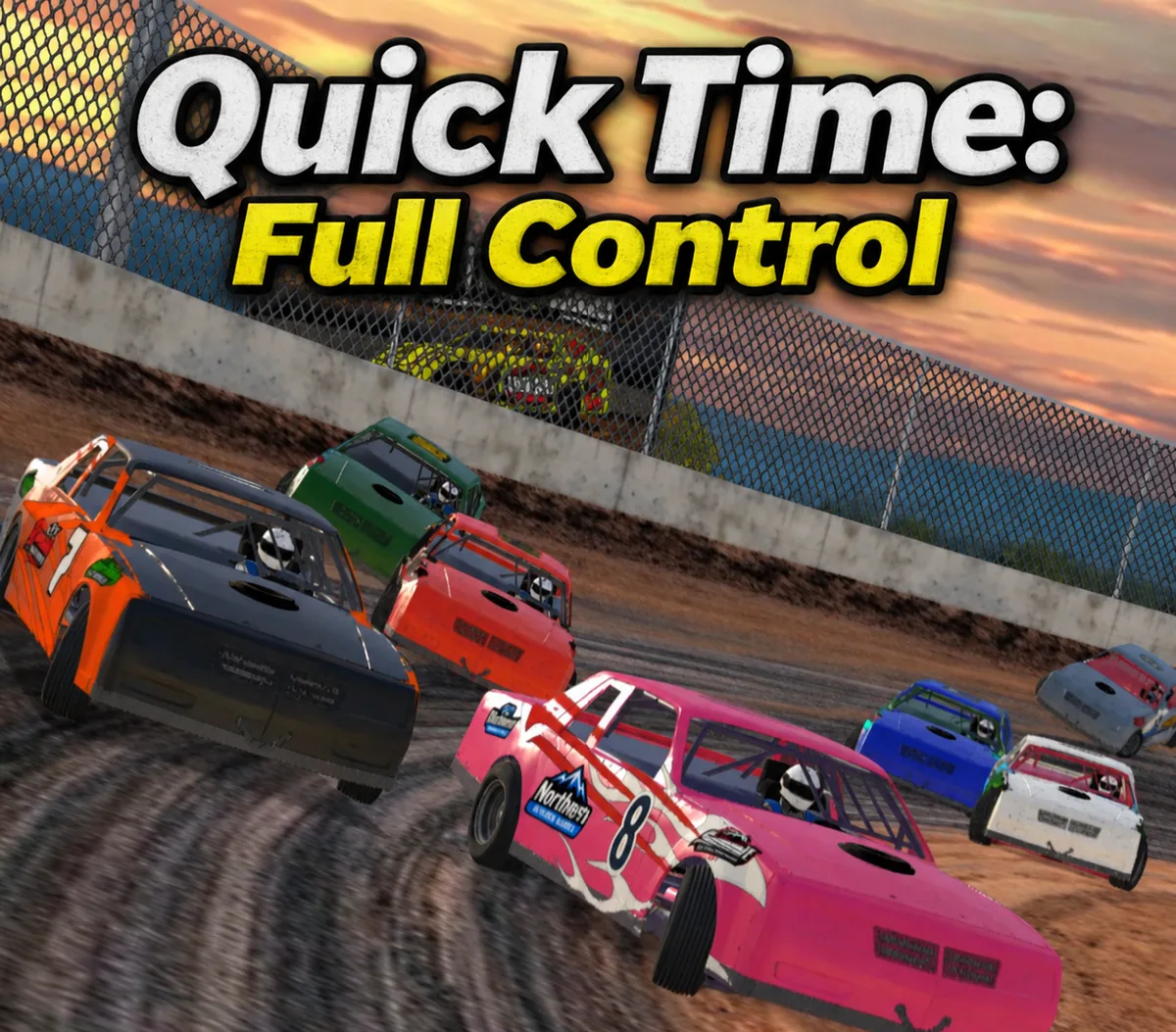
Starset Gaming's free browser racer hands over throttle, brake and steering, then wraps them in full race nights, a real setup sheet and a career that starts with a beat-up Factory Stock.
#41 this weekAI-assisted: Code, Graphics, Sound, Text
The game runs in this tab. No install, no account.
The short answer
A free HTML5 dirt oval racer from Starset Gaming, and a prototype. It puts throttle, brake and steering in your hands across qualifying, heats, a B-main, dash and feature against a 15-car field, then sends you into a career that opens with a beat-up Factory Stock and $2,000.
What is QT-Full Control?
QT-Full Control is Starset Gaming's hands-on take on its own dirt oval racer, rebuilt so the driver actually drives. The original Quick Time: Dirt Oval Racing was built around one-thumb play; this prototype hands over throttle, brake and steering and adds the machinery that surrounds a race: a real setup sheet, a complete race night and a career ladder.
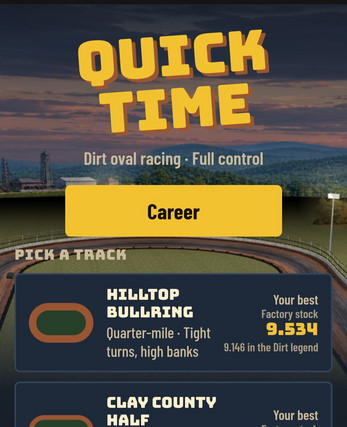
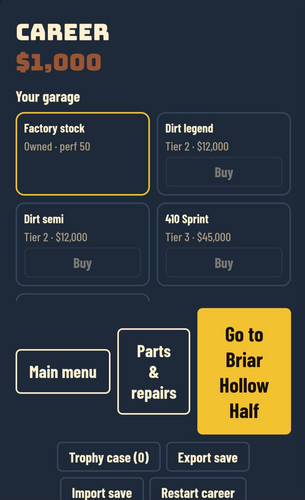
The career opens modestly. You begin in a battered Factory Stock with $2,000 in the account, and everything after that — purses, bonuses, championship points, sponsor offers — is earned on track rather than handed over. Five cars sit in the game, from that starter machine up to the 410 Sprint and the UMP Modified, and eleven tracks range from the Hilltop Bullring to the Mississippi High Bank and The Country Mile.
It runs in a browser as an HTML5 build and it is free, released as a side project while a full console version is in the works. The tone is club-level realism rather than arcade spectacle: tire pressures, cross weight and brake bias are all on the setup sheet, and hitting the wall is something that costs you horsepower.
| Input | Action |
|---|---|
| Controller | Analog throttle, brake and steering |
| Keyboard | Gas, brake and steering |
| On-screen pedals | Gas and brake input drawn on screen |
| Steering assist slider | Set the level of steering help, from maximum assistance down to 0% |
| Camera selection | Switch between chase, close, high and cockpit views, and adjust the cockpit seat |
| Left stick (Xbox, Edge browser) | Move a cursor through the menus once the game-controls option is enabled |
How to play
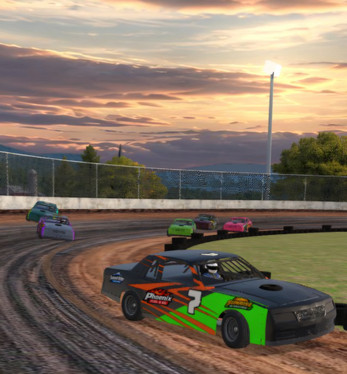
A race night is a full program, not a single sprint. Qualifying sets the field, the heats are inverted, and from there the evening runs through a B-main, a dash and the feature, all launched from a rolling start with fifteen cars on the grid.
Difficulty is personal. Rival drivers are paced off your own best lap, so you pick Easier, Matched or Harder and the AI meets you there instead of running a fixed speed you either crush or chase forever.
Track condition reshapes every night. The surface can be heavy and tacky, dry slick, rubbered down or normal, and it keeps coming in as the program moves from the heats toward the feature, so a setup that works early may not be the one that works late. Some nights break the format deliberately: a pill-draw invert, twin features, or a last-chance B-main for a place in the show.
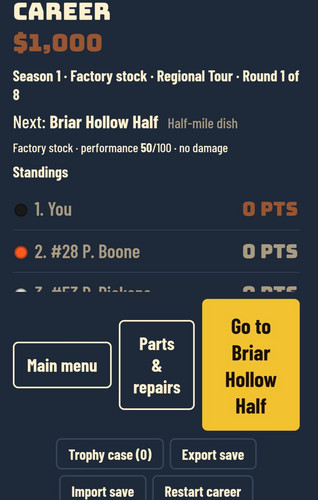
Career sits on top of all that. Each season you choose a series — Weekly Series, Regional Tour or Summer Swing — and race for purses, fast-time money, heat and dash bonuses, and championship points. Winning the Factory Stock title opens the Dirt Legend and Dirt Semi; winning both of those opens the 410 Sprint and UMP Modified. Saving up and buying a car outright is the alternative for anyone who would rather not wait.
Controls
Driving inputs are analog: gas, brake and steering, whether you use a controller, a keyboard or the on-screen pedals. A steering assist slider sets how much help the car gives you — wind it up for something close to one-thumb driving, or drop it to 0% and the car is entirely yours.
Views switch between chase, close, high and cockpit, and the cockpit seat can be adjusted so the eyeline sits where you want it.
On Xbox, playing through the Edge browser, the pad needs one extra step: hold the Menu button and pick the game-controls option so the controller drives the car rather than moving the browser cursor. Once that is done, the left stick operates a cursor inside the menus.
A controller or keyboard on a PC browser is the setup the game is built around. The garage and menus are worked with that pointer-style cursor rather than a bare pad, so expect to do your setup changes and car buying the same way you navigate everything else.
Tips for your first run
A few things are worth knowing before the first green flag, and most of them concern money and bodywork rather than driving lines.
- Keep it off the wall. Contact costs power, and enough of it brings on the check engine light, so a battered car stays slow for the rest of the night.
- Take the sponsor offers. Sponsors put money up for a result in your next feature and their logo rides on the car that night, which is budget you did not have to earn.
- Buy setup adjusters, not just parts. Performance parts and adjusters are separate purchases, and the setup sheet only pays off once you can actually change what it controls.
- Set the steering assist where you can genuinely drive the car, then lower it as the laps add up.
- Watch the surface between races. It keeps coming in from the heats to the feature, so plan to change the car mid-program, not just before qualifying.
- Export the save now and then. The career lives in your browser, and an exported file is the backup if that storage disappears.
Content and replayability
Five cars cover the ladder: the Factory Stock that starts a career, plus the Dirt Legend, Dirt Semi, UMP Modified and 410 Sprint. Eleven tracks run from the Hilltop Bullring to the Mississippi High Bank and The Country Mile, giving the calendar a mix of tight ovals and bigger ones.
Cosmetics are handled in the garage, with three saved liveries per car plus paint, finishes, sponsor decals, number styles, stripes and wraps. The setup sheet goes deeper than appearance: stagger, tire pressures, cross weight, springs, final drive and brake bias can all be adjusted, and setup adjusters and performance parts can be bought to build each car up over a season.
Progression leaves a record behind. A feature win puts a finish-line photo in the trophy case, special events turn up between rounds with longer features and larger purses, and championship points accumulate across the year.
The format variations do a lot of work here. Pill-draw inverts, twin features and last-chance B-mains, four track conditions and rivals matched to your own lap times mean a track you have already learned still races differently on the next visit.
Presentation and performance
The build is HTML5 and plays in a browser. Best results come from a PC browser paired with a controller or keyboard, which is the configuration the game is aimed at rather than an afterthought.
Career progress saves inside the browser itself, so the export save option is worth using regularly; it is the practical backup if local storage is cleared. Four camera angles cover the racing — chase, close, high and cockpit — with an adjustable cockpit seat, and completed races can be rewatched with TV cameras or lined up for a shot in photo mode.
Because this is an early side project released as is, bugs are part of the deal. Reports left in the comments are reviewed when time allows, and a full console version is in development separately from this browser build. The original one-thumb Quick Time: Dirt Oval Racing also remains playable for anyone who wants the stripped-back version of the same dirt oval idea.
Who should play it
Anyone who has watched a dirt oval night and wanted the whole program rather than one short race will recognise the shape: qualifying, inverted heats, a B-main, a dash and a feature, with the surface changing underneath the whole time. The setup sheet — stagger, cross weight, springs, final drive, brake bias and tire pressures — is aimed squarely at players who like changing the car as much as the driving line.
The career structure suits anyone who wants a reason to come back: a cheap starter car, sponsor offers, special events between rounds, and faster machinery gated behind titles or savings. Controller owners on a PC browser get the intended experience, and the steering assist slider keeps a keyboard or the on-screen pedals workable while you learn.
Players who want a finished, polished product should weigh the prototype status — this is a side project, not a final build. Those who enjoyed the one-thumb original and want to actually drive the car, manage the tires and chase a championship are the audience it is built for.
Screenshots
How we tested it
The build was loaded from games.debutplay.com in a headless Chromium session on ; the canvas started and no request was blocked. The guide was last checked on .
From the developer
Quick Time: Full Control The full-control version of Quick Time: Dirt Oval Racing. You get the throttle, brake and steering, a real setup sheet, full race nights against a 15-car field, and a career that starts in a beat-up Factory Stock with $2,000 to your name. Drive it your way Analog gas, brake and steering on a controller, keyboard or on-screen pedals A steering assist slider. Turn it up for one-thumb-style help, or down to 0% and it's all you Chase, close, high and cockpit cameras, with an adjustable cockpit seat Race night Qualifying, inverted heats, B-main, dash and feature, with a rolling start AI drivers paced off your own best lap, so every track is a race (Easier, Matched or Harder) Every night rolls its own track condition: heavy and tacky, dry slick, rubbered down or normal. The surface keeps coming in from the heats to the feature Some nights switch up the format with a pill-draw invert, twin features, or a last-chance…
Frequently asked questions
Is QT-Full Control free to play?
Yes. It is a free browser game from Starset Gaming, released as an early side project rather than a paid product.
What do you need to play it?
A browser that runs HTML5. A PC browser with a controller or keyboard is the recommended setup, and Xbox players can use Edge with the game-controls option enabled.
How many cars and tracks are included?
Five cars: Factory Stock, Dirt Legend, Dirt Semi, UMP Modified and 410 Sprint. Eleven tracks, from the Hilltop Bullring to the Mississippi High Bank and The Country Mile.
How are the faster cars unlocked?
Win the Factory Stock championship to open the Dirt Legend and Dirt Semi. Win titles in both to unlock the 410 Sprint and UMP Modified, or save up and buy in instead.
Does career progress save?
The career saves in the browser. Using the export save option now and then keeps a backup in case that local storage is lost.
How does it differ from Quick Time: Dirt Oval Racing?
The original is the one-thumb version. This build adds full throttle, brake and steering control, a setup sheet, 15-car race nights and a career mode.
What games are similar to QT-Full Control?
The closest matches on DebutPlay are TurboVektor, TurboVektor, GRAND TOURNAMENT AUTO. They share the same genre, so the controls and the pace carry over.
Something wrong or missing? Tell us. How we test games.