Puzzle · New game
VoxLua
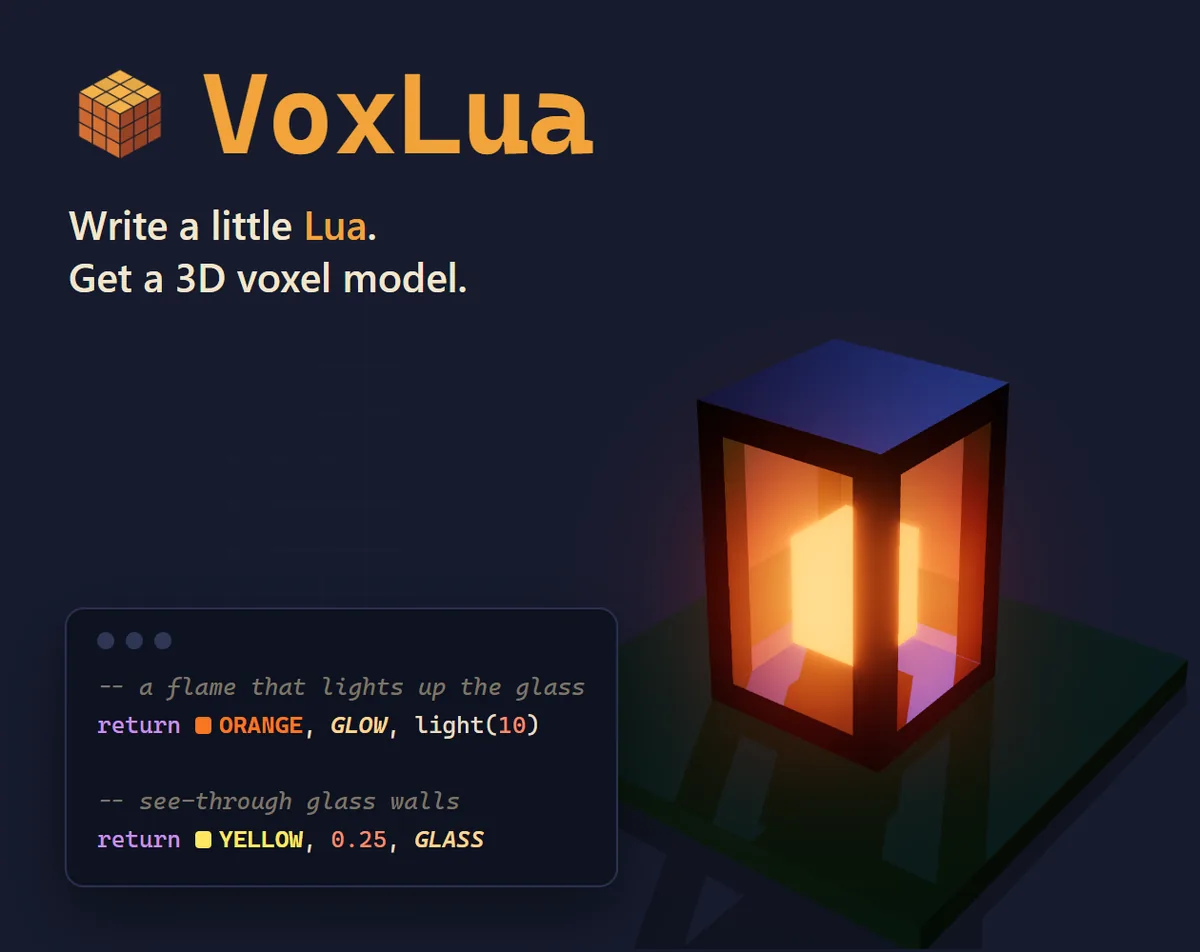
A $3.00 in-development workshop that turns short Lua programs into voxel models you can paint, animate, light, and export for game projects.
#51 this week
The game runs in this tab. No install, no account.
The short answer
VoxLua is a $3.00 workshop for building 3D cube models by writing small Lua programs, then painting, lighting, adding states, and animating them. It runs in HTML5 and on Windows, and its export path covers Godot scenes, GLB, and OBJ. The 0.1.0 build is in development, so expect rough edges while the core code-to-model loop is ready to try.
What is VoxLua?
VoxLua is a $3.00 workshop for creating 3D cube models by writing short Lua programs. Instead of sculpting every block by hand, the builder asks a function what belongs at each x, y, and z position. A simple distance check can turn into a red ball; changing one value reshapes the result. The model updates while the code is typed, so each edit becomes a visible experiment.
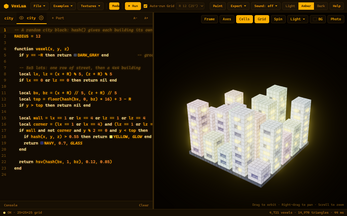
The tool runs in HTML5 and on Windows. It is marked in development at version 0.1.0, with rough edges expected. The code environment uses real Lua 5.4 in a sandbox, and the editor supports syntax colors, color swatches, autocomplete, hover help, find and replace, and six error categories. The influence is Replicube, but VoxLua is positioned as an open-ended tool rather than a puzzle game.
How to play
Start by writing a function for the voxel grid. Coordinates x, y, and z describe each cube, while a length helper gives distance from the center. A radius condition can form a ball, sine and cosine can shape hills, and hue selection can color by height. The grid size changes from the toolbar or with a radius constant at the top of a script.
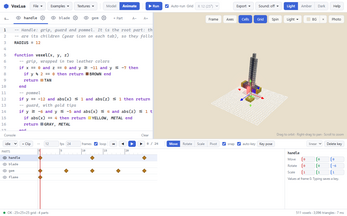
When the shape is ready, switch to paint tools to color individual cubes, apply materials, adjust opacity, add glow, or place textures. States give one part several forms, such as a lamp off and on or a chest closed and open. Parts can be split into named scripts, and animation clips use keyframes with frame rate, frame count, and looping. The timeline can be posed with the mouse or edited through clip and key code.
Export options include a Godot scene, GLB, and OBJ with MTL. The Godot route preserves parts, materials, and animations, converts glowing cubes into real lights, and can include an environment scene with sun, sky, bloom, camera, and a shadow floor.
Controls
The 3D view uses drag to orbit, right-drag to pan, and the scroll wheel to zoom. Ctrl+Space opens code suggestions, Ctrl+S saves, and Ctrl+Z with Ctrl+Y handles undo and redo. In paint mode, B selects the brush, E selects the eraser, and a separate key selects the color picker.
Mouse work extends into animation. Parts can be posed on the timeline with a gizmo for moving, rotating, scaling, and setting the pivot, with snapping and auto-key available. The same mouse edit rewrites the animation code. Alt+click shows a single part alone, while eye buttons show or hide parts. The paint brush can apply color, material, opacity, light, and texture, and the eraser restores the code's colors.
| Input | Action |
|---|---|
| Drag | Orbit the 3D view |
| Right-drag | Pan the 3D view |
| Scroll | Zoom the 3D view |
| Ctrl+Space | Open code suggestions |
| Ctrl+S | Save |
| B | Select the paint brush |
| E | Select the eraser |
| Picker shortcut | Select the color picker |
| Ctrl+Z and Ctrl+Y | Undo and redo |
| Alt+click | Show one part alone |
| Mouse on timeline | Pose parts with the gizmo and auto-key changes |
Tips for your first run
Begin with a small script and make one change at a time. The auto-run behavior keeps the last working model on screen while an error is fixed, so a typo does not erase progress. The Help panel lists every color, material, and function, and the examples provide working starting points.
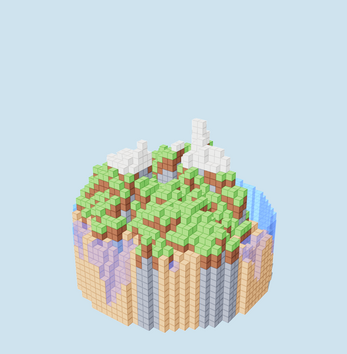
- Try the terrain, Menger sponge, textured cottage, traffic light, and campfire examples to see math, textures, states, and animation in use.
- Use a radius constant or the toolbar grid control before adding detail, since the grid size affects every cube answer.
- Keep a simple distance-based form for the first model, then add materials, glow, or opacity after the shape reads clearly.
- Set states before animating a part if the model needs different forms such as a light switching on or a container opening.
- Paint after the code shape is stable, then compare paint on and off to see what came from code and what came from hand edits.
Content and replayability
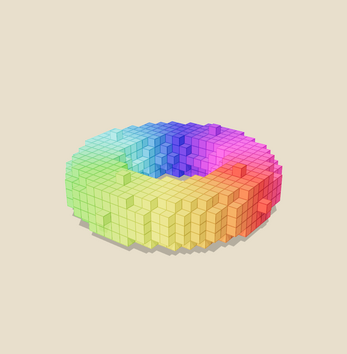
The built-in library holds 15 examples. They range from basic welcome and material studies to geometric shapes, terrain, a small city, error demonstrations, a textured cottage, an animated sword, a stateful traffic light, and an animated campfire. That spread gives new users working references for math patterns, texture work, state switching, and keyframe motion.
Model construction supports multiple parts, each with its own name, pivot, and parent. States let one part hold several shapes, and the animation timeline supports clips, keyframes, play and pause, frame stepping, looping, and per-key easing. Paint can apply color, material, opacity, light, and texture, with undo and redo per stroke.
The look controls add depth: 16 palette colors plus custom colors, see-through cubes that hide shared faces when neighbors match, glass and metal materials, glow lighting with a range from 0 to 15, code-drawn 16 by 16 pixel textures, per-face textures, tinting, cut-out transparent pixels, and imported PNG textures. Export covers Godot scenes, GLB, and OBJ with MTL, so models can move into other engines and 3D tools.
Presentation and performance
The viewport has Studio, Sunny day, Sunset, Night, and Soft light presets, plus custom sun direction, height, strength, and color. Any background color can be chosen, and the scene can use ambient light, shadows, exposure, glow strength, glow reach, and bloom on glowing cubes. A Photo button saves the current view as a high-resolution PNG.
Navigation aids include cell outlines, a floor grid, a bounding box with X, Y, and Z labels, slow spin, and a recenter button. Hovering a cube identifies its part. The interface offers Light, Amber, and Dark themes, plus synthesized or recorded keyboard click sounds with volume and pitch settings.
Performance safeguards are part of the coding loop. Auto-run updates while typing, friendly errors point to the line, and a per-run instruction limit prevents endless loops from locking the app. The software is at 0.1.0 and in development, so rough edges are part of the current build rather than a finished polish pass.
Who should play it
VoxLua suits players who want to learn coding logic through visible results. A short program produces a cube form, and a numeric change alters it immediately, which makes variables, functions, distance, trigonometry, and color selection concrete. The built-in Help and examples support that learning path without hiding the code.
It also suits creators who need voxel assets for a game. Godot users get a scene export with parts, materials, animations, glowing lights, and an optional environment scene; GLB and OBJ cover other engines and 3D tools. Paint tools, custom textures, states, and animation let a simple generated shape become a presentable prop.
The $3.00 price and in-development status set expectations. This is an open-ended workshop, not a puzzle campaign, and version 0.1.0 may show rough edges. Players who enjoy code-driven art, small experiments, and learning by changing numbers will find the intended audience fit; anyone seeking a finished game with structured levels should look elsewhere.
Screenshots
How we tested it
The build was loaded from games.debutplay.com in a headless Chromium session on ; the canvas started and no request was blocked. The guide was last checked on .
From the developer
Code and export your own 3D cube models. VoxLua is a cozy workshop for making voxel models by writing tiny Lua programs. Type a few lines, watch cubes appear. Change a number, watch them change. You can then paint them, animate them, choose custom textures, make cubes glow and take them into Godot to use in a real game. It's made for those who want to learn coding logic in a fun way and/or want to use the generated assets in a real game. VoxLua is heavily inspired by Replicube, created by Walaber Entertainment LLC. If you haven't played their game, I heavily recommend you check it out. While replicube is more like a puzzle game, VoxLua is intended as a tool. Expect rough edges as this is the 0.1.0 version. 1. Your first shape VoxLua asks one question for every cube in the grid: "what goes here?" You answer with a function. x, y and z say where the cube is, and len(x, y, z) is its distance from the center: function voxel(x, y, z) if…
Frequently asked questions
What is VoxLua?
VoxLua is a $3.00 workshop for making 3D cube models with short Lua programs. Models can be painted, given materials and glow, split into parts, given states, animated, and exported.
Do you need to know Lua?
The workshop is aimed at people who want to learn coding logic, and it provides 15 examples, autocomplete, hover help, a function reference, and errors that point to a line. It uses real Lua 5.4 in a sandbox.
What platforms and price are listed?
It costs $3.00 and is listed for HTML5 and Windows. The status is in development at 0.1.0.
Can models go into Godot?
Yes. Godot scene export is a full-version feature. It can bring parts, materials, animations, real lights for glowing cubes, and an optional environment scene. GLB and OBJ with MTL are also available.
Does it include animation?
Yes. Models can be split into parts, posed with a timeline gizmo or written as clip and key code, with frame rate, frame count, looping, frame stepping, and per-key easing. States can also be animated like a flipbook.
Is it finished?
No. VoxLua is in development and identified as version 0.1.0, with rough edges expected. The core loop of writing code, seeing a model, painting it, animating it, and exporting assets is present.
What games are similar to VoxLua?
The closest matches on DebutPlay are //TODO: Save the Dev, Holy Shift: Drunken Exorcist Simulator, Mini Factory Floor. They share the same genre, so the controls and the pace carry over.
Something wrong or missing? Tell us. How we test games.